

Bone Equipment Mod za Minecraft 1.21.1, 1.19.2
dodaje koštane alate, oklop, mač i oklop za konja
 Fabric
 Forge
ForgeO Bone Equipment modu
Bone Equipment
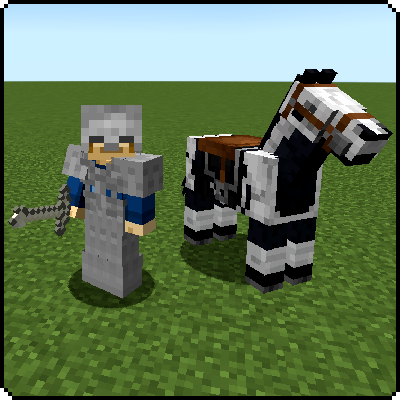
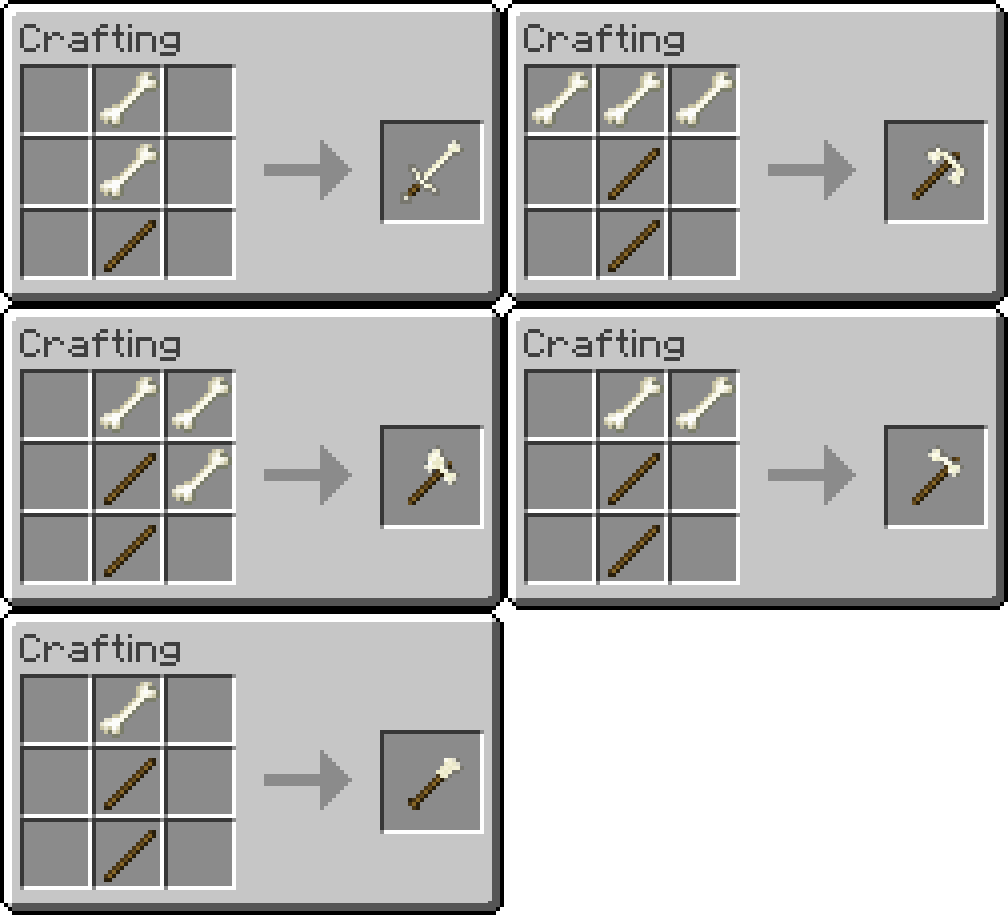
Bone armor, tools, sword and horse armor can be crafted with bones!
Stronger than stone, but just a little less than iron.
- Durability - 190
- Efficiency - 5
- Attack Damage - 4.5
- Enchant-ability - 9
- Armor Ratings - 10 (1,3,4,2)
- Armor Enchant-ability - 15
- Horse Armor Rating - 4

Downloads


Other Mods by Exline
Click on the banners below to see the mod's page.






Explore Exline Mods for top-notch gaming accessories and mods. Elevate your gaming experience with our high-quality products. Visit exlinemods.com now to gear up and enhance your gameplay!
Need Minecraft server hosting? Look no further than Bisect Hosting.
I am now officially sponsored by Bisect Hosting and will make commissions from any purchases made with the link and code below.
Use code EXLINE to get 25% off your first purchase while supporting this mod as well!
Thank you to all who sign up for a server with my link!
Thanks to bisect hosting, I can test out my mods on servers to make sure they work correctly for you!
Thank you for downloading this mod and supporting me to keep it updated!
Kako instalirati Bone Equipment
With Millida Launcher
Install Millida Launcher
The launcher is free: download it at millida.net/launcher and sign in with any nickname.
Click “Install” on this page
The launcher opens and installs the mod for Minecraft 1.18–1.21.1 on Fabric or Forge automatically.
Launch the game
A profile with it appears in the launcher: click “Play”.
Manually
Install Fabric or Forge
The loader must match the game version of the mod file, for example Minecraft 1.21.1. After installing it, a separate profile appears in your launcher.
Download the file for your version
In the version list above, pick the file boneequipment-v1.0.1-fabric-1.21.jar (125 KB) for your game version and loader.
Put it in the mods folder
The folder is inside .minecraft (Windows: %appdata%\.minecraft\mods). If it does not exist, create it.
Launch the loader profile
Open “Mods” in the main menu: Bone Equipment should be in the list.
Minecraft 1.21.1 runs on Java 21: with a different Java version the game may close right after launch.
Verzije
Sa zavisnostima
| Minecraft | Loader | Fajl | Datum | Akcije |
|---|---|---|---|---|
| 1.21 | Fabric | v1.0.1 for Fabric 1.21.x125 KB | ||
| 1.20.5 | Fabric | [v1.1.0] [Fabric] [1.20.5-1.20.6]125 KB | ||
| 1.19.2 | Forge | Bone Equipment - [Forge] [1.19.2] [v1.0.6]114 KB | ||
| 1.18.1 | Fabric | Bone Equipment - [Fabric ] [1.18] [v1.0.0]118 KB |
Česta pitanja
Which Minecraft versions does Bone Equipment work on?
There are files for 1.18–1.21.1, 7 versions in total. The newest is 1.21.1.
Is Bone Equipment for Forge or Fabric?
There are files for Fabric: 1.18–1.21.1 and for Forge: 1.19.2. There are no files for NeoForge: a mod for another loader will not start.
Does Bone Equipment need other mods?
The author lists no required dependencies: the Fabric or Forge loader is enough.
Which Java does Bone Equipment need?
Minecraft 1.21.1 runs on Java 21. If the game closes right after launch, the usual cause is the wrong Java version in the profile settings.
Where can I download Bone Equipment safely?
On this page: the file boneequipment-v1.0.1-fabric-1.21.jar (125 KB) is stored on Millida’s server, with no link shorteners. SHA-1 checksum: 5f4f2a24f66e3201860bf060b5fadf0697cedb42.
Recenzije
Budi prvi koji će oceniti Bone Equipment


