
 Fabric
O Block Swap (Fabric) modu
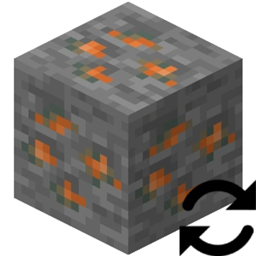
Block Swap je jednostavan mod koji ti omogućava da zameniš jedan blok drugim. Ovo radi i tokom generisanja sveta i pri postavljanju blokova u već generisanom svetu.
Zašto bih ovo želeo?
Zamisli ovo: instalirao si 25 tehnoloških modova i imaš 10 ruda kalaja, 14 ruda bakra, 4 rude uranijuma, 10 ruda olova i 15 ruda srebra. Ili možda... instalirao si Oh The Biomes You'll Go i Biomes O' Plenty i ne sviđa ti se činjenica da oba moda dodaju Redwood Logs.
Bolno, zar ne? A sada zamisli mod koji ti omogućava da ove duplikate blokova pretvoriš u jedan blok... da, upravo si ga pronašao!
Ovaj mod ti omogućava da u njegovom konfigu zameniš Blok A sa Blokom B i to je sve.
A šta je sa svojstvima Block State?
Ovaj mod će premapirati svojstva Block State sa Block State-a Bloka A na Block State Bloka B (ako je svojstvo prisutno).
Performanse? Da li je ovo sporo?
U mom sopstvenom profilisanju, NEMA uticaja na performanse.
Konfig
Konfig se ponovo učitava pri svakom učitavanju sveta.
Kako instalirati Block Swap (Fabric)
With Millida Launcher
Install Millida Launcher
The launcher is free: download it at millida.net/launcher and sign in with any nickname.
Click “Install” on this page
The launcher opens and installs the mod for Minecraft 1.19.2 on Fabric automatically.
Launch the game
A profile with it appears in the launcher: click “Play”.
Manually
Install Fabric
The loader must match the game version of the mod file, for example Minecraft 1.19.2. After installing it, a separate profile appears in your launcher.
Download the file for your version
In the version list above, pick the file Block Swap-fabric-1.19.2-2.0.0.1.jar (310 KB) for your game version.
Put it in the mods folder
The folder is inside .minecraft (Windows: %appdata%\.minecraft\mods). If it does not exist, create it.
Launch the loader profile
Open “Mods” in the main menu: Block Swap (Fabric) should be in the list.
Minecraft 1.19.2 runs on Java 17: with a different Java version the game may close right after launch.
Verzije
Sa zavisnostima
| Minecraft | Loader | Fajl | Datum | Akcije |
|---|---|---|---|---|
| 1.19.2 | Fabric | Block Swap-fabric-1.19.2-2.0.0.1.jar310 KB |
Česta pitanja
Which Minecraft versions does Block Swap (Fabric) work on?
Only Minecraft 1.19.2: there are no files for other versions.
Is Block Swap (Fabric) for Forge or Fabric?
Only for Fabric: 1.19.2. There are no files for Forge or NeoForge: a mod for another loader will not start.
Does Block Swap (Fabric) need other mods?
The author lists no required dependencies: the Fabric loader is enough.
Which Java does Block Swap (Fabric) need?
Minecraft 1.19.2 runs on Java 17. If the game closes right after launch, the usual cause is the wrong Java version in the profile settings.
Where can I download Block Swap (Fabric) safely?
On this page: the file Block Swap-fabric-1.19.2-2.0.0.1.jar (310 KB) is stored on Millida’s server, with no link shorteners. SHA-1 checksum: 40f8faadd2feb6dcba2aa74cc904b23a841b19eb.
Recenzije
Budi prvi koji će oceniti Block Swap (Fabric)


