
- pregleda
- 9 pregleda
- Ažurirano
- Ažurirano 18.10.2026
- 1.18 — 26.1.2
 Fabric
O Blabber modu
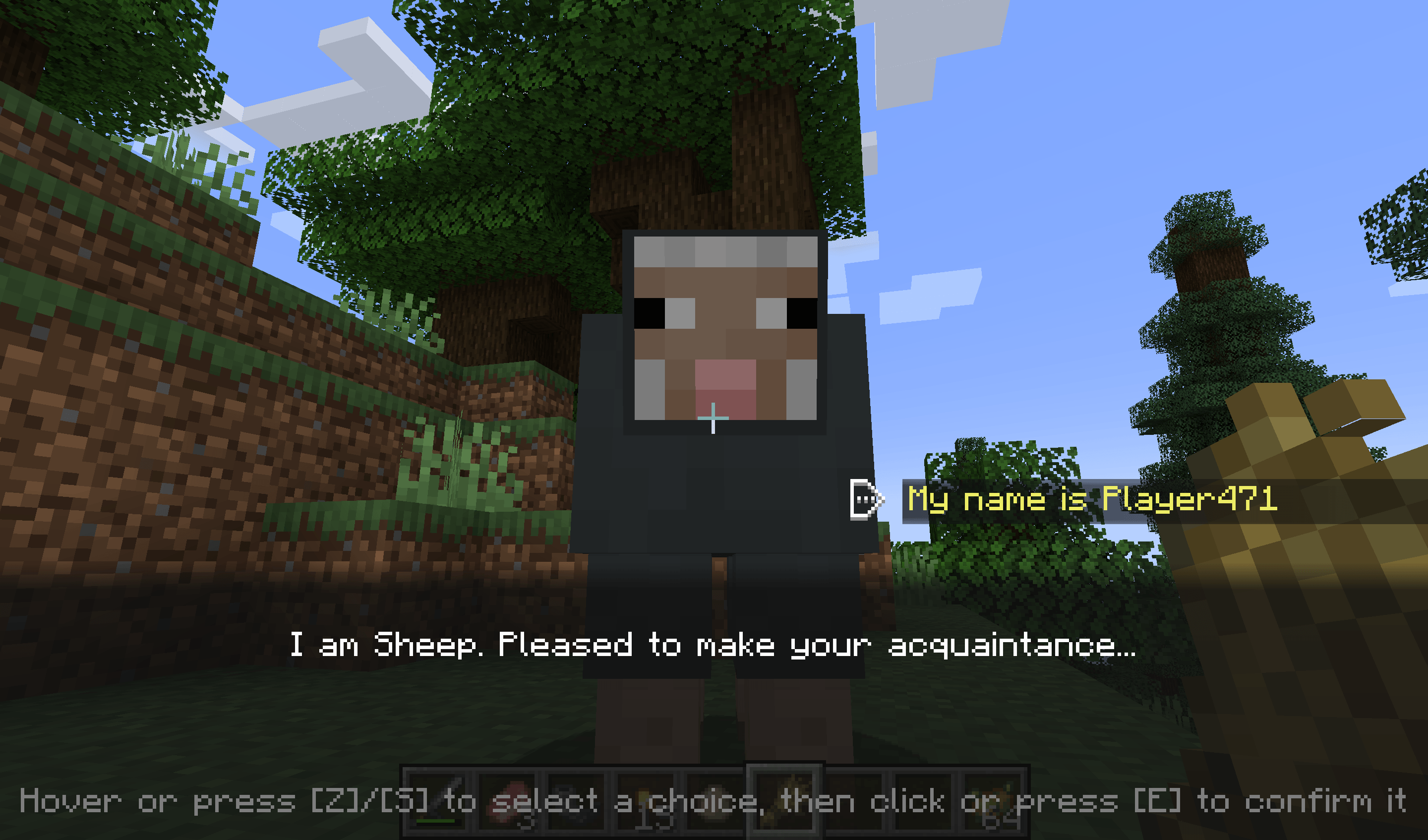
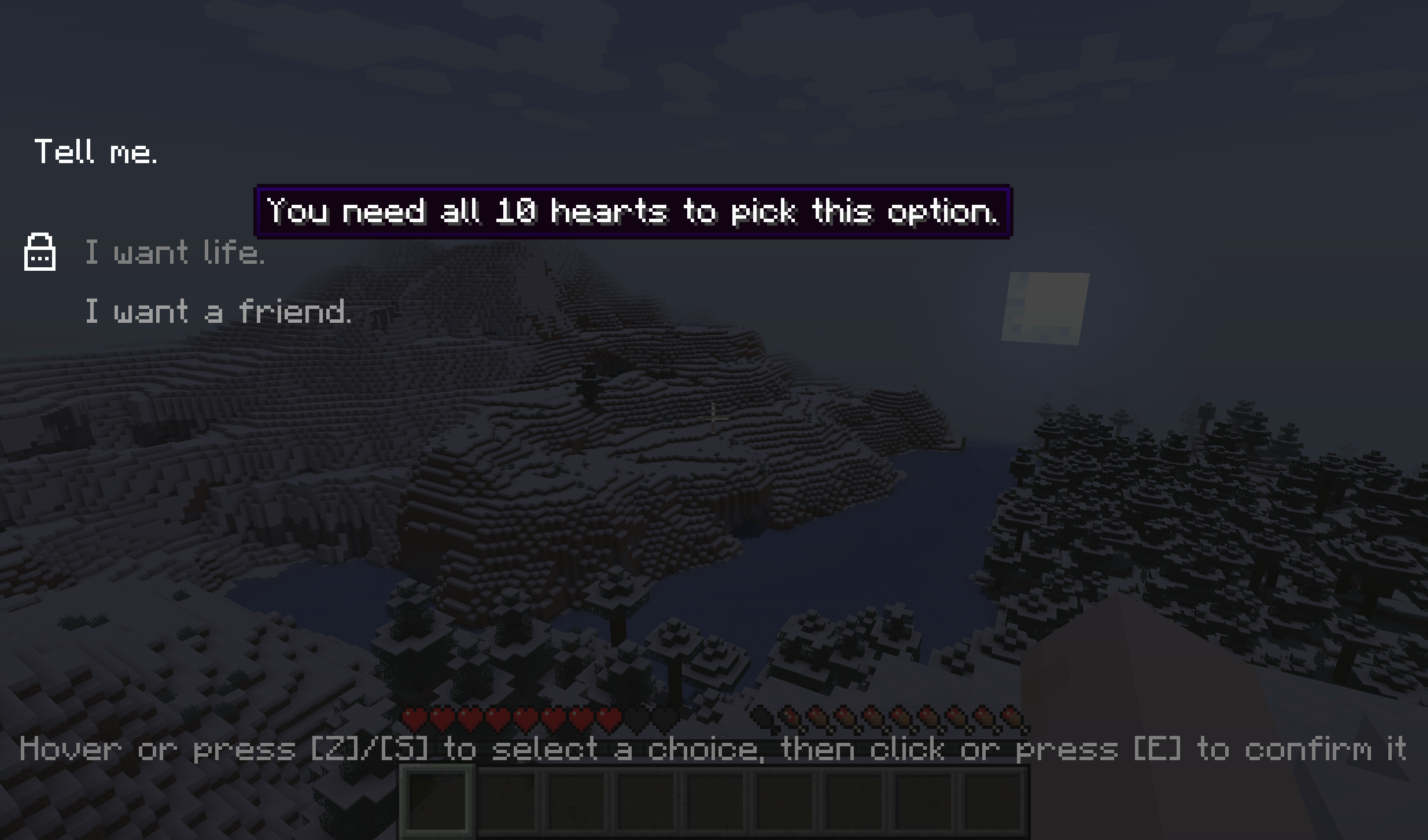
Are you a modpack maker who wants their players to talk to more than a quest book? Are you a modded server owner who wants to sprinkle some ✨immersion✨ in their world? Are you perhaps a modder who is looking for an easy-to-use dialogue library with expansive tooling?
Blabber is a mod and library for displaying interactive dialogues to your players. Just write your dialogue description files, then start them on demand!
For a full description, see our website: https://ladysnake.org/wiki/blabber
Also check out our online dialogue editor: https://ladysnake.org/tools/parlour
Mod Compatibility
Heracles
The Heracles quest mod can be used with the Heracles for Blabber add-on to incorporate dialogues into your modpack's or server's quests.
Text Animator
The Text Animator mod can be used to add special effects to your dialogues' texts.
Taterzens
The Taterzens mod can be used to create NPCs that can trigger Blabber dialogues when interacted with.
Q: (Neo)Forge?
A: I do not wish to spend development time supporting Forge. However, on 1.20.1, you can use the Sinytra Connector mod to make Blabber run regardless. If you are a mod developer who wishes to provide support for another loader, you can get in touch with us on our Discord server.
Kako instalirati Blabber
With Millida Launcher
Install Millida Launcher
The launcher is free: download it at millida.net/launcher and sign in with any nickname.
Click “Install” on this page
The launcher opens and installs the mod for Minecraft 1.18–26.1.2 on Fabric automatically.
Launch the game
A profile with it appears in the launcher: click “Play”.
Manually
Install Fabric
The loader must match the game version of the mod file, for example Minecraft 26.1.2. After installing it, a separate profile appears in your launcher.
Download the file for your version
In the version list above, pick the file blabber-1.13.0.jar (370 KB) for your game version.
Put it in the mods folder
The folder is inside .minecraft (Windows: %appdata%\.minecraft\mods). If it does not exist, create it.
Launch the loader profile
Open “Mods” in the main menu: Blabber should be in the list.
Verzije
Sa zavisnostima
| Minecraft | Loader | Fajl | Datum | Akcije |
|---|---|---|---|---|
| 26.1 | Fabric | blabber-1.13.0.jar370 KB | ||
| 1.20.5 | Fabric | blabber-1.7.0-mc1.20.6.jar337 KB | ||
| 1.18.1 | Fabric | blabber-0.1.0-SNAPSHOT.jar134 KB |
Česta pitanja
Which Minecraft versions does Blabber work on?
There are files for 1.18–26.1.2, 7 versions in total. The newest is 26.1.2.
Does Blabber need other mods?
The author lists no required dependencies: the Fabric loader is enough.
Where can I download Blabber safely?
On this page: the file blabber-1.13.0.jar (370 KB) is stored on Millida’s server, with no link shorteners. SHA-1 checksum: c6ca57c943139c1ea34a6d553cf1a0397cb8ef73.
Recenzije
Budi prvi koji će oceniti Blabber


