

Better Mods Button za Minecraft 1.21.1, 1.19.2
Your mods button, your way. Where you want it, and how you want it!
 NeoForge
 Forge
ForgeO Better Mods Button modu
 
📖 About:
Better Mods Button adds the mods button back to the pause screen as in Forge versions prior to Minecraft 1.13, so it can be used to easily access in-game mod configuration (when available).
As a bonus, there are plenty of options for where and how exactly you want your mods button to be shown on screen (heavily inspired by Mod Menu). Showing a total mod count, as well as toggling the update notification glyph are both supported.
📷 Media:
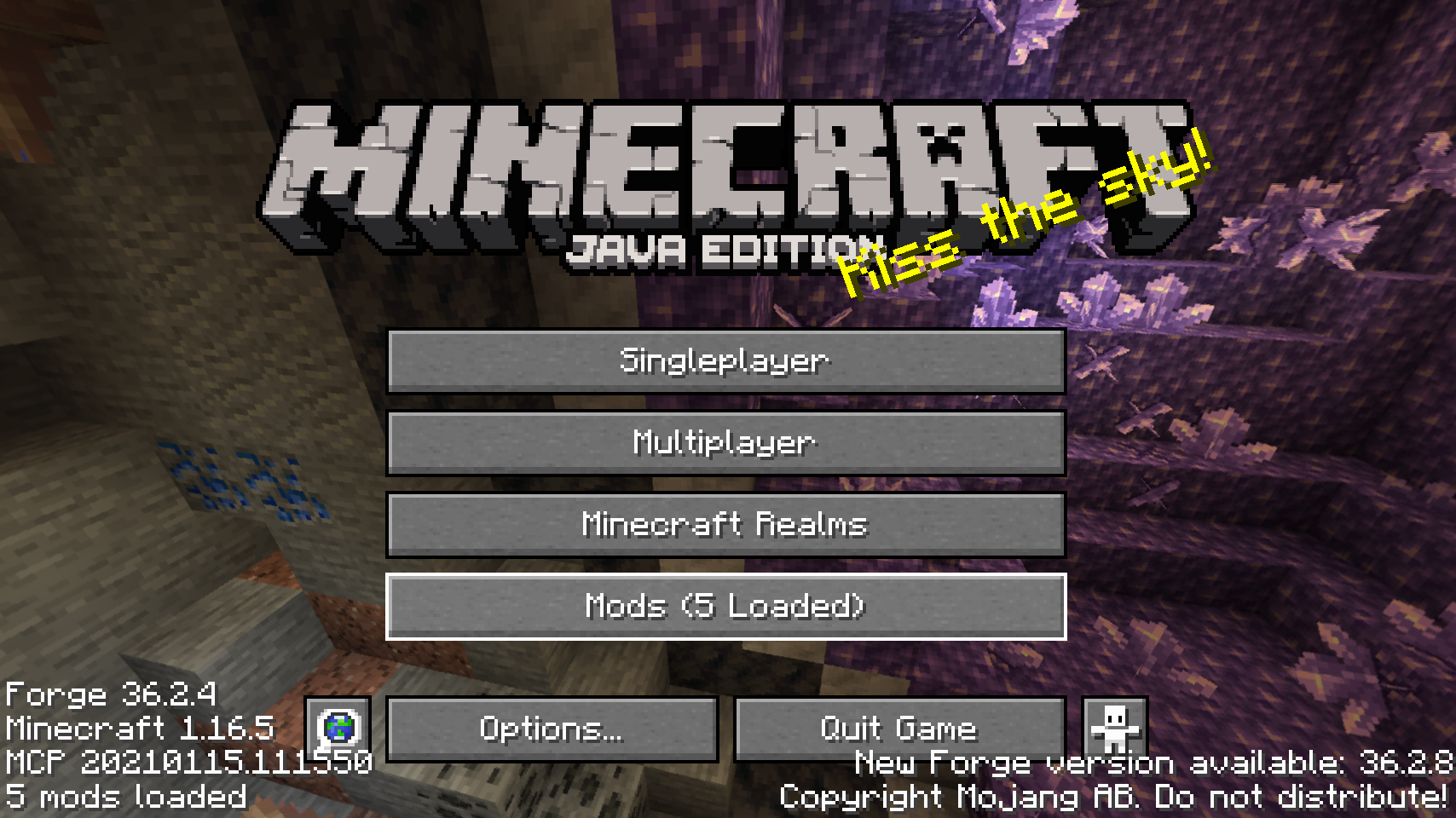
  
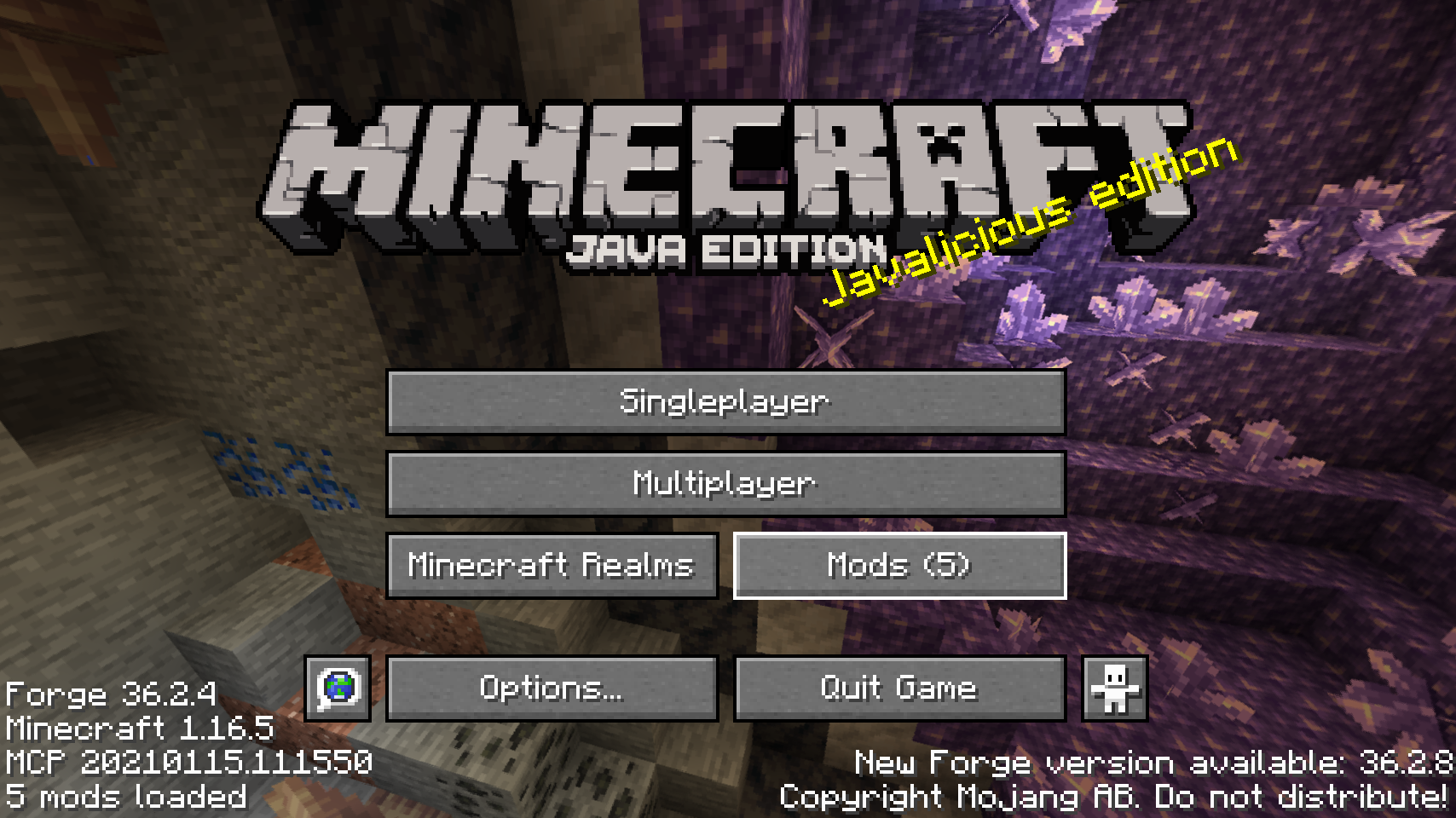
Default mods button on title screen    One of the alternative mods button placements
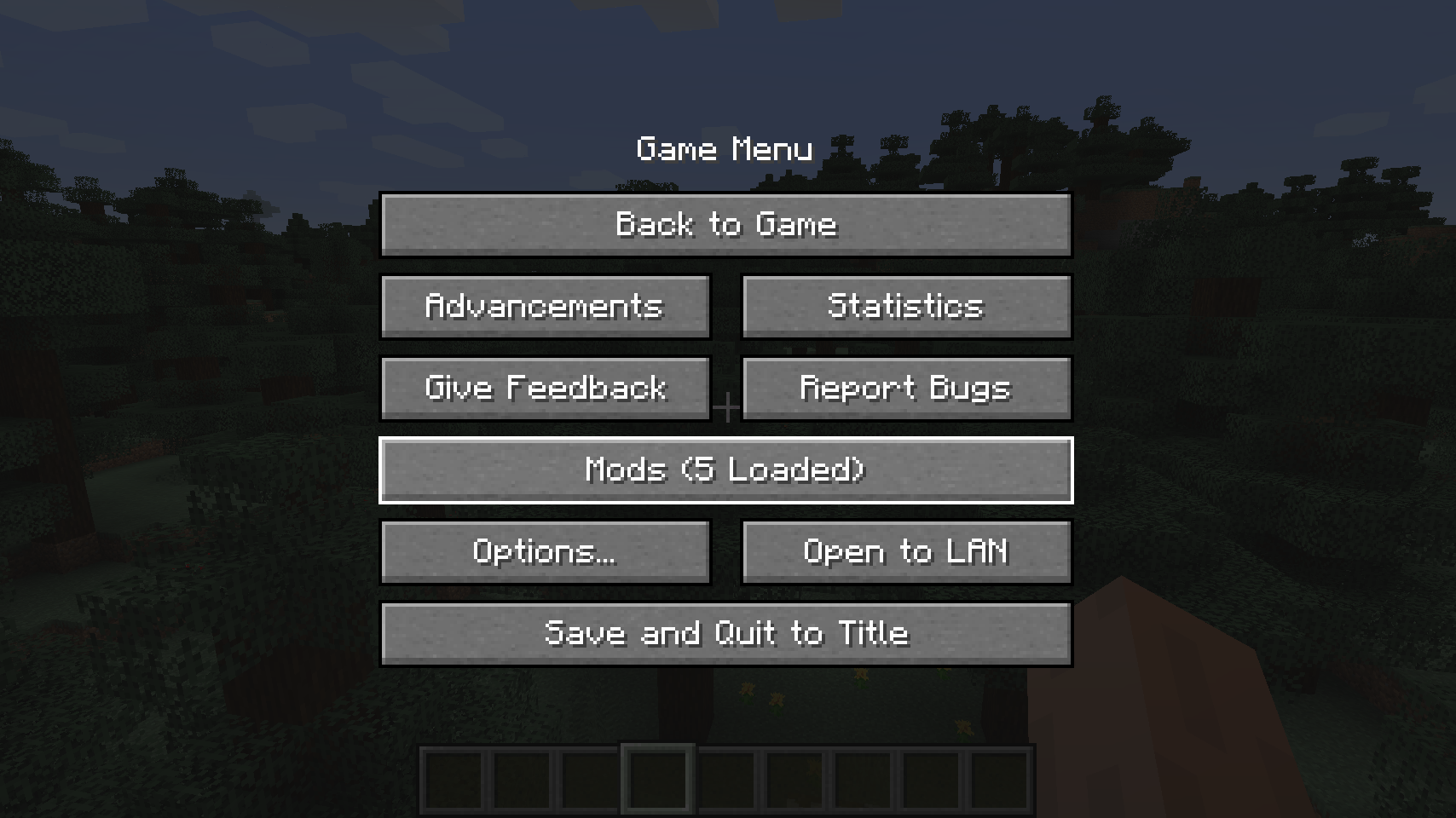
  
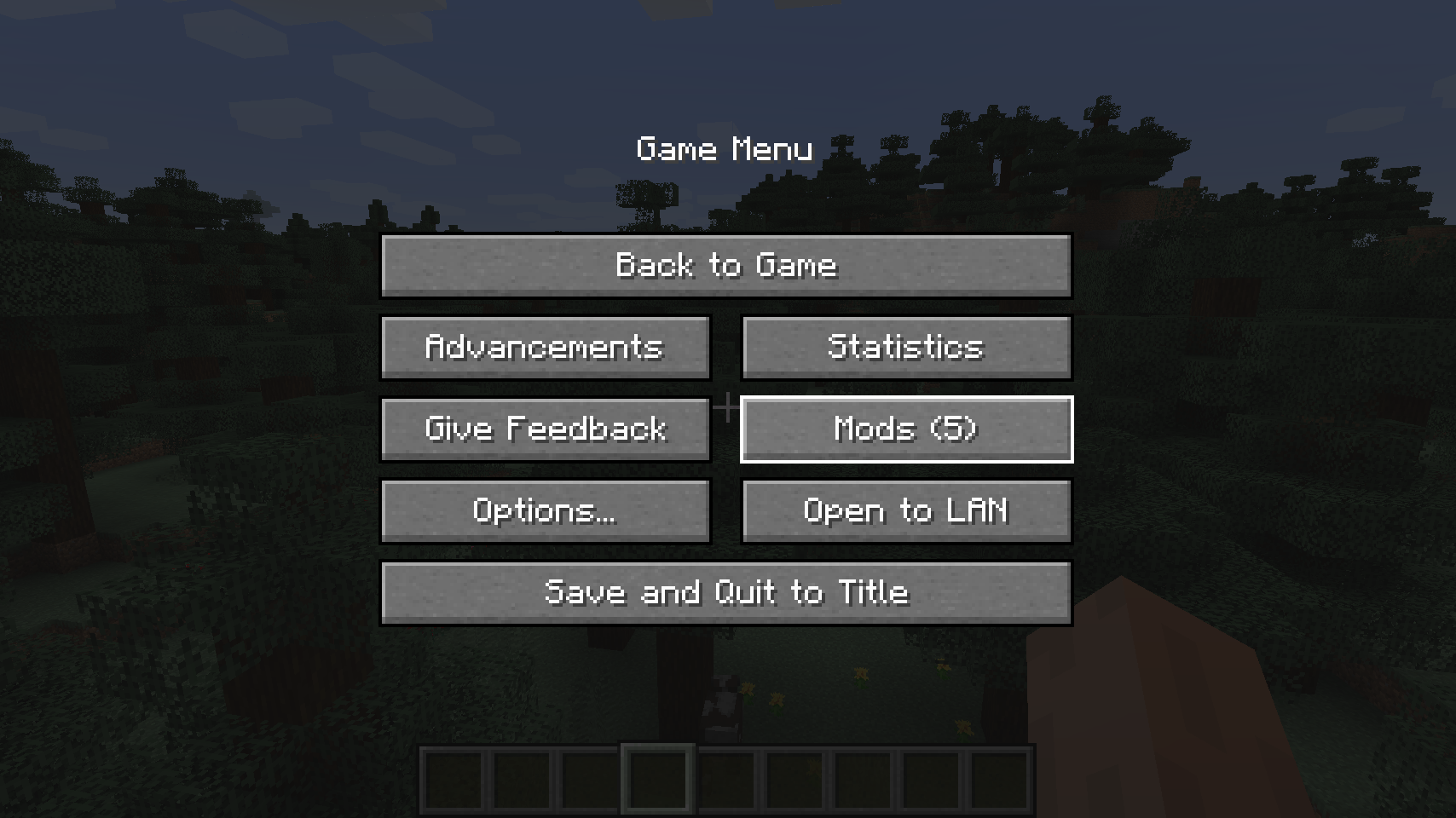
Default mods button on pause menu    An alternative placement for the pause screen

  
Another alternative pause screen button placement   
💡 FAQ:
Q: How do I configure this mod? A: Install my Config Menus for Forge mod and do it directly in-game!
Q: What about a Fabric port? A: Use Mod Menu by ProspectorDev instead.
🏆 Credits:
Developing Better Mods Button was helped and inspired by:
- ProspectorDev for inspiring most of the configuration options for this mod from their Mod Menu mod


Kako instalirati Better Mods Button
With Millida Launcher
Install Millida Launcher
The launcher is free: download it at millida.net/launcher and sign in with any nickname.
Click “Install” on this page
The launcher opens and installs the mod for Minecraft 1.18.2–26.1.2 on Forge or NeoForge automatically.
Launch the game
A profile with it appears in the launcher: click “Play”.
Manually
Install Forge or NeoForge
The loader must match the game version of the mod file, for example Minecraft 26.1.2. After installing it, a separate profile appears in your launcher.
Download the file for your version
In the version list above, pick the file bettermodsbutton-v26.1.2-mc26.1.x+neoforge.jar (55 KB) for your game version and loader.
Put it in the mods folder
The folder is inside .minecraft (Windows: %appdata%\.minecraft\mods). If it does not exist, create it.
Launch the loader profile
Open “Mods” in the main menu: Better Mods Button should be in the list.
Better Mods Button works on the player’s side only: there is no need to install it on a server.
Verzije
Sa zavisnostima
| Minecraft | Loader | Fajl | Datum | Akcije |
|---|---|---|---|---|
| 1.21.1 | NeoForge | 1.21.165.1 KB | ||
| 1.21.1 | Forge | 1.21.161.8 KB | ||
| 26.1.2 | NeoForge | 26.1.255.1 KB | ||
| 26.1 | NeoForge | 26.155 KB | — | |
| 1.21.11 | NeoForge | 1.21.1147.3 KB | — | |
| 1.21 | NeoForge | 1.2159.6 KB | — | |
| 1.19.2 | Forge | 1.19.256.1 KB | — | |
| 1.18.2 | Forge | 1.18.254.8 KB | — |
Česta pitanja
Which Minecraft versions does Better Mods Button work on?
There are files for 1.18.2–26.1.2, 8 versions in total. The newest is 26.1.2.
Is Better Mods Button for Forge or Fabric?
There are files for Forge: 1.18.2–1.21.1 and for NeoForge: 1.21–26.1.2. There are no files for Fabric: a mod for another loader will not start.
Does Better Mods Button need other mods?
The author lists no required dependencies: the Forge or NeoForge loader is enough.
Do I need to install Better Mods Button on a server?
No. Better Mods Button works on the player’s side only: there is no need to install it on a server.
Where can I download Better Mods Button safely?
On this page: the file bettermodsbutton-v26.1.2-mc26.1.x+neoforge.jar (55 KB) is stored on Millida’s server, with no link shorteners. SHA-1 checksum: 2a9bcf56e9964467e42d2af97db2c5c9be895bee.
Recenzije
Budi prvi koji će oceniti Better Mods Button


