
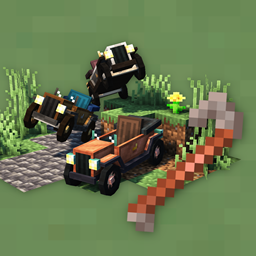
Automobility Mod za Minecraft 1.20.1
Mod za vozila koji dodaje prilagodljive i funkcionalne automobile
 Fabric
 Quilt
Quilt Forge
ForgeMinecraft mod koji dodaje vozila koja se mogu prilagoditi.
Automobility je trenutno u BETA fazi! Mod nije potpuno dovršen, i svaki predlog za nove funkcije bi bio veoma cenjen. Diskutujte o funkcijama na GitHub Discussions stranici moda, ili na Discord-u.
Dostupno za Fabric/Quilt i Forge
- Zahteva Fabric API (Fabric) ili QSL (Quilt)
- Nisu potrebni dodatni modovi na Forge
- Kliknite na Files na vrhu stranice da vidite sve verzije za sve mod loadere
Trenutno se održava za verziju 1.20/1.20.1, starije verzije su povučene
Kako početi
- Recepti: Recepti za pravljenje se mogu videti koristeći EMI (Fabric/Quilt) ili JEI (Forge).
- Delovi automobila: Napravite Auto Mechanic Table. Koristite GUI da napravite ram, motor i točkove za vaš automobil. Opciono možete napraviti i dodatak.
- Pravljenje vašeg automobila: Napravite Automobile Assembler, kao i Crowbar. Postavljajte delove na assembler dok vozilo ne bude kompletno. Koristite crowbar da uništite vozilo.
- Unapređenje vašeg automobila: Koristite Auto Mechanic Table da napravite dodatke, koji se mogu postaviti na vaš automobil da dodaju uzbudljivu funkcionalnost ili korisnost.
- Gradnja: Možete koristiti Slopes, Dash Panels, Off-Road tiles i još mnogo toga da napravite puteve, trkačke staze ili poligone sa preprekama.
Vožnja
- W - Ubrzavanje
- S - Kočenje/Rikverc/Burnout
- A/D - Skretanje levo/desno
- Space - Drift
Podrška za kontroler: kada koristite MidnightControls, moći ćete da upravljate automobilima sa sledećim podrazumevanim kontrolama:
- A - Ubrzavanje
- B - Kočenje/Rikverc
- LStick - Skretanje levo/desno
- RTrigger - Drift
Kako instalirati Automobility
With Millida Launcher
Install Millida Launcher
The launcher is free: download it at millida.net/launcher and sign in with any nickname.
Click “Install” on this page
The launcher opens and installs the mod for Minecraft 1.20–1.20.1 on Fabric, Forge or Quilt automatically.
Launch the game
A profile with it appears in the launcher: click “Play”.
Manually
Install Fabric, Forge or Quilt
The loader must match the game version of the mod file, for example Minecraft 1.20.1. After installing it, a separate profile appears in your launcher.
Download the file for your version
In the version list above, pick the file automobility-0.4.2+1.20.1-fabric.jar (1.1 MB) for your game version and loader.
Put it in the mods folder
The folder is inside .minecraft (Windows: %appdata%\.minecraft\mods). If it does not exist, create it.
Launch the loader profile
Open “Mods” in the main menu: Automobility should be in the list.
Minecraft 1.20.1 runs on Java 17: with a different Java version the game may close right after launch.
Verzije
Sa zavisnostima
| Minecraft | Loader | Fajl | Datum | Akcije |
|---|---|---|---|---|
| 1.20.1 | Fabric, Quilt | [Fabric] Automobility Beta 0.4.2 for 1.20.11.1 MB 7 | ||
| 1.20.1 | Forge | [Forge] Automobility Beta 0.4.2 for 1.20.11 MB 16 |
Česta pitanja
Which Minecraft versions does Automobility work on?
There are files for 1.20.1, 1.20. The newest is 1.20.1.
Does Automobility need other mods?
The author lists no required dependencies: the Fabric, Forge or Quilt loader is enough.
Which Java does Automobility need?
Minecraft 1.20.1 runs on Java 17. If the game closes right after launch, the usual cause is the wrong Java version in the profile settings.
Where can I download Automobility safely?
On this page: the file automobility-0.4.2+1.20.1-fabric.jar (1.1 MB) is stored on Millida’s server, with no link shorteners. SHA-1 checksum: c820b82890d0192ccf1e8bc05d1ff081bc5954b7.
Recenzije
Budi prvi koji će oceniti Automobility


