
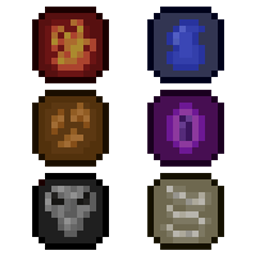
Archon Mod za Minecraft 1.20.1
Čarobnjaštvo, nekromancija, boss-ovi i još mnogo toga!
- preuzimanja
- 6 preuzimanja
- pregleda
- 27 pregleda
- Ažurirano
- Ažurirano 22.10.2026
- 1.20.1
 Fabric
O Archon modu
Archon je magični mod zasnovan na elementima za Fabric 1.18+. Uključuje:
- Jedinstveni sistem mane
- Elementalno oružje sa sposobnostima
- Sistem bacanja čini sa jedinstvenim činima
- Nekromanciju
- Korisne razne predmete
- Prizyvljive bosove
- I još mnogo toga!
Ako imaš instaliran Patchouli, možeš napraviti Grimoire da vidiš sve o sadržaju. Archon koristi sistem Spell Power za skaliranje čini i za poboljšanje kompatibilnosti sa drugim Fabric magičnim modovima.
Zahteva Spell Power Attributes od verzije 0.7.0!
Preporučeni modovi:
- Patchouli: Omogućava ti korišćenje vodiča
- REI: Omogućava ti pregled svih recepata
Kompatibilni modovi:
- EMI: REI alternativa
Često postavljana pitanja i saveti
P: Mogu li da konfigurišem ovaj mod?
O: Da, možeš naći konfiguracionu datoteku u svom run folderu. Možeš konfigurisati mnoge aspekte moda, uključujući poziciju prikaza mane.
P: Hoće li ovo biti portovano na Forge?
O: Ne
P: Šta ako nađem problem ili imam predlog?
O: Napravi detaljan post na github issues stranici
P: Zašto su neke teksture loše?
O: Nisam sjajan umetnik, pa radim što mogu sa teksturama
- Možeš dodati druge mobove u tagove c:bosses, archon:creatures i archon:players da omogućiš ispuštanje duša iz modovanih mobova.
- Možeš prilagoditi maksimalnu manu pojedinačnih igrača koristeći /mana setMax komandu
- Da povećaš težinu modpaka, preporučuje se da prilagodiš recepte čini kako bi ih bilo teže napraviti
Ako nađeš bilo kakve probleme ili imaš predloge, molim te obavesti me na GitHub-u ili na mom discordu
Kako instalirati Archon
With Millida Launcher
Install Millida Launcher
The launcher is free: download it at millida.net/launcher and sign in with any nickname.
Click “Install” on this page
The launcher opens and installs the mod for Minecraft 1.20.1 on Fabric automatically.
Launch the game
A profile with it appears in the launcher: click “Play”.
Manually
Install Fabric
The loader must match the game version of the mod file, for example Minecraft 1.20.1. After installing it, a separate profile appears in your launcher.
Download the file for your version
In the version list above, pick the file ArchonGithub-0.8.2.jar (1.9 MB) for your game version.
Put it in the mods folder
The folder is inside .minecraft (Windows: %appdata%\.minecraft\mods). If it does not exist, create it.
Launch the loader profile
Open “Mods” in the main menu: Archon should be in the list.
Minecraft 1.20.1 runs on Java 17: with a different Java version the game may close right after launch.
Verzije
Sa zavisnostima
| Minecraft | Loader | Fajl | Datum | Akcije |
|---|---|---|---|---|
| 1.20.1 | Fabric | 0.8.21.9 MB 6 |
Česta pitanja
Which Minecraft versions does Archon work on?
Only Minecraft 1.20.1: there are no files for other versions.
Is Archon for Forge or Fabric?
Only for Fabric: 1.20.1. There are no files for Forge or NeoForge: a mod for another loader will not start.
Does Archon need other mods?
The author lists no required dependencies: the Fabric loader is enough.
Which Java does Archon need?
Minecraft 1.20.1 runs on Java 17. If the game closes right after launch, the usual cause is the wrong Java version in the profile settings.
Where can I download Archon safely?
On this page: the file ArchonGithub-0.8.2.jar (1.9 MB) is stored on Millida’s server, with no link shorteners. SHA-1 checksum: 2dbe0d553eeece6a543b9a4ebb1be2e675c050d7.
Recenzije
Budi prvi koji će oceniti Archon


