
 Fabric
 NeoForge
O Alloy Forgery modu
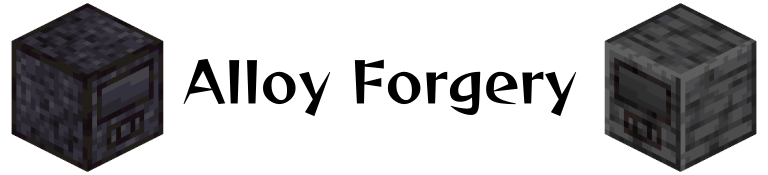
Alloy Forgery dodaje višeblok topljenicu za legure, Alloy Forge. U osnovnoj konfiguraciji služi kao jednostavan način da povećate prinos rude, ali sve je vođeno podacima, što vam omogućava da dodajete nove topionice i recepte po želji. Ove funkcije vođene podacima uglavnom su namenjene autorima modova i modpackova, posebno zato što se novi tipovi topionica mogu dodati samo putem drugih mod-datapakova ili globalnih konfiguracionih datoteka.
Podrazumevano postoje tri nivoa topionice, svaki sa različitim kapacitetom goriva i brzinom. Svi su napravljeni od različitih materijala nalik kamenu, možete ih pogledati na vikiju.
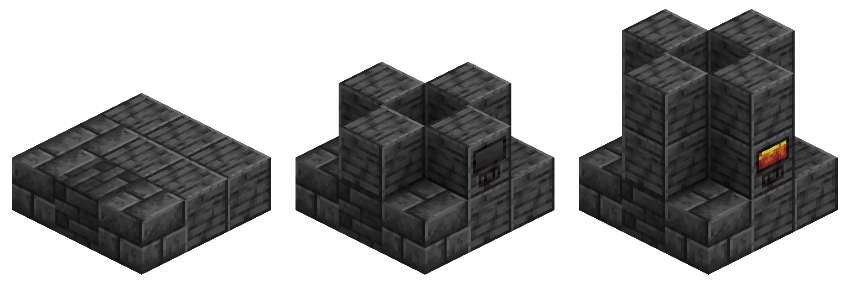
Svi kontroleri se prave po ovom obrascu, pri čemu spoljni prsten blokova odgovara materijalu tog kontrolera. Da biste napravili topionicu, jednostavno pratite prikladan vodič iznad ovog teksta koristeći bilo koju kombinaciju blokova koju taj tip topionice podržava.
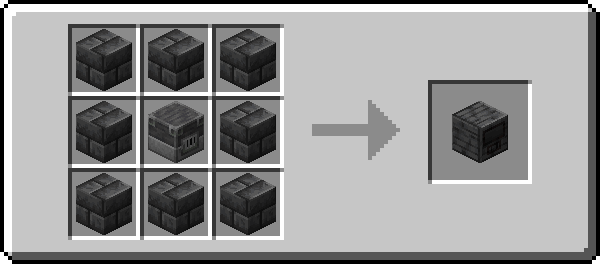
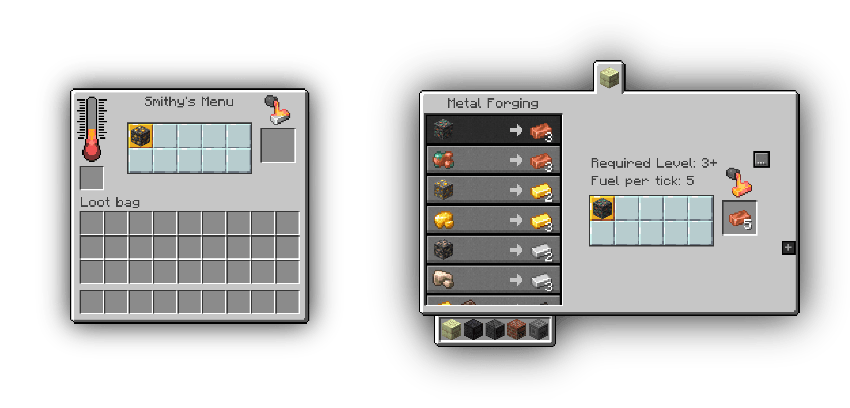
Roughly Enough Items i EMI su podržani!
Razvojni Discord: Pridružite se ako imate bilo kakvih problema ili vam je potrebna pomoć oko dodavanja novog sadržaja
Kako instalirati Alloy Forgery
With Millida Launcher
Install Millida Launcher
The launcher is free: download it at millida.net/launcher and sign in with any nickname.
Click “Install” on this page
The launcher opens and installs the mod for Minecraft 1.21.4–26.1.2 on Fabric or NeoForge automatically.
Launch the game
A profile with it appears in the launcher: click “Play”.
Manually
Install Fabric or NeoForge
The loader must match the game version of the mod file, for example Minecraft 26.1.2. After installing it, a separate profile appears in your launcher.
Download the file for your version
In the version list above, pick the file alloy-forgery-fabric-3.1.1+26.1.2.jar (290 KB) for your game version and loader.
Put it in the mods folder
The folder is inside .minecraft (Windows: %appdata%\.minecraft\mods). If it does not exist, create it.
Launch the loader profile
Open “Mods” in the main menu: Alloy Forgery should be in the list.
Verzije
Sa zavisnostima
| Minecraft | Loader | Fajl | Datum | Akcije |
|---|---|---|---|---|
| 26.1.2 | Fabric | [26.1.2] Alloy Forgery - 3.1.1290 KB 1 | ||
| 26.1.2 | Fabric | [26.1.2] Alloy Forgery - 3.1.0291 KB | ||
| 1.21.10 | NeoForge | [1.21.10] Alloy Forgery - 3.0.7372 KB | ||
| 1.21.10 | Fabric | [1.21.10] Alloy Forgery - 3.0.7390 KB | ||
| 1.21.4 | NeoForge | [1.21.4] Alloy Forgery - 3.0.5371 KB |
Česta pitanja
Which Minecraft versions does Alloy Forgery work on?
There are files for 26.1.2, 1.21.10, 1.21.4. The newest is 26.1.2.
Is Alloy Forgery for Forge or Fabric?
There are files for Fabric: 1.21.10–26.1.2 and for NeoForge: 1.21.4–1.21.10. There are no files for Forge: a mod for another loader will not start.
Does Alloy Forgery need other mods?
The author lists no required dependencies: the Fabric or NeoForge loader is enough.
Where can I download Alloy Forgery safely?
On this page: the file alloy-forgery-fabric-3.1.1+26.1.2.jar (290 KB) is stored on Millida’s server, with no link shorteners. SHA-1 checksum: 670fa132aea5713c06f92c2c4af0bf1a3517e6c4.
Recenzije
Budi prvi koji će oceniti Alloy Forgery


