
Adventure Dungeons Mod za Minecraft 1.21.1, 1.21
Ovo je forge, fabric i neoforge verzija datapack-a 'Adventure Dungeons'. Adventure Dungeons je data pack koji dodaje više struktura u vaš Minecraft svet
 NeoForge
 Forge
 Fabric
Datapack version: https://www.curseforge.com/minecraft/data-packs/adventure-dungeons
Fabric version requires Fabric API
Adventure Dungeons is datapack that adds new structures to your Minecraft world. Every structure has a different idea behind it, but it's still trying to look like they're from vanilla Minecraft.
Here's a list of all structures from this datapack:
Cold Lair
Underground dungeon that can be found deeper under overworld's snow biomes. Consist of big room with bridges in middle that connects to other rooms in this dungeon.

Trial Rooms
Underground dungeon that consists of rooms filled with trial spawners and vaults to loot. Can be found in overworld.
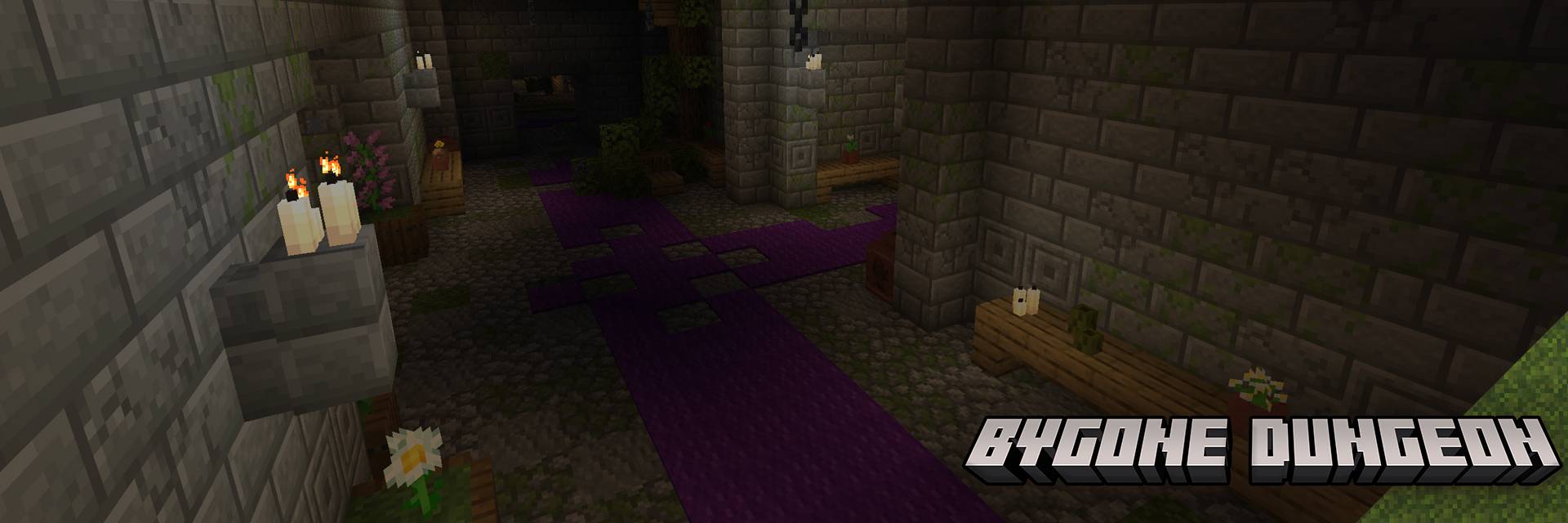
Bygone Dungeon
Underground dungeon that can be found under forest and plains biomes. Has chests and vaults to loot with trial spawners to fight.
Ruins
Small overworld structure that hidden in gravel or sands. While digging in it you can brush some gravel or sand with your brush to find some loot or even find chest that will have a explorer map to all underground dungeons from this datapack. Has a alternative variant called 'Underground Camp'.
Murky Dungeon
Underground dungeon that can be found under swamps. Labyrinth-like structure, in which will be easy to get lost and has chests and vaults to loot with trial spawners to fight.
Custom advancements
Also this datapack has a custom advancements that will even reward you for finding all structures from this datapack:
Kako instalirati Adventure Dungeons
With Millida Launcher
Install Millida Launcher
The launcher is free: download it at millida.net/launcher and sign in with any nickname.
Click “Install” on this page
The launcher opens and installs the mod for Minecraft 1.21–1.21.1 on Fabric, Forge or NeoForge automatically.
Launch the game
A profile with it appears in the launcher: click “Play”.
Manually
Install Fabric, Forge or NeoForge
The loader must match the game version of the mod file, for example Minecraft 1.21.1. After installing it, a separate profile appears in your launcher.
Download the file for your version
In the version list above, pick the file adventuredungeons-neoforge-1.21-1.3.1.jar (1.4 MB) for your game version and loader.
Put it in the mods folder
The folder is inside .minecraft (Windows: %appdata%\.minecraft\mods). If it does not exist, create it.
Launch the loader profile
Open “Mods” in the main menu: Adventure Dungeons should be in the list.
Minecraft 1.21.1 runs on Java 21: with a different Java version the game may close right after launch.
Verzije
Sa zavisnostima
| Minecraft | Loader | Fajl | Datum | Akcije |
|---|---|---|---|---|
| 1.21 | NeoForge | adventuredungeons-neoforge-1.21-1.3.11.4 MB 2 | ||
| 1.21 | Forge | adventuredungeons-forge-1.21-1.3.11.5 MB 1 | ||
| 1.21 | Fabric | adventuredungeons-fabric-1.21-1.3.11.5 MB 1 |
Česta pitanja
Which Minecraft versions does Adventure Dungeons work on?
There are files for 1.21.1, 1.21. The newest is 1.21.1.
Is Adventure Dungeons for Forge or Fabric?
There are files for Fabric: 1.21–1.21.1, for Forge: 1.21–1.21.1 and for NeoForge: 1.21–1.21.1.
Does Adventure Dungeons need other mods?
The author lists no required dependencies: the Fabric, Forge or NeoForge loader is enough.
Which Java does Adventure Dungeons need?
Minecraft 1.21.1 runs on Java 21. If the game closes right after launch, the usual cause is the wrong Java version in the profile settings.
Where can I download Adventure Dungeons safely?
On this page: the file adventuredungeons-neoforge-1.21-1.3.1.jar (1.4 MB) is stored on Millida’s server, with no link shorteners. SHA-1 checksum: 706092299886721473b0ef7d5e4f7aa2a073c8de.
Recenzije
Budi prvi koji će oceniti Adventure Dungeons


