
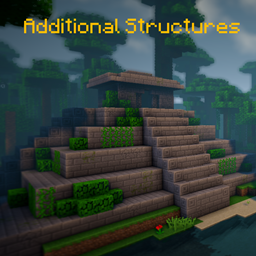
Additional Structures Mod za Minecraft 1.20.1, 1.12.2
Dodaje > 250 novih struktura koje se savršeno uklapaju u tvoj svet!
 NeoForge
 Forge
Forge📖 Opis
Ovaj mod dodaje oko 250 novih malih i srednjih struktura u igru kako bi proširio tvoj svet!
- podržava modove za generisanje biomа, kao što su Terralith, Traverse, Biomes O' Plenty, Biome Bundle i drugi!
- Mystcraft integracija (MC 1.12)
- sa opcijama u konfiguraciji za promenu vrednosti generisanja svake vrste strukture! (MC 1.12)
- radi sa komandom /locate
- sa proverom ažuriranja
- različite strukture se generišu u vanilla i modovanim biomima u overworld-u i end-u!
- Config Datapack
Želiš da izmeniš ili promeniš neke vrednosti struktura na 1.18+? Evo kako to da uradiš!
Ovde možeš pronaći sve strukture trenutne verzije!
Koristiš Fabric ili Quilt? Onda koristi ovu verziju!
📷 Prikaz
🗃️ Zavisnosti
Potrebno:
- Magma Core [≥ MC 1.21.5]
- Pruža osnovni kod i funkcije kao što je provera ažuriranja
- CurseForge | Modrinth
Podržano:
- Mystcraft [MC 1.12]
- Dodati simboli funkcija AS struktura
- CurseForge | Modrinth
- Antique Atlas [≥ MC 1.21]
- Oznaka na mapi za neke strukture
- CurseForge | Modrinth
Kako instalirati Additional Structures
With Millida Launcher
Install Millida Launcher
The launcher is free: download it at millida.net/launcher and sign in with any nickname.
Click “Install” on this page
The launcher opens and installs the mod for Minecraft 1.12–1.21.10 on Forge or NeoForge automatically.
Launch the game
A profile with it appears in the launcher: click “Play”.
Manually
Install Forge or NeoForge
The loader must match the game version of the mod file, for example Minecraft 1.21.10. After installing it, a separate profile appears in your launcher.
Download the file for your version
In the version list above, pick the file AdditionalStructures-1.21.10-(v.8.1.1-NEO).jar (1.5 MB) for your game version and loader.
Put it in the mods folder
The folder is inside .minecraft (Windows: %appdata%\.minecraft\mods). If it does not exist, create it.
Launch the loader profile
Open “Mods” in the main menu: Additional Structures should be in the list.
Minecraft 1.21.10 runs on Java 21: with a different Java version the game may close right after launch.
Verzije
Sa zavisnostima
| Minecraft | Loader | Fajl | Datum | Akcije |
|---|---|---|---|---|
| 1.21.9 | NeoForge | AdditionalStructures v.8.1.1-NEO1.5 MB 1 | ||
| 1.20.2 | Forge | Additional Structures v.4.2.21.5 MB 24 | ||
| 1.12.1 | — | Additional Structures v.2.2.2782 KB 5 |
Česta pitanja
Which Minecraft versions does Additional Structures work on?
There are files for 1.12–1.21.10, 12 versions in total. The newest is 1.21.10.
Is Additional Structures for Forge or Fabric?
There are files for Forge: 1.20–1.20.6 and for NeoForge: 1.21.9–1.21.10. There are no files for Fabric: a mod for another loader will not start.
Does Additional Structures need other mods?
The author lists no required dependencies: the Forge or NeoForge loader is enough.
Which Java does Additional Structures need?
Minecraft 1.21.10 runs on Java 21. If the game closes right after launch, the usual cause is the wrong Java version in the profile settings.
Where can I download Additional Structures safely?
On this page: the file AdditionalStructures-1.21.10-(v.8.1.1-NEO).jar (1.5 MB) is stored on Millida’s server, with no link shorteners. SHA-1 checksum: 05bfd35a858149e7e18e7eecd841f14dee9e504b.
Recenzije
Budi prvi koji će oceniti Additional Structures


