
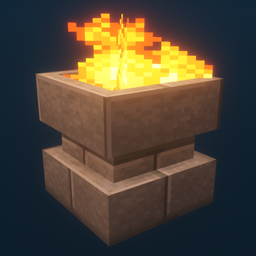
Additional Lights Mod za Minecraft 1.12.2, 26.3
Svih 8 tipova, 2 tipa vatre, preko 200 varijacija.
 Fabric
 NeoForge
 Forge
ForgeO Additional Lights modu
Opis:
Ovaj mod dodaje preko 200 varijacija svetla kroz 6 tipova, sa vatrenim, soul fire i light verzijama za odabrana svetla.
Ažuriranja:
v3.1
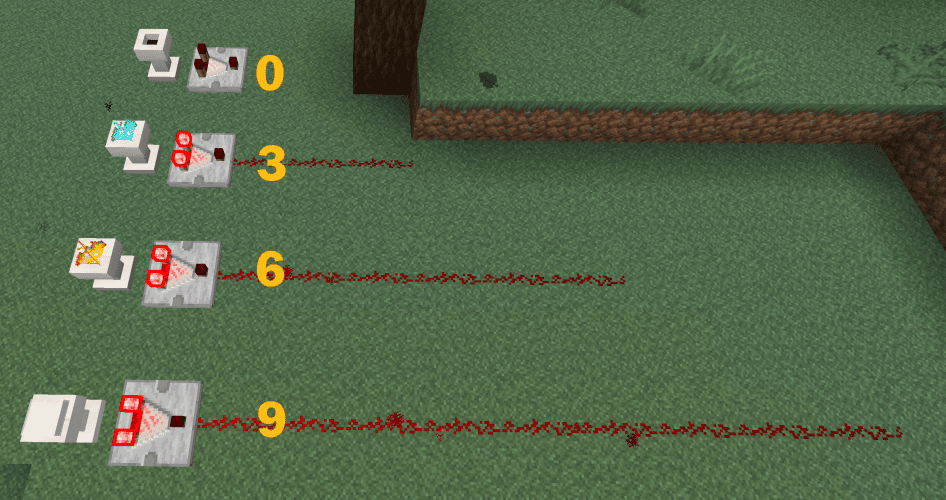
- Pedestali sada podržavaju izlaz komparatora.
v3.0
v2.2
- Dodata otključavanja recepta (advancements) za sve Additional Lights recepte
- Dodata opcija u konfiguraciji za uključivanje/isključivanje Fire/Soul Fire recepta za pravljenje (podrazumevano: OFF)
(Fabric: Mod Menu + Cloth Config su potrebni za promenu konfiguracije, ali mod radi i bez njih)
v2.1
v2.0
Napomena:
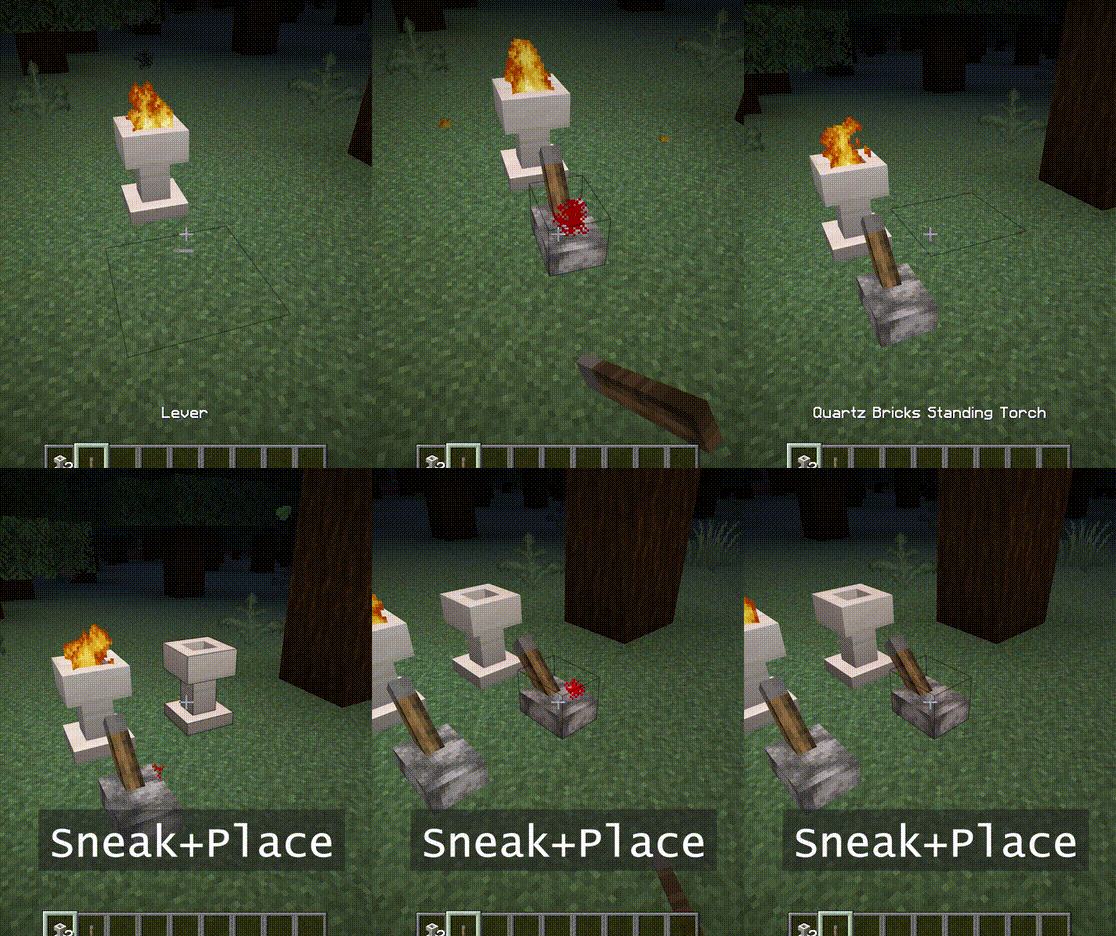
Fire Pit i Standing Torch mogu se zapaliti desnim klikom.
Takođe im je potreban prostor od 2 bloka.
Možete koristiti soul wand da ga pretvorite u soul fire.
Karakteristike:
- - Vatra ne nanosi štetu, nema opasnosti od požara.
- - Osvetljenost soul fire je 10.
- - Kada se postavi u sneak režimu, neće se zapaliti. Takođe odbija signale dok se ne razbije.
- - [1.16] Piglini se plaše soul fire. (torch ne radi)
Snimci ekrana:
(Snimljeno u sledećem okruženju: Texture Pack: Faithful x32, Shader Pack: BSL v7.1.05p2, Map:Falcon's Rock v2.0.0)
Resource pack za faithful x32 ovog moda može se preuzeti ovde. https://www.curseforge.com/minecraft/mc-mods/additional-lights/download/3001273
Slobodno ga možete uključiti u modpack.
Kako instalirati Additional Lights
With Millida Launcher
Install Millida Launcher
The launcher is free: download it at millida.net/launcher and sign in with any nickname.
Click “Install” on this page
The launcher opens and installs the mod for Minecraft 1.12.2–26.3 on Fabric, Forge or NeoForge automatically.
Launch the game
A profile with it appears in the launcher: click “Play”.
Manually
Install Fabric, Forge or NeoForge
The loader must match the game version of the mod file, for example Minecraft 26.3. After installing it, a separate profile appears in your launcher.
Download the file for your version
In the version list above, pick the file additional_lights-fabric-26.3-3.1.3.jar (830 KB) for your game version and loader.
Put it in the mods folder
The folder is inside .minecraft (Windows: %appdata%\.minecraft\mods). If it does not exist, create it.
Launch the loader profile
Open “Mods” in the main menu: Additional Lights should be in the list.
Verzije
Sa zavisnostima
| Minecraft | Loader | Fajl | Datum | Akcije |
|---|---|---|---|---|
| 26.3 | Fabric | Additional Lights 26.3-3.1.3-Fabric830 KB 28 | ||
| 26.3 | NeoForge | Additional Lights 26.3-3.1.3-NeoForge731 KB | ||
| 1.21.4 | Forge | Additional Lights 1.21.4-2.1.11626 KB 1 | ||
| 1.16.1 | Forge | Additional Lights 1.16.1-2.0.0489 KB | ||
| 1.12.2 | Forge | Additional Lights 1.12.2-1.2.1.2-optional326 KB 4 |
Česta pitanja
Which Minecraft versions does Additional Lights work on?
There are files for 26.3, 1.21.4, 1.16.1, 1.12.2. The newest is 26.3.
Is Additional Lights for Forge or Fabric?
There are files for Fabric: 26.3, for Forge: 1.12.2–1.21.4 and for NeoForge: 26.3.
Does Additional Lights need other mods?
The author lists no required dependencies: the Fabric, Forge or NeoForge loader is enough.
Where can I download Additional Lights safely?
On this page: the file additional_lights-fabric-26.3-3.1.3.jar (830 KB) is stored on Millida’s server, with no link shorteners. SHA-1 checksum: 197a06d2da92880c5ed0e613db13ba8354c56055.
Recenzije
Budi prvi koji će oceniti Additional Lights


