

Accessories Mod za Minecraft 1.20.1, 1.21.1
Proširivi Accessory Mod za Minecraft vođen podacima
 Fabric
 NeoForge
 Forge
ForgeO Accessories modu
Accessories je Data-Driven Accessory mod za NeoForge i Fabric sa naglaskom na korišćenju zajedničkog API-ja za obe platforme kada je to moguće.
Stil API-ja ove biblioteke zasnovan je na radovima Curios i Trinkets, uz priznanje TheIllusiveC4 i emilyploszaj za njihov rad na Accessory modovima za Minecraft.
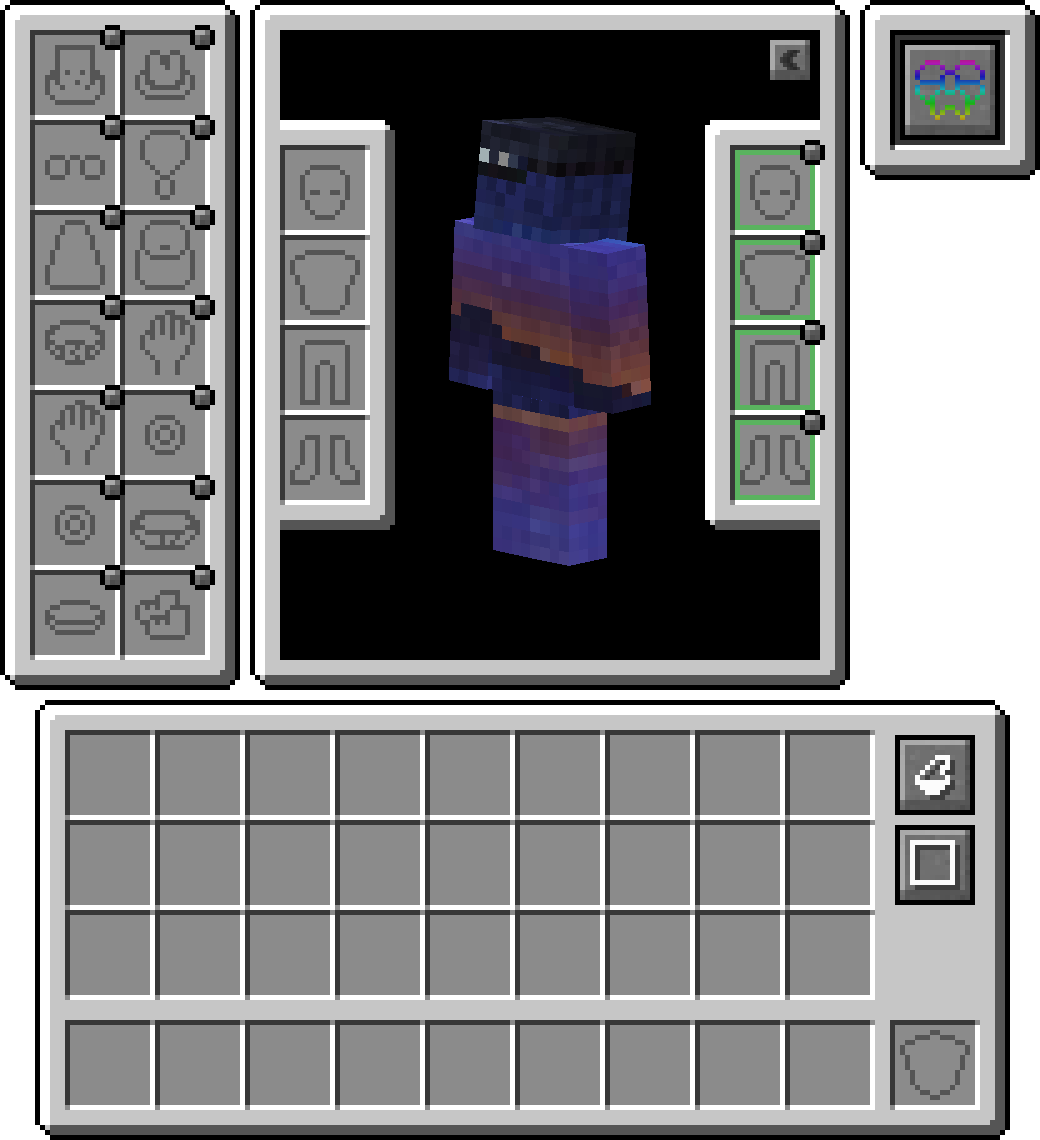
Karakteristike
Sloj kompatibilnosti
Pošto se postojeći API-ji kao što su Trinket i Curios pretežno koriste, možete instalirati Accessories Compatibility Layer da bi radili pod Accessories radi objedinjenog iskustva
API za prevođenje modela
Za developere je uključen pravi API za transformaciju koji se koristi pri renderovanju native Accessories, omogućavajući pravilno povezivanje sa delovima modela datog entiteta, što omogućava pravilnu podršku za EMF Resourcepacks kao što je Fresh Animations, i planiranu podršku za druge rendering modove kao što je Figura.
Upravljanje opremljenim Accessories
Mogućnost pristupa drugim pripitomljenim entitetima omogućava drugim modovima da imaju accessory predmete za ljubimce ili jahaće životinje. U kombinaciji sa tim što je korisno vlasnicima servera da upravljaju accessories drugih igrača ako je potrebno, bez upotrebe direktnih komandi za upravljanje. Samo držite shift i koristite 'Accessories Open Screen' na bilo kom entitetu (Ako je u vlasništvu, mora biti vlasnik) da biste otvorili ekran, ili pokrenite komandu /accessories edit <target> ako ste OP.
Dodaci API-ju
Evo nekoliko primera API-ja implementiranog u Accessories koji vam mogu pomoći u razvoju vašeg moda:
- Puna podrška za NBT-bazirane Accessories: Wiki
- Postojeći API događaji za Piglin Neutral Items, Enderman Masks, Looting Adjustments, Fortune Adjustments i Snow Walking Ability: Wiki
- Jedinstveni Slot API za mod-specifične Accessories: Wiki
Kako instalirati Accessories
With Millida Launcher
Install Millida Launcher
The launcher is free: download it at millida.net/launcher and sign in with any nickname.
Click “Install” on this page
The launcher opens and installs the mod for Minecraft 1.20.1–1.21.1 on Fabric, Forge or NeoForge automatically.
Launch the game
A profile with it appears in the launcher: click “Play”.
Manually
Install Fabric, Forge or NeoForge
The loader must match the game version of the mod file, for example Minecraft 1.21.1. After installing it, a separate profile appears in your launcher.
Download the file for your version
In the version list above, pick the file accessories-fabric-1.1.0-beta.53+1.21.1.jar (1.0 MB) for your game version and loader.
Put it in the mods folder
The folder is inside .minecraft (Windows: %appdata%\.minecraft\mods). If it does not exist, create it.
Launch the loader profile
Open “Mods” in the main menu: Accessories should be in the list.
Minecraft 1.21.1 runs on Java 21: with a different Java version the game may close right after launch.
Verzije
Sa zavisnostima
| Minecraft | Loader | Fajl | Datum | Akcije |
|---|---|---|---|---|
| 1.21.1 | Fabric | [1.21.1] Accessories [Fabric] - 1.1.01 MB 14 | ||
| 1.21.1 | NeoForge | [1.21.1] Accessories [Neoforge] - 1.1.01 MB 19 | ||
| 1.20.1 | NeoForge, Forge | [1.20.1] Accessories [Neoforge] - 1.0.01 MB 39 | ||
| 1.20.1 | Fabric | Accessories Fabric 1.0.0 Alpha 27 for 1.20392 KB 13 | ||
| 1.20.1 | NeoForge | Accessories Neoforge 1.0.0 Alpha 27 for 1.20697 KB | ||
| 1.20.1 | NeoForge, Forge | Accessories Neoforge 1.0.0 Alpha 24 for 1.20696 KB |
Česta pitanja
Which Minecraft versions does Accessories work on?
There are files for 1.21.1, 1.20.1. The newest is 1.21.1.
Is Accessories for Forge or Fabric?
There are files for Fabric: 1.20.1–1.21.1, for Forge: 1.20.1 and for NeoForge: 1.20.1–1.21.1.
Does Accessories need other mods?
The author lists no required dependencies: the Fabric, Forge or NeoForge loader is enough.
Which Java does Accessories need?
Minecraft 1.21.1 runs on Java 21. If the game closes right after launch, the usual cause is the wrong Java version in the profile settings.
Where can I download Accessories safely?
On this page: the file accessories-fabric-1.1.0-beta.53+1.21.1.jar (1.0 MB) is stored on Millida’s server, with no link shorteners. SHA-1 checksum: fa0b11de088893bb14aff945d0e8efdee165457b.
Recenzije
Budi prvi koji će oceniti Accessories


