

LinusMinus Gradnja za Minecraft 1.21, 26.3
Ovaj modpak dodaje samo nekoliko modova koji poboljšavaju igranje i performanse, a ne dodaje nove blokove ni mehanike u igru.
- pregleda
- 30 pregleda
- Ažurirano
- Ažurirano 29.09.2026
- 1.21 — 26.3
 Fabric
- Klijent i server
LinusMinus
This modpack has two goals:
- Enhance vanilla with quality of life mods while keeping the game save playable with vanilla
- Minimize security risks by minimizing mod count and only allowing open source mods. Thus, this pack will not add any performance mods.
Current Mods
- Inventory Profiles Next: Inventory sorting!
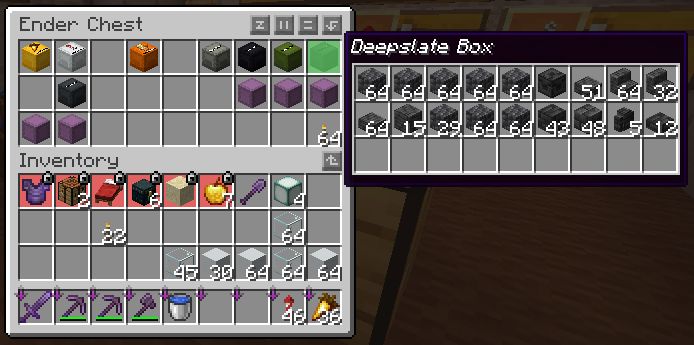
- Peek: Hover over shulker boxes in your inventory and see what they contain
- One World Folder: Allows you to access worlds from other minecraft instances
- Freecam: Move your camera without moving your body
Resourcepacks (can be enabled optionally):
- Energy Shaders: Vanilla Minecraft Shaderpack
- Alacrity: Medivial resourcepack
- 3D Default: Adds 3D models to some vanilla blocks.
Modpack updates
This modpack will always be updated to the newest Minecraft version.
Gallery and help
Some images and other stuff to show what this modpack offers
Inventory
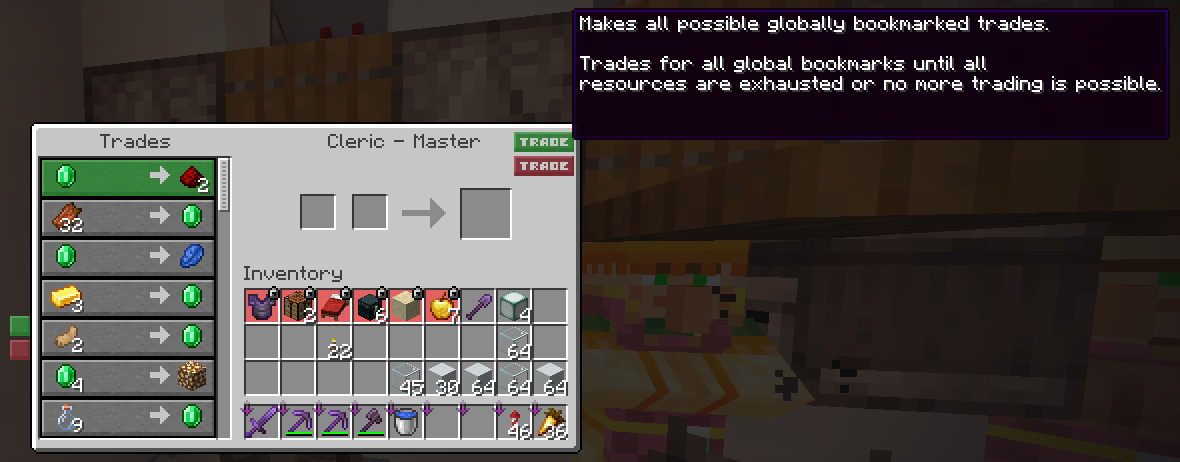
Villager trading
Kako instalirati LinusMinus
With Millida Launcher
Install Millida Launcher
The launcher is free: download it at millida.net/launcher and sign in with any nickname.
Click “Install” on this page
The launcher opens and installs the modpack for Minecraft 1.21–26.3 on Fabric automatically.
Launch the game
A profile with it appears in the launcher: click “Play”.
Manually
Download the modpack archive
In the version list above, pick the file LinusMinus 26.3-1.mrpack (2 KB).
Import it into a launcher
A launcher that supports modpacks (Millida Launcher, Prism) takes the archive via “Add modpack”, then “From file”. No need to unpack it yourself.
Allocate memory
Modpacks need more memory than the plain game: set 4–6 GB in the profile settings.
On a server
Use the “To server” button
On Millida Hosting, the button at the top of the page uploads the file to your server and restarts it for you.
Invite friends: they install the same modpack
To join the server, every player needs the same modpack version.
Verzije
Sa zavisnostima
| Minecraft | Loader | Fajl | Datum | Akcije |
|---|---|---|---|---|
| 26.3 | Fabric | 26.32.3 KB | ||
| 26.2 | Fabric | 26.26.5 KB | — | |
| 26.1 | Fabric | 26.1623 KB | — | |
| 1.21 | Fabric | 1.211.1 MB | — |
Šta je potrebno za pokretanje
- Xaero's Minimapveć uključeno
- More Cullingveć uključeno
- 3D Defaultveć uključeno
- BetterF3već uključeno
- Cloth Config APIveć uključeno
- Sodiumveć uključeno
- TCDCommons APIveć uključeno
- Dependencyveć uključeno
- MaLiLibveć uključeno
- Fabric Language Kotlinveć uključeno
- Dependencyveć uključeno
- Energy Shaders Javaveć uključeno
- Dynamic FPSveć uključeno
- Entity Cullingveć uključeno
- Inventory Profiles Nextveć uključeno
- Indiumveć uključeno
- Fabric APIveć uključeno
- Alacrityveć uključeno
- Sodium Extraveć uključeno
- Dependencyveć uključeno
- Dependencyveć uključeno
- MiniHUDveć uključeno
- Freecamveć uključeno
- Night Vision Shadersveć uključeno
- Litematicaveć uključeno
- Mod Menuveć uključeno
- Better Statistics Screenveć uključeno
- Jade 🔍već uključeno
- Dependencyveć uključeno
- libIPNveć uključeno
- e4mcveć uključeno
- Dependencyveć uključeno
- LambDynamicLightsveć uključeno
Recenzije
Budi prvi koji će oceniti LinusMinus


