

XP Crystals Data pak za Minecraft 26.2
Čuvaj svoj XP u kristalima koji se prave. Prilagođeno preživljavanju i zasnovano na nivoima: čuvaj 3, 10, 30, 50 nivoa—ili beskonačan XP. Veoma prilagodljivo
- pregleda
- 29 pregleda
- Ažurirano
- Ažurirano 23.06.2026
- 26.1 — 26.2
 Data pak
- Klijent i server
XP Crystals
Ever wished you could bank your hardearned XP without the risk of dying and losing it all? With XP Crystals, you can store and retrieve your experience safely, using items that are fully compatible with survival gameplay.
Available as mod or datapack.
Features
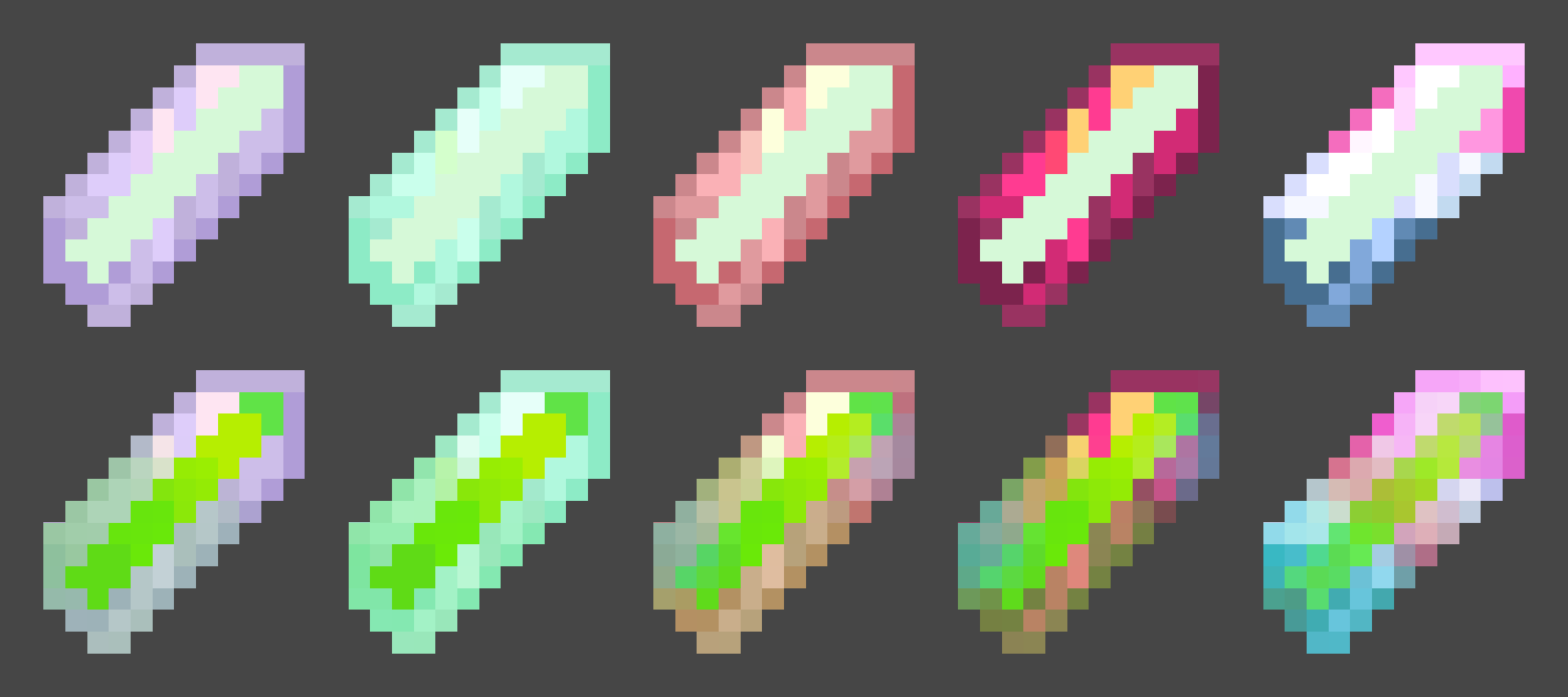
- Store XP in craftable crystals
- Crystals come in multiple tiers, each with a different capacity:
- Tier I: 3 levels
- Tier II: 10 levels
- Tier III: 30 levels
- Tier IV: 50 levels
- Tier V: Infinite XP storage
- Survival oriented, with balanced crafting recipes.
- Multiple Advancements
- Easy to use: right click to deposit or withdraw XP
- Settings menu for both admins and normal players
- Serverside (resource pack required for clients)

Settings
admins may use /trigger xp_crystals.globalsettings
players may use /trigger xp_crystals.settings
Player Settings
Sound Effects [Turns on or off soundeffects per player]
Global Settings
- Strict Mode: Enables accurate XP point calculation instead of using XP levels only (Enabled by default)
- Toggle global sound effects on or off.
- Hardcore Mode: Automatically awards an achievement that can only be obtained by dying.
- Uninstall Function: Removes all data left over from the datapack/mod~~~~.

Multiplayer
This datapack/mod is almost completely server-side and requires very little client-side setup. To ensure clients have the correct textures, the included resource pack must either:
- be added to the server's resource pack, or
- be downloaded and installed separately by each player.
regardless if it is installed as a mod or datapack
Need Help? Want to offer feedback?
join the Discord
Kako instalirati XP Crystals
With Millida Launcher
Install Millida Launcher
The launcher is free: download it at millida.net/launcher and sign in with any nickname.
Click “Install” on this page
The launcher opens and installs the data pack for Minecraft 26.1–26.2 automatically.
Launch the game
A profile with it appears in the launcher: click “Play”.
Manually
Download the archive
Pick the file XP Crystlas 26.1 v1.1.2.zip (53 KB) for your game version.
New world: “Data Packs”
When creating a world, click “Data Packs”, drag the archive into the window, then move it to “Selected”.
Existing world: the datapacks folder
Put the archive into saves/<world>/datapacks and type /reload in game.
On a server
Archive goes into the server world’s datapacks
The world/datapacks folder on the server; players do not need to install anything.
Reload the data
Type /reload in the server console or restart the server.
Use the “To server” button
On Millida Hosting, the button at the top of the page uploads the file to your server and restarts it for you.
Verzije
Sa zavisnostima
| Minecraft | Loader | Fajl | Datum | Akcije |
|---|---|---|---|---|
| 26.2 | Data pak | 26.253.4 KB |
Recenzije
Budi prvi koji će oceniti XP Crystals


