

PlayTimeStatistics Data pak za Minecraft 1.21.1, 1.16.5
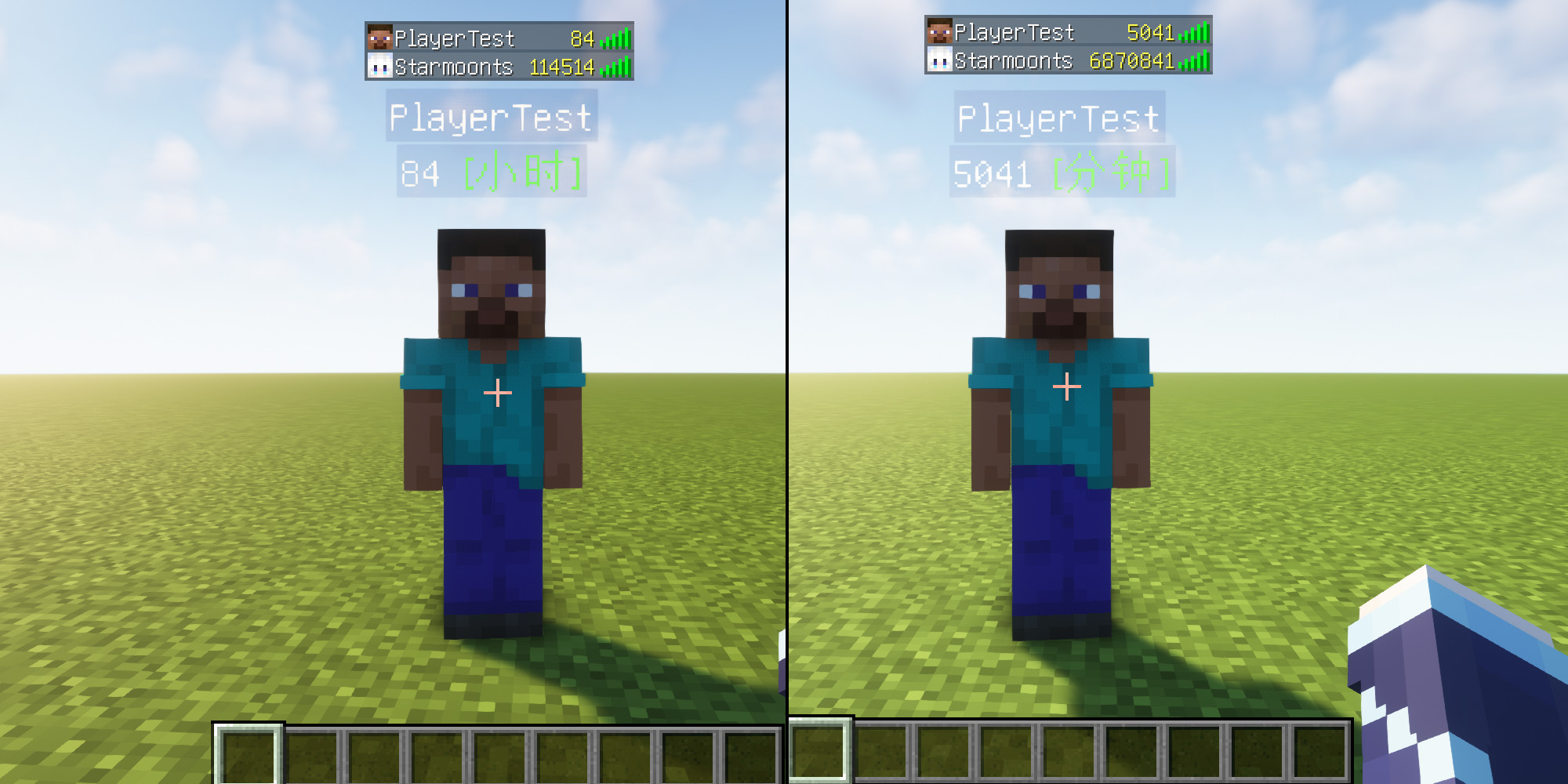
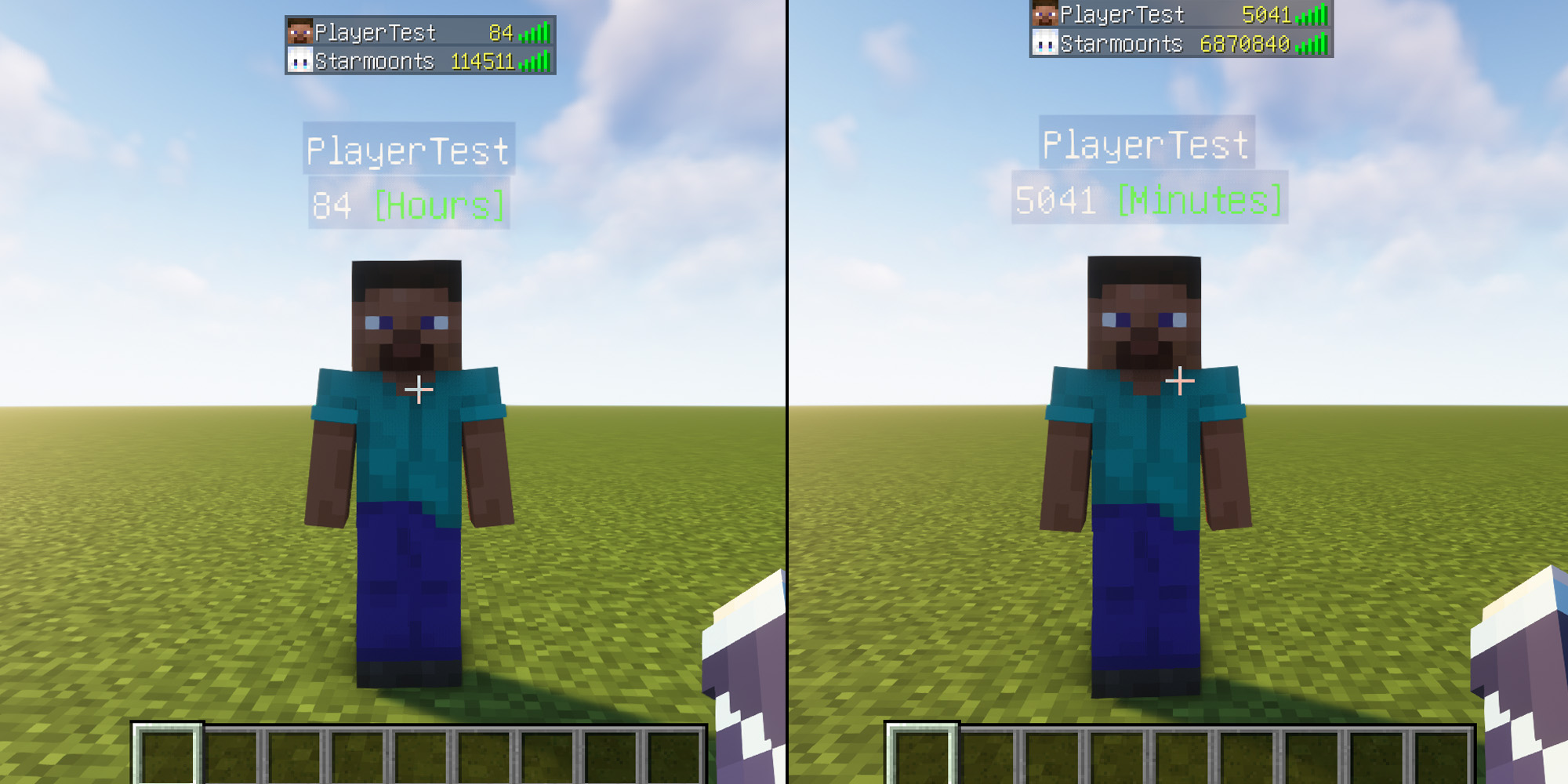
"PlayTimeStatistics je data paket koji prati vreme provedeno na mreži igrača i prikazuje ga u Tab listi i ispod imena igrača."
- pregleda
- 22 pregleda
- Ažurirano
- Ažurirano 03.09.2026
- 1.14 — 26.2
 Data pak
- Klijent i server
简介
PlayTimeStatistics是一个可以统计玩家在线时长的数据包,并在Tab栏和玩家名称下方显示
"PlayTimeStatistics is a data pack that tracks players' online playtime and displays it in the Tab list and below the player’s name."
"Minecraft在26.2更新后,如果玩家没有记分项,则玩家标签叠加层上不再显示玩家的分数。" 功能依旧正常,只在玩家刚进入服务器时统计还未满 1分钟或1小时 Tab栏和玩家名称下方不显示,仅在26.2及以后的版本会发生。
"Minecraft after update 26.2: If a player does not have any scoreboard objectives, the player's score will no longer be shown on the nametag overlay." The functionality otherwise works as normal; it only occurs when a player first joins the server and the statistics have not yet been recorded for 1 minute or 1 hour. The score does not display in the tab list or below the player's name. This only happens in version 26.2 and later.

指令
- 玩家名称下方显示 [小时]:
- Display [hours] below the player’s name:
- /scoreboard objectives setdisplay below_name time_hours
- 玩家Tab列表显示 [小时]:
- Display [hours] in the player tab list:
- /scoreboard objectives setdisplay list time_hours
- 玩家名称下方显示 [分钟]:
- Display [minutes] below the player’s name:
- /scoreboard objectives setdisplay below_name time_minutes_persist
- 玩家Tab列表显示 [分钟]:
- Display [minutes] in the player tab list:
- /scoreboard objectives setdisplay list time_minutes_persist
- 关闭玩家名称下方显示
- Hide the display below the player’s name:
- /scoreboard objectives setdisplay below_name
- 关闭玩家Tab列表显示
- Hide the display in the player tab list:
- /scoreboard objectives setdisplay list
1.18-1.20.1
- 玩家名称下方显示 [小时]:
- Display [hours] below the player’s name:
- /scoreboard objectives setdisplay belowName time_hours
- 玩家名称下方显示 [分钟]:
- Display [minutes] below the player’s name:
- /scoreboard objectives setdisplay belowName time_minutes_persist
- 关闭玩家名称下方显示
- Hide the display below the player’s name:
- /scoreboard objectives setdisplay belowName
1.13-1.17.1
- 玩家名称下方显示 [分钟]:
- Display [minutes] below the player’s name:
- /scoreboard objectives setdisplay belowName persist
- 玩家Tab列表显示 [分钟]:
- Display [minutes] in the player tab list:
- /scoreboard objectives setdisplay list persist
- 关闭玩家名称下方显示
- Hide the display below the player’s name:
- /scoreboard objectives setdisplay belowName
Kako instalirati PlayTimeStatistics
With Millida Launcher
Install Millida Launcher
The launcher is free: download it at millida.net/launcher and sign in with any nickname.
Click “Install” on this page
The launcher opens and installs the data pack for Minecraft 1.14–26.2 automatically.
Launch the game
A profile with it appears in the launcher: click “Play”.
Manually
Download the archive
Pick the file play_time_statistics-26.x-zh-CN-1.0.1.zip (84 KB) for your game version.
New world: “Data Packs”
When creating a world, click “Data Packs”, drag the archive into the window, then move it to “Selected”.
Existing world: the datapacks folder
Put the archive into saves/<world>/datapacks and type /reload in game.
On a server
Archive goes into the server world’s datapacks
The world/datapacks folder on the server; players do not need to install anything.
Reload the data
Type /reload in the server console or restart the server.
Use the “To server” button
On Millida Hosting, the button at the top of the page uploads the file to your server and restarts it for you.
Verzije
Sa zavisnostima
| Minecraft | Loader | Fajl | Datum | Akcije |
|---|---|---|---|---|
| 26.2 | Data pak | 26.284.1 KB | ||
| 26.1 | Data pak | 26.184.1 KB | ||
| 1.21.11 | Data pak | 1.21.1184.1 KB | ||
| 1.19.2 | Data pak | 1.19.284.1 KB | ||
| 1.17.1 | Data pak | 1.17.184.1 KB | ||
| 1.15.2 | Data pak | 1.15.284.1 KB | ||
| 1.14.4 | Data pak | 1.14.484 KB | ||
| 1.18.2 | Data pak | 1.18.284.1 KB | — |
Česta pitanja
Which Minecraft versions does PlayTimeStatistics work on?
There are files for 1.14–26.2, 40 versions in total. The newest is 26.2.
Does PlayTimeStatistics work on a server?
Yes: the data pack goes into the datapacks folder of the server world, and players do not need to install anything.
How do I download PlayTimeStatistics?
With Millida Launcher: it installs PlayTimeStatistics into a modpack by itself, for the right game version and loader. The launcher is free.
Recenzije
Budi prvi koji će oceniti PlayTimeStatistics


