

Elytra Chestplate Data pak za Minecraft 26.2
Možeš istovremeno da opremiš i koristiš chestplate i elytra 現在你可以將胸甲與鞘翅同時裝備並使用
- preuzimanja
- 10 preuzimanja
- pregleda
- 64 pregleda
- Ažurirano
- Ažurirano 04.09.2026
- 1.21.2 — 26.2
 Data pak
- Klijent i server
O Elytra Chestplate data paku
This project will no longer receive any further maintenance or updates. 此專案將不再進行後續維護及更新
Modrinth | CurseForge | GitHub | Docs | Discord

Elytra Chestplate
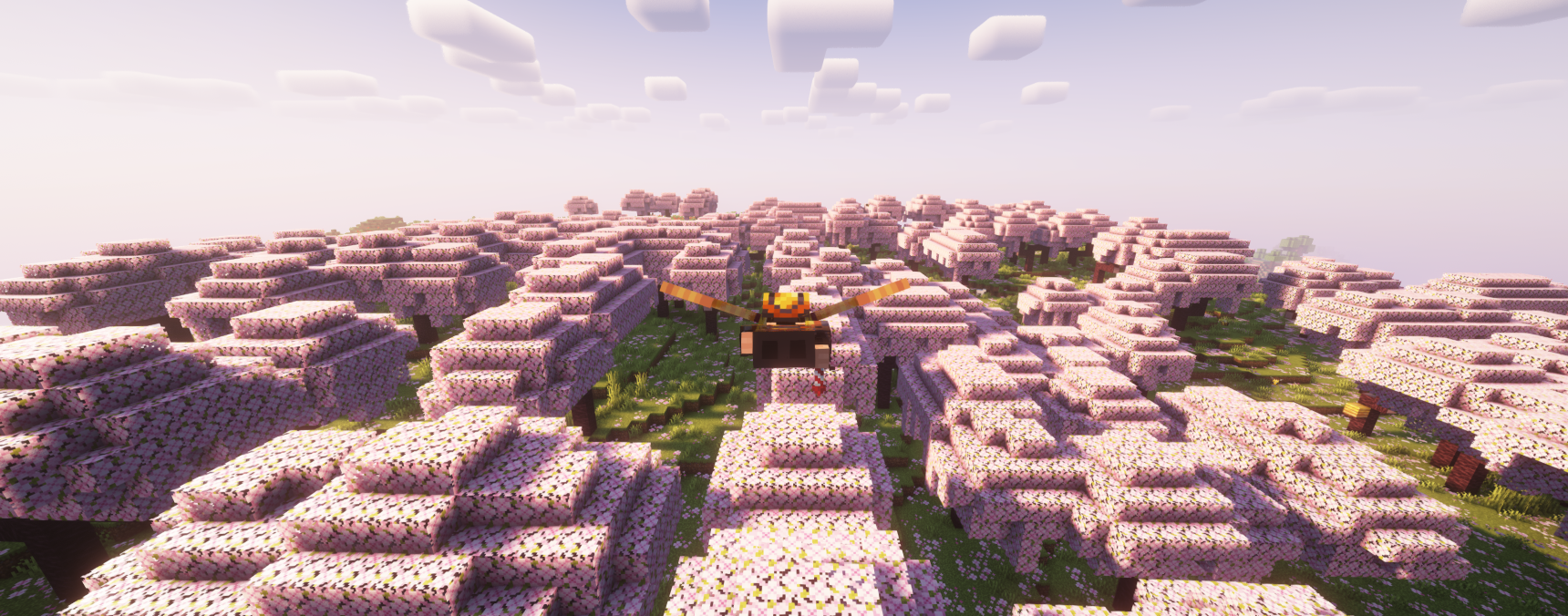
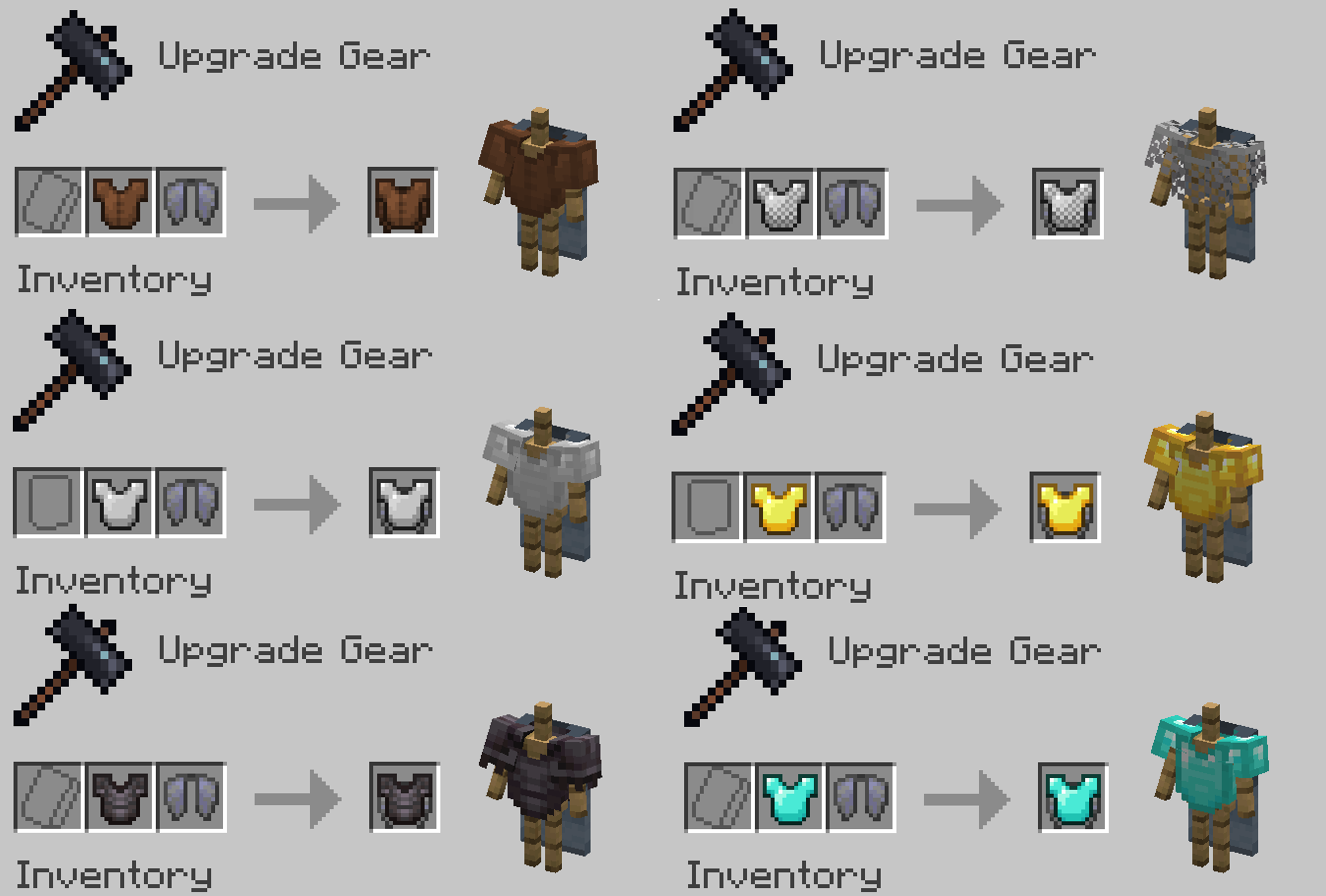
Chestplate and Elytra can be crafting by the Smithing Table, and used on the player at the same time, and both functions can be used.
- Chestplate and elytra can be used and displayed at the same time
- Item supports all Minecraft languages

Crafting
The existing enchantments, durability, and naming of the breastplate will be retained when crafted, but those on the elytra will not be retained. Currently the Elytra Chestplate cannot be disassembled.
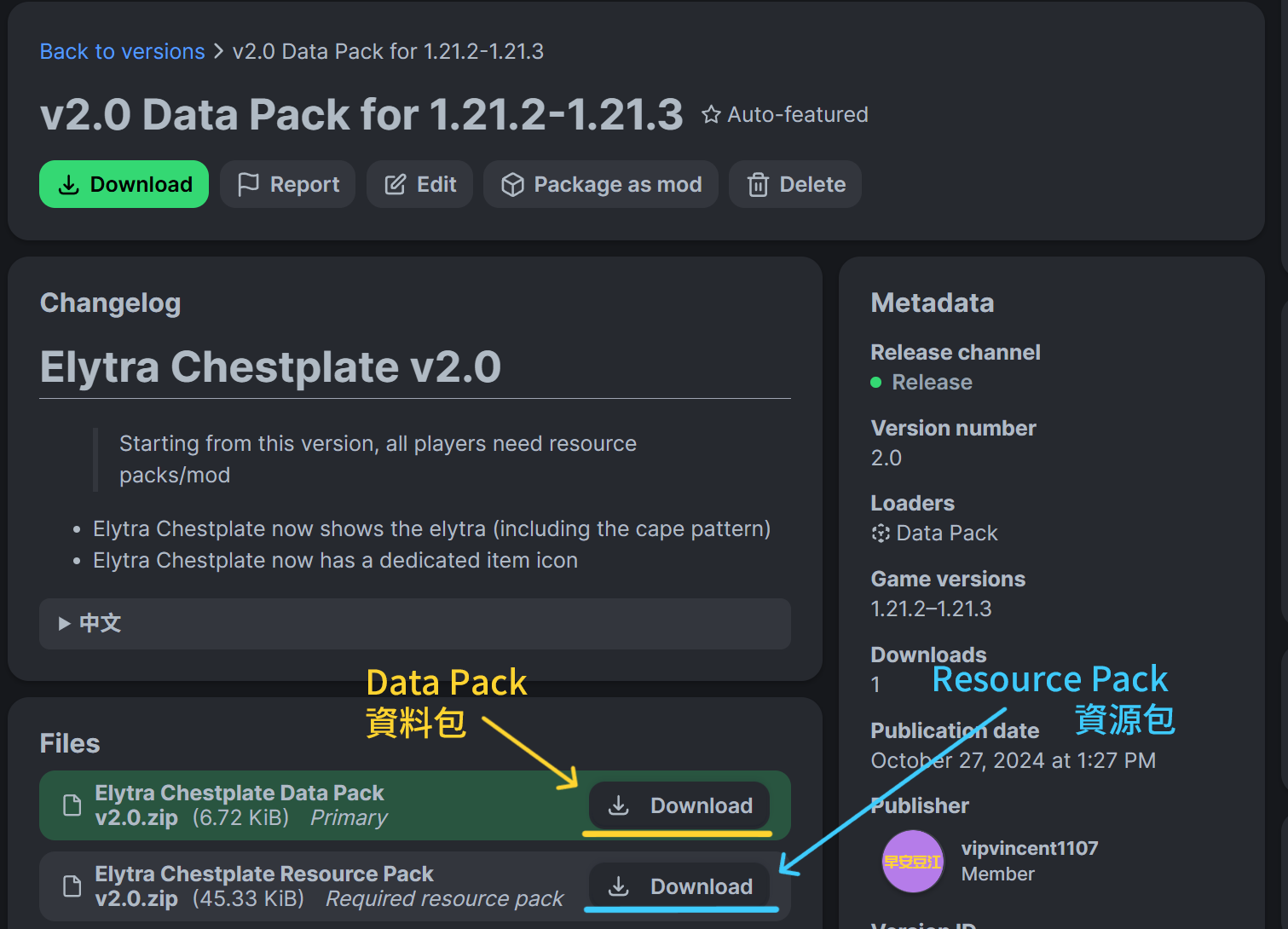
Download
The features of the mod and the data pack are identical. The data pack only for single world, the mod applies to all worlds. Fabric requires Fabric API, Quilt requires Quilted Fabric API
v2.0 or above, all players need to install resource packs or mods
● Data Pack/Resource Pack ● Mod(Fabric/Forge/NeoForge/Quilt)
Update to v2.0?
Please download the update use data pack and review the update instructions
中文
鞘翅胸甲
胸甲與鞘翅可以透過鍛造台合成在一起,並同時裝備在身上使用,且兩者功能都能使用。
- 胸甲與鞘翅可同時使用、顯示
- 物品支援所有Minecraft的語言
合成
胸甲的既有附魔、耐久度以及命名合成時會保留,但是鞘翅上的不會保留。
下載
模組與資料包的所有功能皆為相同。 資料包僅會套用於單一世界,模組會自動套用於所有世界。 Fabric 需要 Fabric API,Quilt 需要 Quilted Fabric API
v2.0以上版本,所有玩家皆需要安裝資源包或模組
● 資料包/資源包 ● 模組(Fabric/Forge/NeoForge/Quilt)
更新到v2.0?
請下載專用更新資料包,並查看更新須知
Kako instalirati Elytra Chestplate
With Millida Launcher
Install Millida Launcher
The launcher is free: download it at millida.net/launcher and sign in with any nickname.
Click “Install” on this page
The launcher opens and installs the data pack for Minecraft 1.21.2–26.2 automatically.
Launch the game
A profile with it appears in the launcher: click “Play”.
Manually
Download the archive
Pick the file Elytra Chestplate Data Pack v2.6.1 Made By vipvincent.zip (22 KB) for your game version.
New world: “Data Packs”
When creating a world, click “Data Packs”, drag the archive into the window, then move it to “Selected”.
Existing world: the datapacks folder
Put the archive into saves/<world>/datapacks and type /reload in game.
On a server
Archive goes into the server world’s datapacks
The world/datapacks folder on the server; players do not need to install anything.
Reload the data
Type /reload in the server console or restart the server.
Use the “To server” button
On Millida Hosting, the button at the top of the page uploads the file to your server and restarts it for you.
Verzije
Sa zavisnostima
| Minecraft | Loader | Fajl | Akcije |
|---|---|---|---|
| 26.2 | Data pak | 26.221.8 KB 7 | |
| 26.1 | Data pak | 26.121.8 KB | |
| 1.21.11 | Data pak | 1.21.1121.8 KB 3 |
Recenzije
Budi prvi koji će oceniti Elytra Chestplate


