
Items 3D - Tools Update Resource pack pre Minecraft 1.21, 26.30
Transforms Minecraft's flat items into 3D models while preserving the vanilla feel.
Introduction
Bring Minecraft's flat items to life with handcrafted 3D models.
This resource pack transforms vanilla tools and weapons into detailed 3D models while preserving Minecraft's original look and feel. Every model is carefully handcrafted to blend seamlessly with the vanilla style, adding depth, personality, and immersion to your gameplay without changing how the game plays.
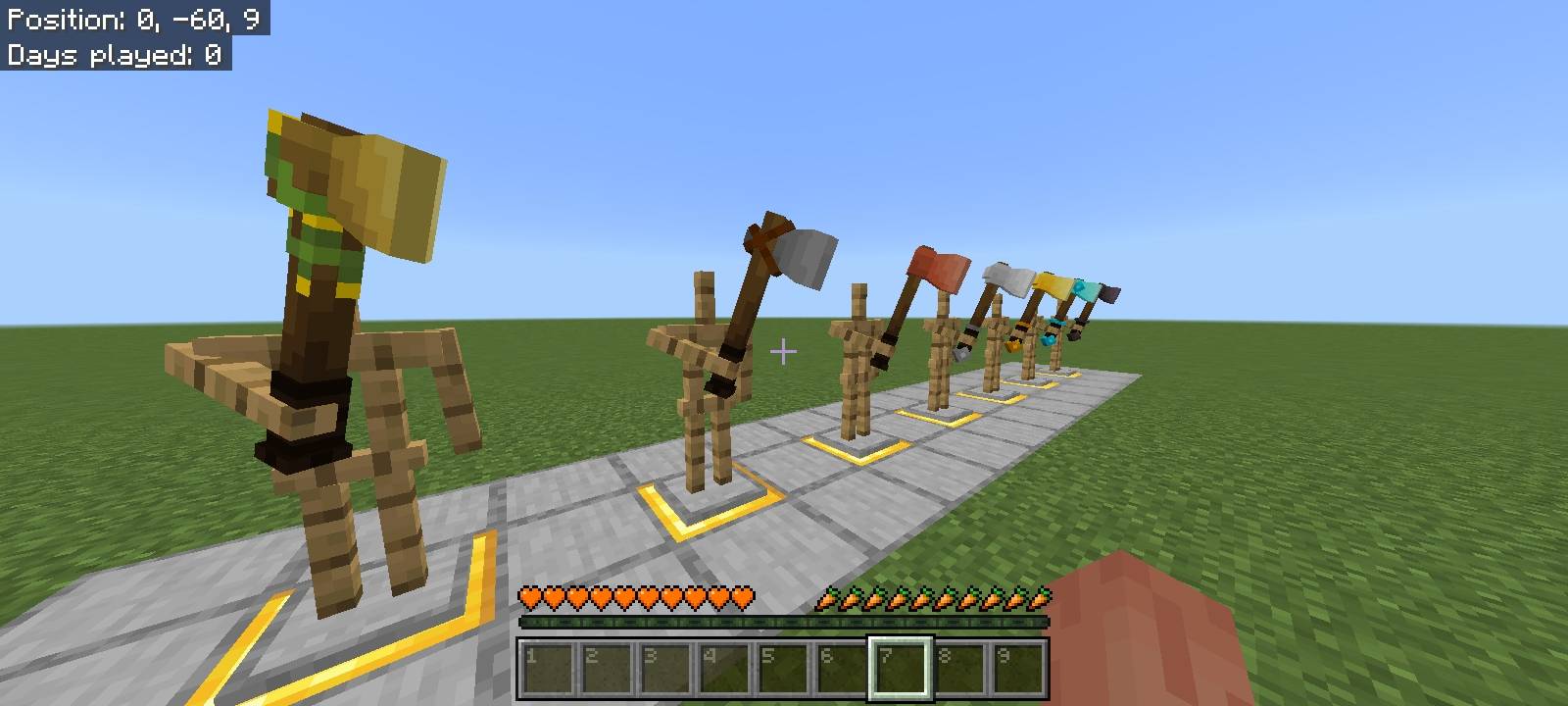
Preview
Features
- Handcrafted 3D models
- Vanilla-friendly design
- Visual-only resource pack
- Built using Minecraft Bedrock's attachables
- Regular content updates
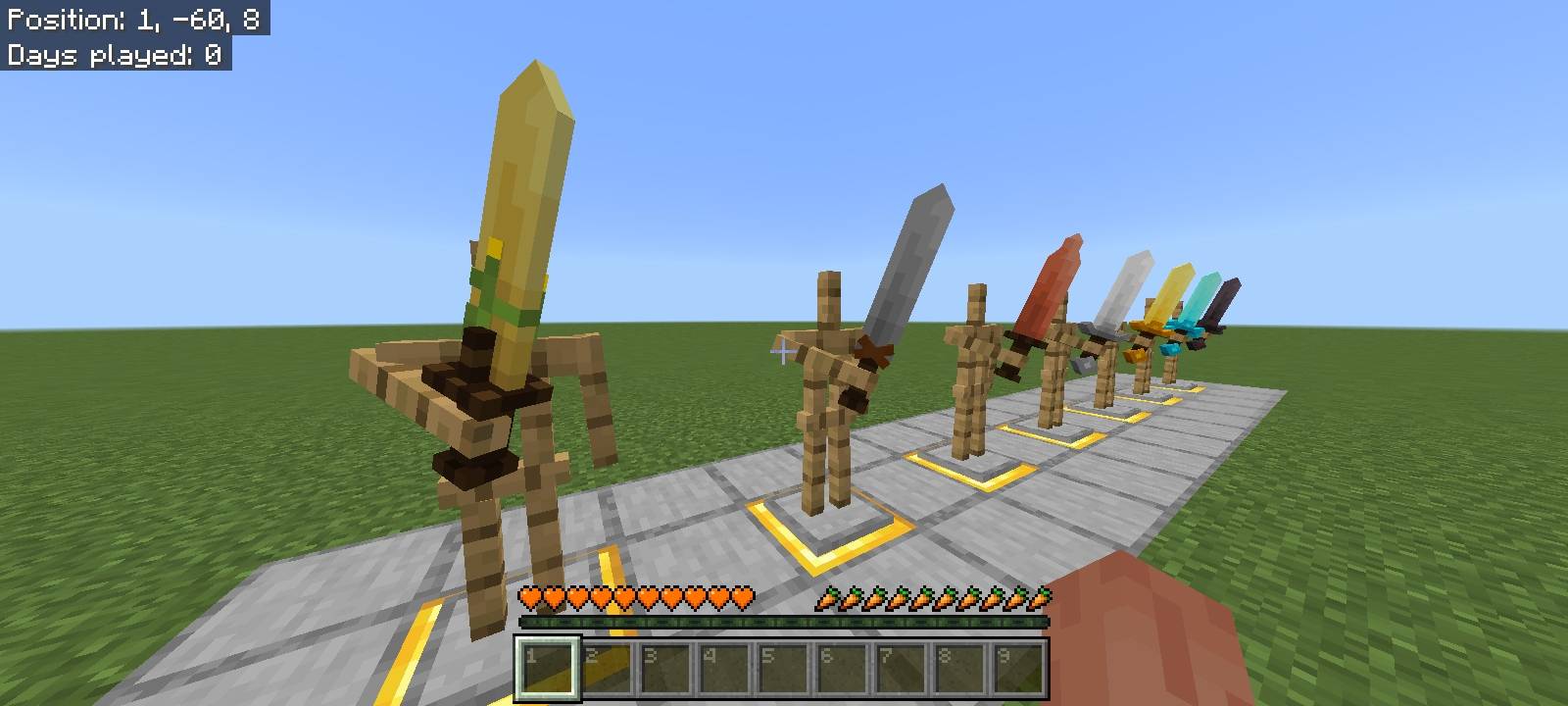
Current Content
- All vanilla tools
- All vanilla weapons
More items will be added with every update until the entire vanilla item collection has been recreated in 3D.
Roadmap
Next Update: 3D Food & Eatable Items
- Detailed 3D models to food items
- And other improvements
Update Schedule
New updates are released every Monday, with each update adding more handcrafted 3D items to the pack.
Support
If you enjoy this project, consider leaving a Favorite and Following the project on CurseForge. Your support helps the pack grow and motivates future updates.
Thank you for downloading 3D Items! More content is on the way.
Ako nainštalovať Items 3D - Tools Update
With Millida Launcher
Install Millida Launcher
The launcher is free: download it at millida.net/launcher and sign in with any nickname.
Click “Install” on this page
The launcher opens and installs the resource pack for Minecraft 1.20–26.30 automatically.
Launch the game
A profile with it appears in the launcher: click “Play”.
Manually
Download the archive
Pick the file 3D Items - Weapons Update.mcaddon (234 KB) for your game version. No need to unpack it.
Put it in the resourcepacks folder
The easiest way: “Options”, then “Resource Packs”, then “Open Pack Folder”, and drag the archive there.
Enable the pack
In the same window, move the pack to the right-hand “Selected” column and click “Done”.
Verzie
So závislosťami
| Minecraft | Loader | Súbor | Dátum | Akcie |
|---|---|---|---|---|
| 1.20 | — | 3D Items - Weapons Update234 KB 7 |
FAQ
Which Minecraft versions does Items 3D - Tools Update work on?
There are files for 1.20–26.30, 9 versions in total. The newest is 26.30.
Where can I download Items 3D - Tools Update safely?
On this page: the file 3D Items - Weapons Update.mcaddon (234 KB) is stored on Millida’s server, with no link shorteners. SHA-1 checksum: e29b263760ed055d4636c3e4bc0e95b6bdbd5cc0.
Recenzie
Buď prvý, kto ohodnotí Items 3D - Tools Update



