
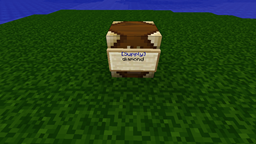
SupplySign Plugin pre Minecraft 1.12
Infinite Items Distribution via Signs, with chest and dispenser support!
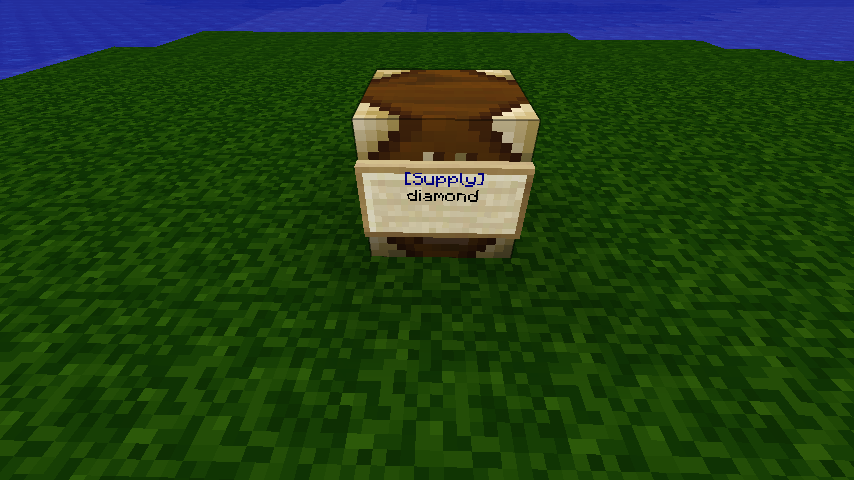
SupplySign - Use this plugin to distribute items and blocks to your players by creating [Supply] signs that load a chest interface when right-clicked. These signs can also be placed on chests and dispensers.
The Basics:
- Place a sign
- Set the first line to [Supply]
- On each of the remaining lines, put the name(or item id) of the contents of the supply sign
- Right-click the sign to open the chest.
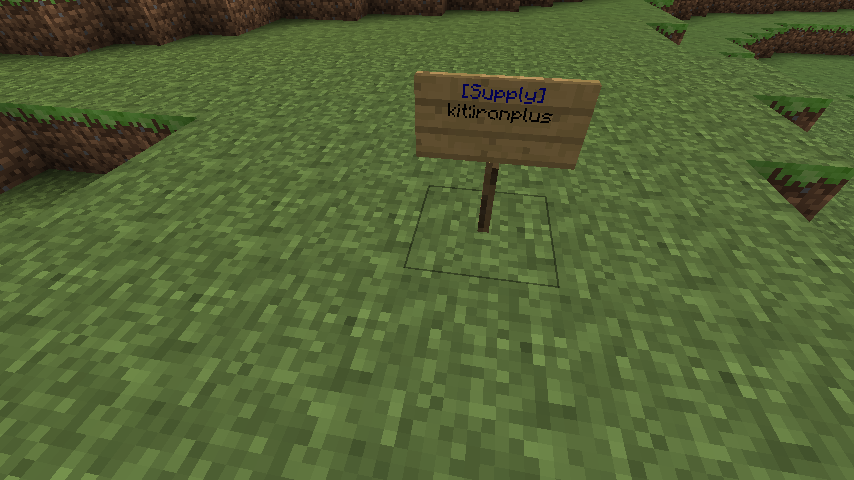
Chest Sign: To place a sign on a chest, make sure it is not within one block of another chest. Place your supply sign on the ground next to the chest and it will attach itself to the chest after you are done editing the sign. Right-clicking the sign or the chest will display the contents of the sign. If you want, you can put two signs on a large chest.
Dispensers: Attach a sign to a dispenser in the same way you would attach one to a chest. The inventory of the dispenser will always be full of whatever is on the sign. If you use a kit, or if you put multiple items on the sign, only the first will be used. Remember that dispensers require redstone to activate, so it might be a good idea to wire up the dispenser and test it before attaching the sign. If the dispenser doesn't work without a SupplySign on it, then I can't help you (I'm no redstone expert).
Using Kits: To use a kit, set the first line to [Supply] as usual, then put "kit:" followed by the kit name on the second line, ie. "kit:wool". Default Kits: wool, dye, woodtools, woodplus, irontools, ironplus, diamondtool, diamondplus, goldtools, goldplus, desert, makecake, chainmail
Permissions: Ops and players with the "supplysign.create" permission will be able to place supply signs. Ops and players with the "supplysign.access" permission will be able to access them. Ops and players with the "supplysign.destroy" permission can destroy existing supply signs. Ops and players with the "supplysign.reload" permission can trigger a reload of items/kits data. Players with "supplysign.access.kitname" can access the kit called "kitname".
If you don't use permissions: Only Ops will be able to place SupplySigns. There is a config file option that will allow non-op players to access signs, but not place them.
Data Files: After the plugin has been loaded for the first time, a "supplysign" data folder will be created in the bukkit plugins folder with two files in it: items.csv and kits.yml. You can customize these files to add new kits or modify item names. Use "/supplysign reload" to load your changes without restarting the server. NOTE: When editing these files, make sure the format doesn't change. On Windows, use something like Wordpad. There has been a report that OpenOffice can change the files in a way that breaks the plugin.
Config File: Used to configure the ShowErrorsInClient, FixSignOnSignGlitch, and AllowNonOpAccess options. Check out the (automatically created) config.yml file for more info.
Questions/Comments/Problems: Feel free to post questions or comments below. Other plugin users will hopefully see your plea for help and lend a hand, since I don't always have enough time to help with installation issues, or questions like "how do I make a kit?".
Ako nainštalovať SupplySign
A server on Paper or Spigot
The plugin runs on the server core for Minecraft 1.9–1.12; players do not need to install anything.
File goes into the plugins folder
Download the file SupplySign.jar (35 KB) and put it into the server’s plugins folder.
Restart the server
On startup the plugin creates its own settings folder in plugins.
Use the “To server” button
On Millida Hosting, the button at the top of the page uploads the file to your server and restarts it for you.
Minecraft 1.12 runs on Java 8: with a different Java version the game may close right after launch.
Verzie
So závislosťami
| Minecraft | Loader | Súbor | Dátum | Akcie |
|---|---|---|---|---|
| 1.9 | — | BETA Version 1.9.9b35 KB | ||
| 1.12 | — | ALPHA Version 1.9.9a34.8 KB | ||
| — | — | Version 1.9.846 KB |
FAQ
Which Minecraft versions does SupplySign work on?
There are files for 1.12, 1.11, 1.10, 1.9. The newest is 1.12.
Do players need to install SupplySign?
No, the plugin goes only on the server, into the plugins folder: players do not need to download anything.
Which Java does SupplySign need?
Minecraft 1.12 runs on Java 8. If the game closes right after launch, the usual cause is the wrong Java version in the profile settings.
How do I download SupplySign?
With Millida Launcher: it installs SupplySign into a modpack by itself, for the right game version and loader. The launcher is free.
Recenzie
Buď prvý, kto ohodnotí SupplySign


