
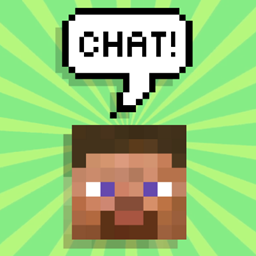
Light Chat Bubbles Plugin pre Minecraft 1.13
Lightweight and solid chat bubbles plugin, no dependencies needed.
O plugine Light Chat Bubbles
(simply, the best)
Like other MMO's, Light Chat Bubbles plugin (formerly FloatingChat) buffers your messages and sticks them with text labels above your head for a while... it doesn't require any heavy libary and is extremely lightweight and fast
If you used to play other games with chat bubbles, find hard to know where your friends are talking from, feel annoyed of being watching world and chat window everytime, miss some important messages, or simply like chat bubbles but haven't find a light and good plugin, then this one is for you.
Follow this project to get update notifications.
Features:
- Feels vanilla, like if it were bundled with minecraft
- Extremely lightweight, little more than 100 lines of code, about 7kb total
- Lightning fast responsive due the same reason
- Simple, clean, beautiful and efficient at max
- Pure bukkit api, no nms, reflection, packets or dependencies, made solely with creativity
- Plug and play, just put it into your plugins folder, restart|reload your server and watch it work immediately
- Server side configurable
More info:
I just finished the plugin and i wanted to share with you, soon i will continue publishing the gpl'ed source code and shaping this page (done -> here) ... not known bugs yet, but note that currently is not possible to make per player configurations as entities are viewed by everyone in the server.
To install the plugin just copy/move the .jar to <craftbukkit folder>/plugins/ and restart/reload the server. To configure read and edit the generated configuration file and restart/reload the server again to apply.
¡Viva Chile!
Ako nainštalovať Light Chat Bubbles
A server on Paper or Spigot
The plugin runs on the server core for Minecraft 1.13; players do not need to install anything.
File goes into the plugins folder
Download the file LightChatBubbles.jar (7 KB) and put it into the server’s plugins folder.
Restart the server
On startup the plugin creates its own settings folder in plugins.
Use the “To server” button
On Millida Hosting, the button at the top of the page uploads the file to your server and restarts it for you.
Minecraft 1.13 runs on Java 8: with a different Java version the game may close right after launch.
Verzie
So závislosťami
| Minecraft | Loader | Súbor | Dátum | Akcie |
|---|---|---|---|---|
| 1.13 | — | Light Chat Bubbles v46.9 KB |
FAQ
Which Minecraft versions does Light Chat Bubbles work on?
Only Minecraft 1.13: there are no files for other versions.
Do players need to install Light Chat Bubbles?
No, the plugin goes only on the server, into the plugins folder: players do not need to download anything.
Which Java does Light Chat Bubbles need?
Minecraft 1.13 runs on Java 8. If the game closes right after launch, the usual cause is the wrong Java version in the profile settings.
Where can I download Light Chat Bubbles safely?
On this page: the file LightChatBubbles.jar (7 KB) is stored on Millida’s server, with no link shorteners. SHA-1 checksum: b2de7633768a09bc401018739d79e61b8b1f85dd.
Recenzie
Buď prvý, kto ohodnotí Light Chat Bubbles



