
Empty World Mapa pre Minecraft 1.8.1
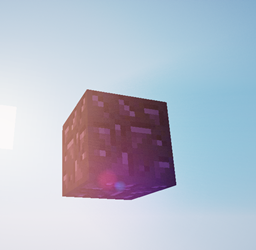
An empty world with one block under spawn
What can I do with an empty world?
- Build a server lobby
- Make a project
- Make your own sky block survival
- Blow as many TNT as you want, just for fun
*Do not destroy all the blocks so you can build more blocks!
Other maps of mine:
Biome Lands: Extreme Mountains
Hawa!!
Sky Biome
Ako nainštalovať Empty World
With Millida Launcher
Install Millida Launcher
The launcher is free: download it at millida.net/launcher and sign in with any nickname.
Click “Install” on this page
The launcher opens and installs the map for Minecraft 1.5.0–1.8.1 automatically.
Launch the game
A profile with it appears in the launcher: click “Play”.
Manually
Download the map archive
Pick the file Empty World.zip (1.0 MB).
Unpack it into the saves folder
The world folder (with level.dat inside) must sit directly in .minecraft/saves.
Open the world
“Singleplayer”: the map will be in your world list.
On a server
Replace the world folder
Stop the server and put the map folder in place of world (or set its name in level-name).
Use the “To server” button
On Millida Hosting, the button at the top of the page uploads the file to your server and restarts it for you.
Verzie
So závislosťami
| Minecraft | Loader | Súbor | Dátum | Akcie |
|---|---|---|---|---|
| 1.7.6 | — | Empty World.zip1 MB |
FAQ
Which Minecraft versions does Empty World work on?
There are files for 1.5.0–1.8.1, 16 versions in total. The newest is 1.8.1.
Where can I download Empty World safely?
On this page: the file Empty World.zip (1.0 MB) is stored on Millida’s server, with no link shorteners. SHA-1 checksum: 5feb19e393b57fcfd6f2bcc00afa594be4aee48d.
Recenzie
Buď prvý, kto ohodnotí Empty World



