
Added the /rtp command

Bebra Maximum
0/ 500online
Servidor de Minecraft Java, modo de jogo: Survival: Endereço IP e jogadores online
- Vaga no top
- Joined in 7 days
- 1
- Pico de online
- 6
- Versões
- 1.8 – 26.2
- Plataforma
- Java
- Original
- Original
- Como entrar
- Straight by IP
- Votos em novembro
- 0
- Votos totais
- 1
- Pontuação do mês
- 10
- Encontrado em sites de monitoramento
- 3
Tags do servidor
Tags do servidor
Versões
Plataforma
Acesso
Related lists
Sobre o servidor
❤️ Salam, dzhigits! A new server, Bebra Maximum! 💋
The best cross-platform server, meaning you can play both from your phone and from a PC (port for bebroka: 19709)
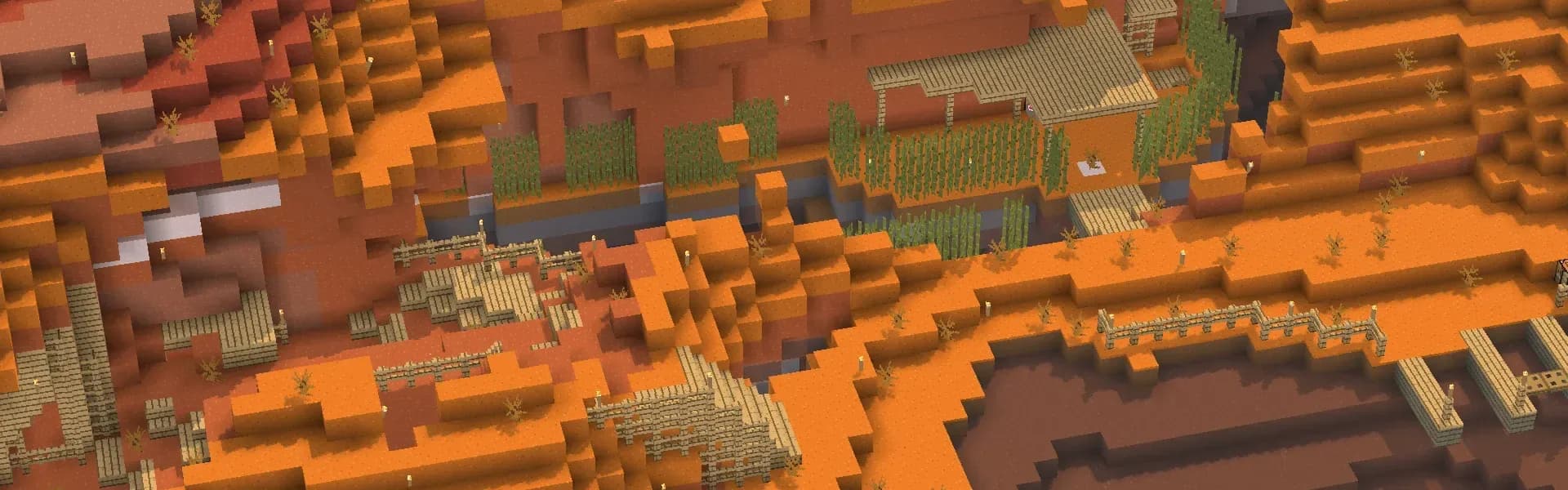
Concept: a cozy Minecraft village
Minimum plugins to preserve the vanilla style of the game, but enough to diversify routine tasks and add more ways of self-expression. (no rtp, kits and so on)
Main directions: building, events, quests, leveling up skills.
We tried to create a relaxed atmosphere on the server so that everyone would be comfortable playing.
We are waiting for active and creative players on our server!
Online
atualizado há 20 minComo entrar no servidor Bebra Maximum
Como entrar no servidor Bebra Maximum
Como entrar pelo PC
- 1Abra o Minecraft Java Edition na versão certa.
- 2Na tela principal, clique em Multiplayer.
- 3Clique em Adicionar Servidor e cole o endereço.
- 4Cole o IP: bebra-maximum.ru
- 5Salve, escolha o servidor na lista e clique em Entrar no Servidor.
Como entrar pelo celular
- 1Só PC: o servidor roda na Java Edition.
MOTD do servidor
🐺 Салам, джигитер!! Жана сервер BebraMaximum!!!! 💋
Bebra Maximum no Minecraft 1.21
Para entrar no Bebra Maximum pelo Minecraft 1.21, inicie o jogo nessa versão, adicione o IP bebra-maximum.ru à sua lista de servidores e conecte-se. Se o servidor rodar uma versão diferente, use um cliente compatível.
Bebra Maximum no Minecraft 1.20
Para entrar no Bebra Maximum pelo Minecraft 1.20, inicie o jogo nessa versão, adicione o IP bebra-maximum.ru à sua lista de servidores e conecte-se. Se o servidor rodar uma versão diferente, use um cliente compatível.
Bebra Maximum no Minecraft 1.19
Para entrar no Bebra Maximum pelo Minecraft 1.19, inicie o jogo nessa versão, adicione o IP bebra-maximum.ru à sua lista de servidores e conecte-se. Se o servidor rodar uma versão diferente, use um cliente compatível.
Bebra Maximum no Minecraft 1.18
Para entrar no Bebra Maximum pelo Minecraft 1.18, inicie o jogo nessa versão, adicione o IP bebra-maximum.ru à sua lista de servidores e conecte-se. Se o servidor rodar uma versão diferente, use um cliente compatível.
Bebra Maximum no Minecraft 1.17
Para entrar no Bebra Maximum pelo Minecraft 1.17, inicie o jogo nessa versão, adicione o IP bebra-maximum.ru à sua lista de servidores e conecte-se. Se o servidor rodar uma versão diferente, use um cliente compatível.
Bebra Maximum no Minecraft 1.16.5
Para entrar no Bebra Maximum pelo Minecraft 1.16.5, inicie o jogo nessa versão, adicione o IP bebra-maximum.ru à sua lista de servidores e conecte-se. Se o servidor rodar uma versão diferente, use um cliente compatível.
Wipes do servidor
Monitoramento de redes sociais 24/7Notícias do servidor
Todas as notíciasSmall update: Now you get a Special key for 3 votes and an Ominous special key for 6 votes per day
Here is a special key for your attention This key allows you to reopen the vaults in the copper dungeons until they reset. Features: 1) Bought with server votes (Special key - 1 point, Ominous special key - 2 points) 2) Can only be used after the regular key 3) Does not burn in lava 4) When purchased, if there is not enough space in the inventory, it drops on the ground 5) Cannot be crafted, only bought (Yes, it looks like horse leather armor, but you cannot use it as horse armor, and horse armor as a key. A proper texture will be added soon)
Today is Bebre's 1st birthday To celebrate, the copper dungeons update is out What's included in the update: 1) Dungeons can no longer be broken - no more junk from other players, looting is harder and more interesting 2) Dungeons now reset once a day - new loot in barrels, you'll be able to open storages again 3) Added "Special Key" - a new item bought with votes, which you can use to open storages without waiting for dungeons to reset
September 6 - 1st anniversary of Bebra Everyone be on the server
Avaliações · 0
Avaliações · 0
Nenhuma avaliação aindaEntre para avaliar
Perguntas frequentes
Perguntas frequentes
What is the IP address of Bebra Maximum?
The IP address of Bebra Maximum is bebra-maximum.ru. Copy it from this page and paste it into your Minecraft client when you add the server.
How do I join Bebra Maximum?
Open Minecraft → Multiplayer → Add Server, paste the IP bebra-maximum.ru and press Done. Then pick the server from the list and hit Join Server.
Which Minecraft version does Bebra Maximum run?
Bebra Maximum runs version 26.2 (Java). Connect with a matching client version.
Do I need a premium Minecraft account for Bebra Maximum?
Yes, Bebra Maximum is a premium server: you can only join with an official (purchased) Minecraft account.
Can I join Bebra Maximum from a phone?
Bebra Maximum is a Java server, made for the PC edition of Minecraft. You cannot join it from Bedrock on a phone directly.
What does Bebra Maximum have?
Bebra Maximum has: Not pay-to-win, Beginner-friendly, Crossplay, Economy, Player shops, Quests, Events. The full list of modes and features is in the server tags block on this page.
How do I vote for Bebra Maximum, and why bother?
Open the Bebra Maximum page and press Vote (once a day). Votes move the server up the Millida server list.
When is the next wipe on Bebra Maximum?
Wipe dates for Bebra Maximum live on a separate schedule page — we take them from the project's own channel and show a countdown. If nothing is announced, the server has not named a date.
Where is the community and the news of Bebra Maximum?
The Bebra Maximum community lives on Discord, Telegram, VK — the links are in the contacts block on this page. News, wipes and events are posted there too.
Contatos25 subscribers
Discorddiscord.gg/qNChNXmC
Telegram25t.me/bebra_maximum
Verificado: redes sociais · descrição

Votos para o servidor
Feed de atividades
Código de incorporação para site

Um link para nós no site do servidor: +1 ponto de avaliação enquanto ele estiver lá.
Servidores semelhantes

FadeCloud
Survival

Mcpvp
Survival

BullCraft
Survival

Best
Survival

LemonCloud
Survival

MineBerry
Survival

Planet Beacon
Survival

migosmccraft
Survival

Craftmc
Survival

Craft-mc
Survival

Wildprison
Survival

Enchantedmc
Survival

Minecadia
Survival
CRAFTRISE
Survival

Pika
Survival

Mineville
Survival

pluteria
Survival

SloCraft
Survival