
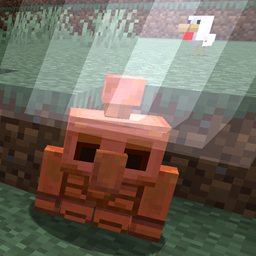
YDM's CopperGolem Mod do Minecraft 1.21.5
Dodaje miedzianego golema do twojej gry
 Fabric
 Forge
O modzie YDM's CopperGolem
Copper Golem
forge/fabric
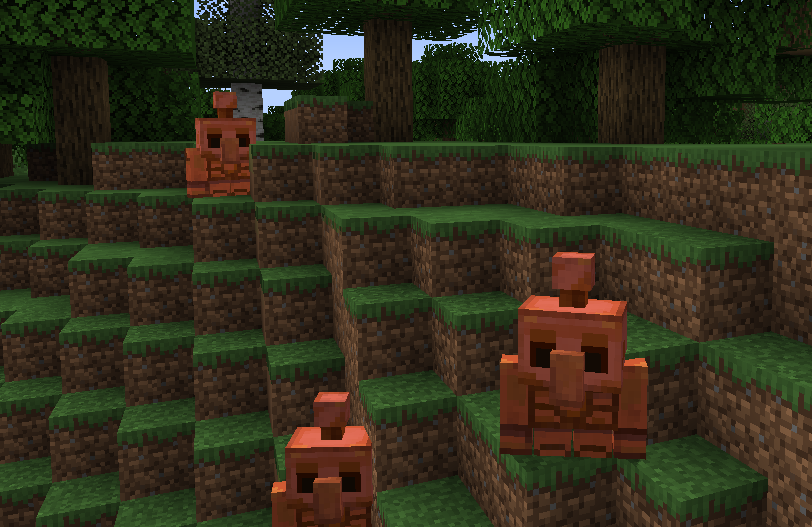
This mod adds Copper Golems to your game.
To make one you have to place these Blocks on top of each other:
- Cut Copper Stairs (on the Bottom)
- Block of Copper or Cut Copper (in the Middle)
- Lightning Rod (at the Top)
It pushes a button every 10 seconds.
It can oxidize just like copper blocks.
You can wax them with a honeycomb.
If a lightning strikes near, then it will be redirected to the golem.
If its unwaxed then it will be deoxidized when struck by lightning.
You can oxidize it faster when using an egg on it, and you can polish it with an axe.
It will rotate its head sometimes or when you use a copper ingot on it.
Can be tamed with a copper ingot, and then it will follow you when you are not too far away.
Can be healed with copper ingot.
Drops some Copper Ingots on death.
Hope you like it.
If you find any errors or have any suggestions,
please let me know with a comment below.
The forge and fabric versions can be found in the files tab.
The fabric version does not have a config right now. Thanks for downloading my mod!
Jak zainstalować YDM's CopperGolem
With Millida Launcher
Install Millida Launcher
The launcher is free: download it at millida.net/launcher and sign in with any nickname.
Click “Install” on this page
The launcher opens and installs the mod for Minecraft 1.21.5 on Fabric or Forge automatically.
Launch the game
A profile with it appears in the launcher: click “Play”.
Manually
Install Fabric or Forge
The loader must match the game version of the mod file, for example Minecraft 1.21.5. After installing it, a separate profile appears in your launcher.
Download the file for your version
In the version list above, pick the file coppergolem-fabric-1.21.5-2.1.0.jar (115 KB) for your game version and loader.
Put it in the mods folder
The folder is inside .minecraft (Windows: %appdata%\.minecraft\mods). If it does not exist, create it.
Launch the loader profile
Open “Mods” in the main menu: YDM's CopperGolem should be in the list.
Minecraft 1.21.5 runs on Java 21: with a different Java version the game may close right after launch.
Wersje
Z zależnościami
| Minecraft | Loader | Plik | Data | Akcje |
|---|---|---|---|---|
| 1.21.5 | Fabric | Fabric 1.21.5 - 2.1.0115 KB | ||
| 1.21.5 | Forge | Forge 1.21.5 - 2.1.0115 KB |
FAQ
Which Minecraft versions does YDM's CopperGolem work on?
Only Minecraft 1.21.5: there are no files for other versions.
Is YDM's CopperGolem for Forge or Fabric?
There are files for Fabric: 1.21.5 and for Forge: 1.21.5. There are no files for NeoForge: a mod for another loader will not start.
Does YDM's CopperGolem need other mods?
The author lists no required dependencies: the Fabric or Forge loader is enough.
Which Java does YDM's CopperGolem need?
Minecraft 1.21.5 runs on Java 21. If the game closes right after launch, the usual cause is the wrong Java version in the profile settings.
Where can I download YDM's CopperGolem safely?
On this page: the file coppergolem-fabric-1.21.5-2.1.0.jar (115 KB) is stored on Millida’s server, with no link shorteners. SHA-1 checksum: 1ff17c91004669c95ab6936988b6dccc2c52bece.
Opinie
Oceń YDM's CopperGolem jako pierwszy


