
 NeoForge
 Forge
O modzie XyCraft: World
Generowanie świata i rudy są tutaj! W całym świecie kryją się tajemnice do odkrycia, jedną z nich jest luminescencyjny Xychorium!
Podsumowanie:
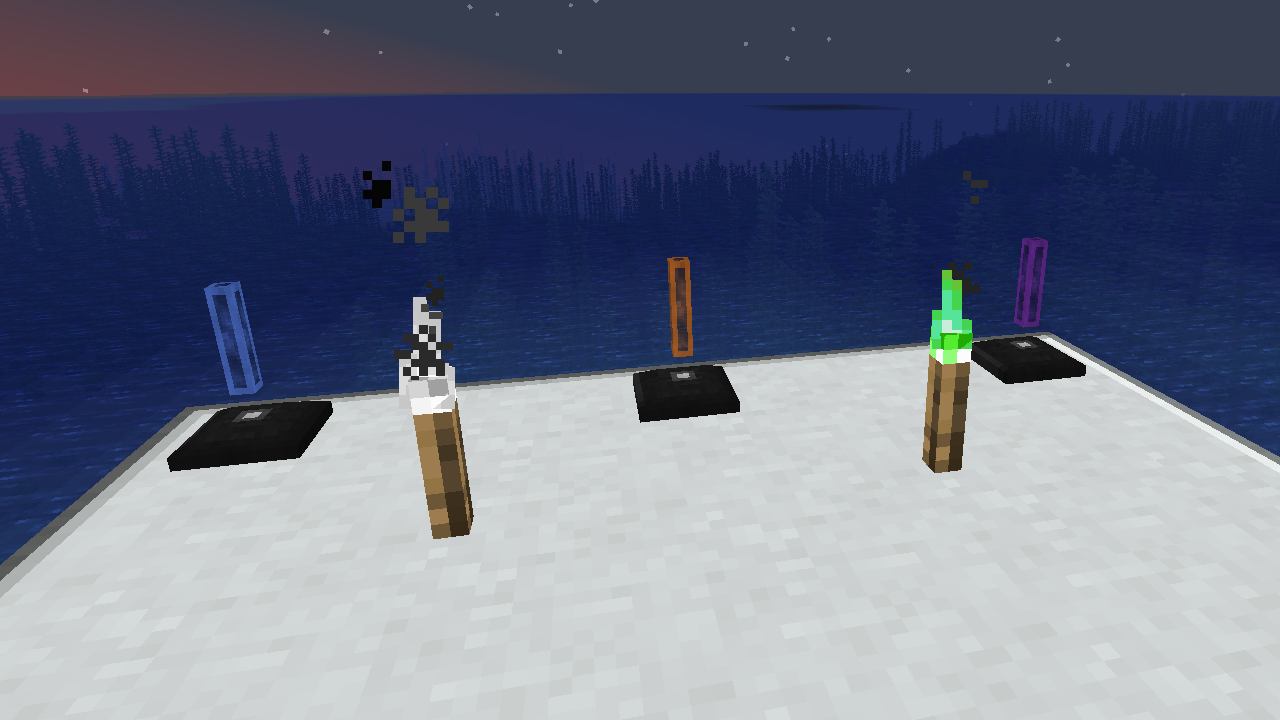
XyCraft World jest wymaganym komponentem większości modów, a choć prawdopodobnie można było to spakować do Core, toczyła się debata o dostarczaniu zewnętrznym deweloperom narzędzi bez wymagania aspektu generowania świata. Właśnie z tego powodu zostało to wyodrębnione. Wszelkie generowanie świata i eksploracja będą znajdować się w tym module.
Funkcje:
- Zapewnia generowanie świata dla wszystkich modułów XyCraft
- Materiały takie jak Xychorium i Aluminium z odpowiednimi tagami
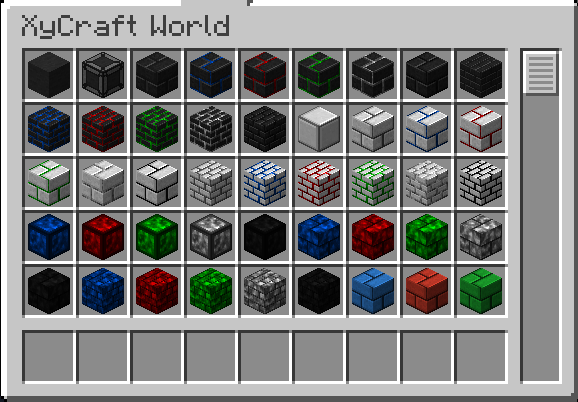
- Dodaje dekoracyjne bloki wykorzystujące ikoniczny efekt chmury i poświaty XyCraft
Planowane:
- Węzły rud w stylu Satisfactory w pewnym koncepcie.
- Więcej nagród za eksplorację dla gracza
- Wskazówki w grze, gdzie znaleźć materiały i co z nimi zrobić.
- Przedmioty spożywcze/roślinne takie jak kukurydza i pomidory.
- Być może wymiar, ale nie ma go w obecnym planie, jeśli w ogóle powstanie.
- Doświadczenie wypadające z wydobywania rud.
- Więcej wariantów i opcji bloków.
Jak zainstalować XyCraft: World
With Millida Launcher
Install Millida Launcher
The launcher is free: download it at millida.net/launcher and sign in with any nickname.
Click “Install” on this page
The launcher opens and installs the mod for Minecraft 1.20.1–26.1.2 on Forge or NeoForge automatically.
Launch the game
A profile with it appears in the launcher: click “Play”.
Manually
Install Forge or NeoForge
The loader must match the game version of the mod file, for example Minecraft 26.1.2. After installing it, a separate profile appears in your launcher.
Download the file for your version
In the version list above, pick the file xycraft-world-0.9.2.jar (1.8 MB) for your game version and loader.
Put it in the mods folder
The folder is inside .minecraft (Windows: %appdata%\.minecraft\mods). If it does not exist, create it.
Launch the loader profile
Open “Mods” in the main menu: XyCraft: World should be in the list.
Wersje
Z zależnościami
| Minecraft | Loader | Plik | Data | Akcje |
|---|---|---|---|---|
| 26.1.2 | NeoForge | XyCraft World 0.9.21.8 MB | ||
| 26.1.2 | NeoForge | XyCraft World 0.9.0-beta.211.8 MB | ||
| 1.20.1 | NeoForge, Forge | XyCraft World v0.6.222.7 MB |
FAQ
Which Minecraft versions does XyCraft: World work on?
There are files for 26.1.2, 1.20.1. The newest is 26.1.2.
Is XyCraft: World for Forge or Fabric?
There are files for Forge: 1.20.1 and for NeoForge: 1.20.1–26.1.2. There are no files for Fabric: a mod for another loader will not start.
Does XyCraft: World need other mods?
The author lists no required dependencies: the Forge or NeoForge loader is enough.
Where can I download XyCraft: World safely?
On this page: the file xycraft-world-0.9.2.jar (1.8 MB) is stored on Millida’s server, with no link shorteners. SHA-1 checksum: 7ecf6a0a0efb57e97b1b768e264f444259a325d0.
Opinie
Oceń XyCraft: World jako pierwszy


