
Village Spawn Point Mod do Minecraft 26.3
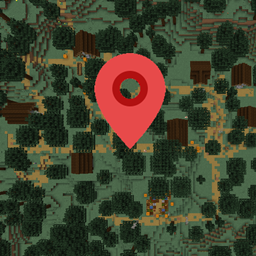
🏙 Ustawia punkt odrodzenia w nowym świecie na środku wioski.
 Fabric
 Forge
Forge NeoForge
 Quilt
QuiltO modzie Village Spawn Point
Village Spawn Point to minimalistyczny mod, który ustawia punkt odrodzenia nowego świata zawsze w centrum wioski. Wybrana wioska to ta najbliższa współrzędnym x=0, z=0. Funkcja generowania świata z dodatkową skrzynią jest kompatybilna. Jeśli jest włączona, wokół pozycji odrodzenia w wiosce zostanie umieszczona kolejna dodatkowa skrzynia.
Wszystkie dostępne opcje konfiguracji:
locateVillageTag domyślnie "minecraft:village" Tag używany do lokalizowania struktury wioski. Można go zmienić w celu poprawy kompatybilności z modowanymi wioskami. To ten sam tag, który jest używany w poleceniu '/locate structure'.
keepDefaultVillageTagBackup domyślnie true Jeśli w 'locateVillageTag' wprowadzono niestandardową wartość i nie można znaleźć punktu odrodzenia, jako wartość zapasową użyj 'minecraft:village'.
Ten mod jest kompatybilny z Biome Spawn Point.
Możesz swobodnie używać tego moda w dowolnym modpacku, o ile pobieranie pozostaje hostowane w ekosystemie CurseForge lub Modrinth.
Serilum.com zawiera przegląd i więcej informacji o wszystkich dostępnych modach.
Komentarze są wyłączone, ponieważ nie jestem w stanie śledzić ich na tak wielu osobnych stronach modów. W sprawie problemów, pomysłów, sugestii lub czegokolwiek innego dostępne jest repozytorium Github. Dzięki!
Jak zainstalować Village Spawn Point
With Millida Launcher
Install Millida Launcher
The launcher is free: download it at millida.net/launcher and sign in with any nickname.
Click “Install” on this page
The launcher opens and installs the mod for Minecraft 1.19.3–26.3 on Fabric, Forge, NeoForge or Quilt automatically.
Launch the game
A profile with it appears in the launcher: click “Play”.
Manually
Install Fabric, Forge, NeoForge or Quilt
The loader must match the game version of the mod file, for example Minecraft 26.3. After installing it, a separate profile appears in your launcher.
Download the file for your version
In the version list above, pick the file villagespawnpoint-26.3.0-4.7.jar (46 KB) for your game version and loader.
Put it in the mods folder
The folder is inside .minecraft (Windows: %appdata%\.minecraft\mods). If it does not exist, create it.
Launch the loader profile
Open “Mods” in the main menu: Village Spawn Point should be in the list.
Wersje
Z zależnościami
| Minecraft | Loader | Plik | Data | Akcje |
|---|---|---|---|---|
| 26.3 | Fabric, Forge, NeoForge, Quilt | [Fabric/Forge/Neo] 26.3.0-4.7 | Village Spawn Point46.3 KB 22 | ||
| 1.19.3 | Forge | villagespawnpoint_1.19.3-3.0.jar5.8 KB 1 |
FAQ
Which Minecraft versions does Village Spawn Point work on?
There are files for 26.3, 1.19.3. The newest is 26.3.
Is Village Spawn Point for Forge or Fabric?
There are files for Fabric: 26.3, for Forge: 1.19.3–26.3, for NeoForge: 26.3 and for Quilt: 26.3.
Does Village Spawn Point need other mods?
The author lists no required dependencies: the Fabric, Forge, NeoForge or Quilt loader is enough.
Where can I download Village Spawn Point safely?
On this page: the file villagespawnpoint-26.3.0-4.7.jar (46 KB) is stored on Millida’s server, with no link shorteners. SHA-1 checksum: 328c51fce7a0384fba093b4fcec57553c24a298d.
Opinie
Oceń Village Spawn Point jako pierwszy


