
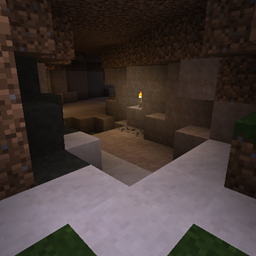
Underground Biomes Mod do Minecraft 1.21.1, 1.12.2
Dodaje 24 różne rodzaje kamienia
 NeoForge
 Forge
ForgeO modzie Underground Biomes
Previous Description
This is a port of the UndergroundBiomesConstructs mod to 1.12.2
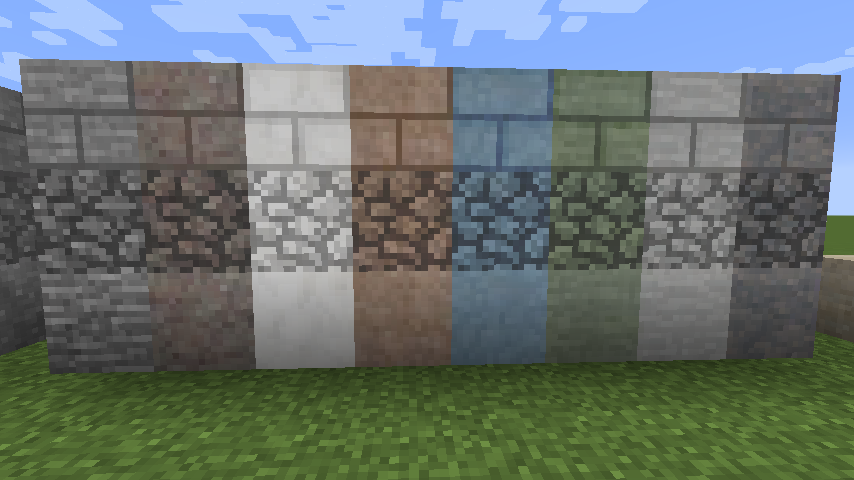
Adds
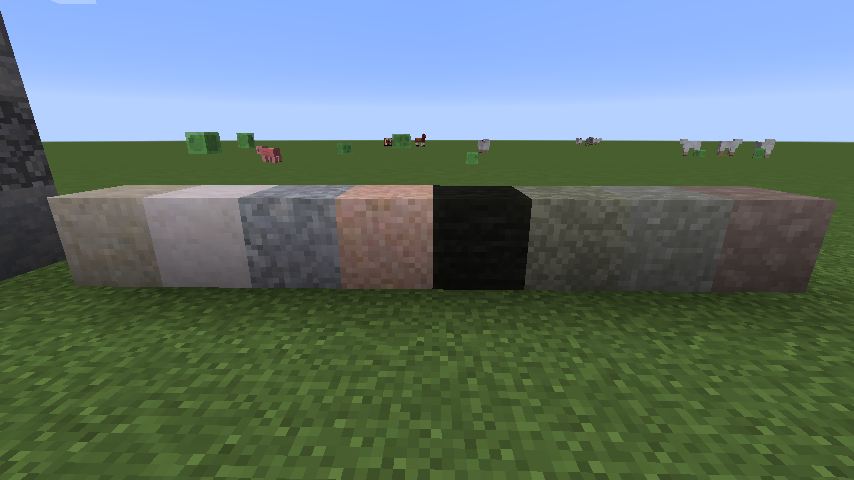
- 24 kinds of stone
- 24 variants of gravel
- 24 kinds of sand
- 16 types of cobblestone
- Bricks
- Slabs
- Walls
- Stairs
- Buttons
- BOP's overgrown stones
- Moss Cobblestones
- Monster Eggs
- Ores from Minecraft and Mods are (or can be) integrated to match the surrounding stone.
You may find some help on adding ores from mods here.
Note on 1.14.x : Those builds are early alphas. Bugs are to be expected... Please report them on Github's issue tracker! If upgrading to build 32 from an older build, please delete your config/undergroundbiomes folder!
This is a port of the UndergroundBiomesConstructs mod to 1.12.2 and later.
This mod adds great diversity to your underground,
- add 24 new different kinds of stones of metamorphic, igneous and sedimentary styles.
- Ores and structures like villages from vanilla and other mods are also converted to the local stone variant during world generation.
- Those 24 variants are also declined in cobblestone, gravel, sand, sandstone, clay, monster eggs, overgrown stone, bricks, mossy bricks & cobblestone, slabs, walls, stairs and buttons.
- The mod is inspired from the real world, adding even more diversity: igneous stones like granite are slightly harder to break, lignite can be used as a cheap coal, there's no sedimentary cobblestone, fossils can be found while mining, etc.
- Many mods ores are already supported natively.
- Speleothem from quark are also supported.
- A simple yet extensive configuration allows you to add new ores from others mods through simple json configuration (see the wiki), disable specific blocks variations, etc.
If you want a server setup using Underground Biomes mod with zero effort, get a server with BisectHosting and receive 25% off your first month as a new customer using the code kreezxil
Jak zainstalować Underground Biomes
With Millida Launcher
Install Millida Launcher
The launcher is free: download it at millida.net/launcher and sign in with any nickname.
Click “Install” on this page
The launcher opens and installs the mod for Minecraft 1.12.2–1.21.1 on Forge or NeoForge automatically.
Launch the game
A profile with it appears in the launcher: click “Play”.
Manually
Install Forge or NeoForge
The loader must match the game version of the mod file, for example Minecraft 1.21.1. After installing it, a separate profile appears in your launcher.
Download the file for your version
In the version list above, pick the file undergroundbiomes-1.21-1.4.0.jar (3.0 MB) for your game version and loader.
Put it in the mods folder
The folder is inside .minecraft (Windows: %appdata%\.minecraft\mods). If it does not exist, create it.
Launch the loader profile
Open “Mods” in the main menu: Underground Biomes should be in the list.
Minecraft 1.21.1 runs on Java 21: with a different Java version the game may close right after launch.
Wersje
Z zależnościami
| Minecraft | Loader | Plik | Data | Akcje |
|---|---|---|---|---|
| 1.21.1 | NeoForge | 1.21-1.4.03 MB 1 | ||
| 1.12.2 | Forge | 1.12-1.3.141.3 MB 2 | ||
| 1.14.4 | Forge | 1.14.4-1.0-53986 KB |
FAQ
Which Minecraft versions does Underground Biomes work on?
There are files for 1.21.1, 1.14.4, 1.12.2. The newest is 1.21.1.
Is Underground Biomes for Forge or Fabric?
There are files for Forge: 1.12.2–1.14.4 and for NeoForge: 1.21.1. There are no files for Fabric: a mod for another loader will not start.
Does Underground Biomes need other mods?
The author lists no required dependencies: the Forge or NeoForge loader is enough.
Which Java does Underground Biomes need?
Minecraft 1.21.1 runs on Java 21. If the game closes right after launch, the usual cause is the wrong Java version in the profile settings.
Where can I download Underground Biomes safely?
On this page: the file undergroundbiomes-1.21-1.4.0.jar (3.0 MB) is stored on Millida’s server, with no link shorteners. SHA-1 checksum: 95f400153a4146b872f4ae355546600bc11cd1fd.
Opinie
Oceń Underground Biomes jako pierwszy


