

The Mighty Architect Mod do Minecraft 1.12.2, 1.16.5
Zaprojektuj wyszukane budowle w ciągu minuty!
- pobrań
- 4 pobrań
- wyświetleń
- 26 wyświetleń
- Zaktualizowano
- Zaktualizowano 24.10.2026
- 1.12.2 — 1.18.2
 Forge
Forge
O modzie The Mighty Architect
About
This client-side Tool allows you to quickly establish a building from a specified set of rooms and features. It decorates and surrounds the ground plan you draw with walls, towers, roofing and more. Afterwards you choose a material palette to be used in the final schematic produced.
Press G to start composing
With The Mighty Architect a great fraction of the design process gets sped up. I made this tool to allow players to quickly create a large number of schematics for a town or just their base. While the most outstanding features of your build should still be created by yourself, this will help you fill in the gaps with buildings that might not be revolutionary in architecture, yet aesthetically pleasing and surprisingly varied - provided you give it varied Ground Plans to work with. It shows that the composition of a build is what makes it unique, the rest you can automate just like anything else in this game!
Showcase
Included Build styles:
Cattingham Palace (0.4.4+)
- 184 Designs
- Layers: Foundation, Regular, Arcs
- Newest Addition - Very detailed, less varied
- 1.12 Users can download the Theme here. Drop it into <Instance Folder>/themes/
Medieval
- 183 Designs
- Layers: Foundation, Regular, Arcs
- First Theme. Less detailed, more varied
Modern
- 51 Designs
- Layers: Foundation, Regular, Special
- Very simple - No round towers, no gable roofs
Town House
- 147 Designs
- Layers: Foundation, Regular
- Looks great for dense row-housing. Semi-varied.
TMA & Create - A Powerful combination:
Videos on TMA for 1.12.2
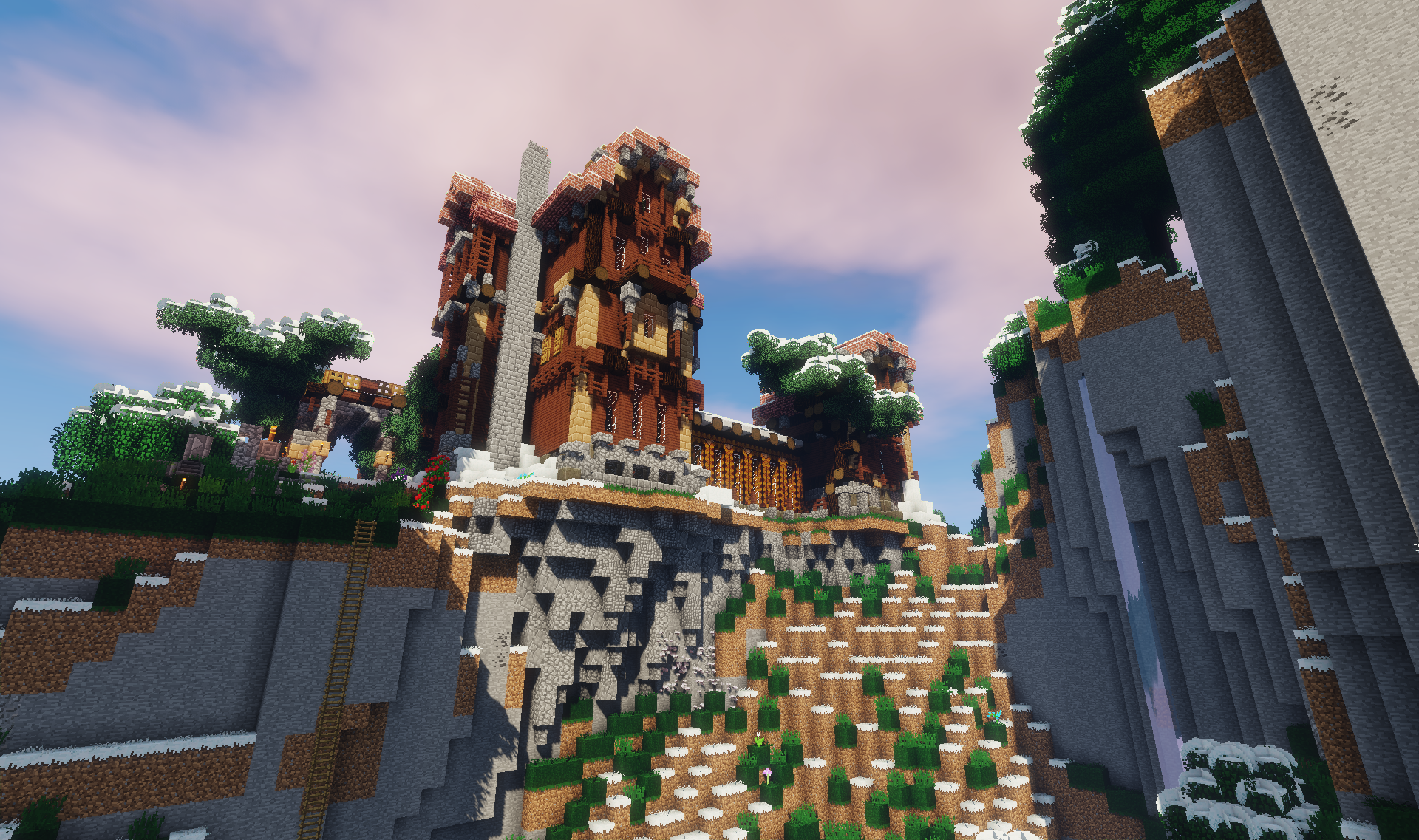
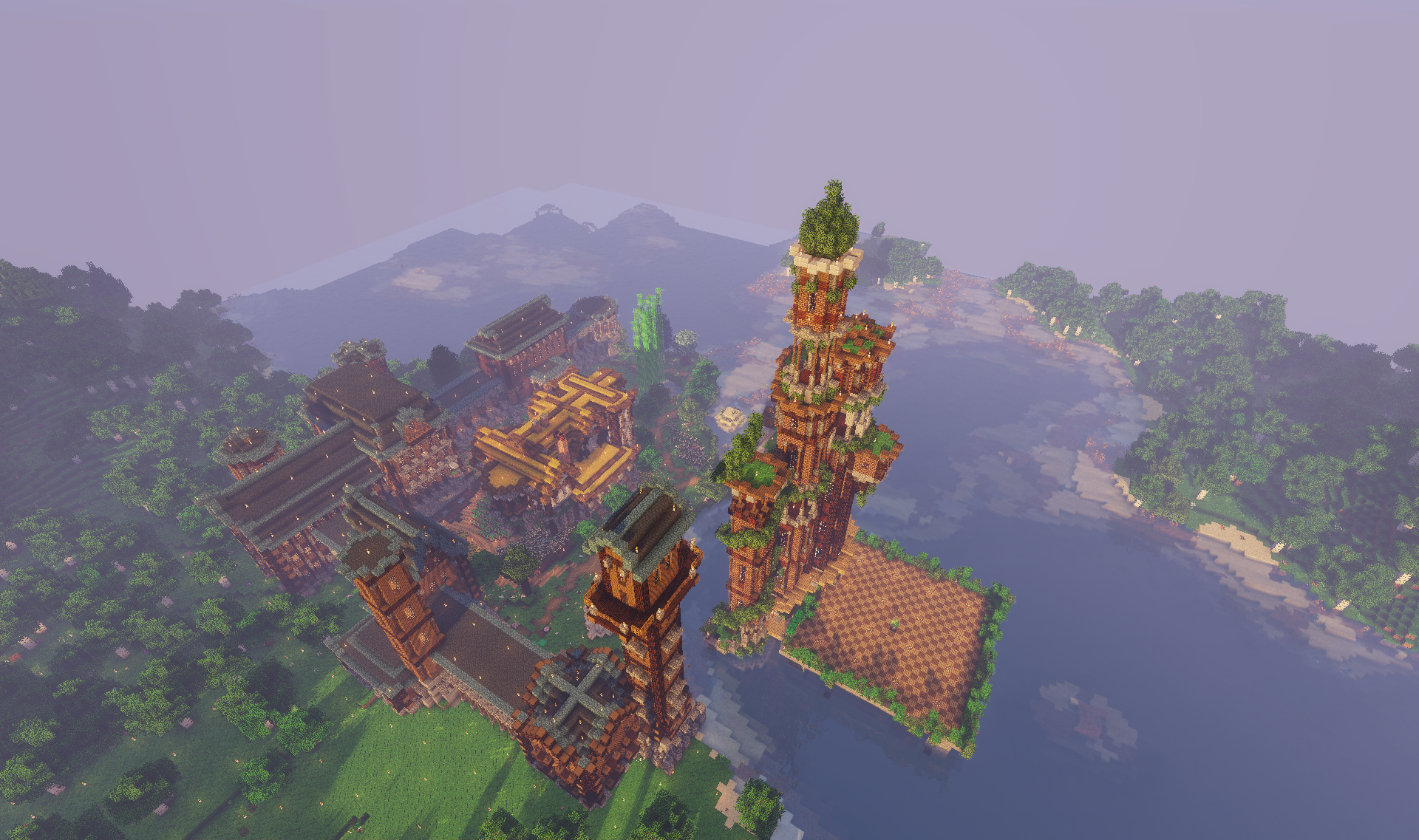
Building Gallery
These have been partially generated by the Mod. Find more context on the Image tab.
Thanks for checking in!~
Jak zainstalować The Mighty Architect
With Millida Launcher
Install Millida Launcher
The launcher is free: download it at millida.net/launcher and sign in with any nickname.
Click “Install” on this page
The launcher opens and installs the mod for Minecraft 1.12.2–1.18.2 on Forge automatically.
Launch the game
A profile with it appears in the launcher: click “Play”.
Manually
Install Forge
The loader must match the game version of the mod file, for example Minecraft 1.18.2. After installing it, a separate profile appears in your launcher.
Download the file for your version
In the version list above, pick the file mightyarchitect-mc1.18.2_v0.6.jar (691 KB) for your game version.
Put it in the mods folder
The folder is inside .minecraft (Windows: %appdata%\.minecraft\mods). If it does not exist, create it.
Launch the loader profile
Open “Mods” in the main menu: The Mighty Architect should be in the list.
Minecraft 1.18.2 runs on Java 17: with a different Java version the game may close right after launch.
Wersje
Z zależnościami
| Minecraft | Loader | Plik | Data | Akcje |
|---|---|---|---|---|
| 1.18.2 | Forge | MightyArchitect 1.18.2 v0.6691 KB 2 | ||
| 1.16.3 | Forge | The Mighty Architect - mc1.16.3_v0.5675 KB 1 | ||
| 1.12.2 | — | mightyarchitect-0.3.0556 KB 1 |
FAQ
Which Minecraft versions does The Mighty Architect work on?
There are files for 1.18.2, 1.16.5, 1.16.4, 1.16.3, 1.12.2. The newest is 1.18.2.
Is The Mighty Architect for Forge or Fabric?
Only for Forge: 1.16.3–1.18.2. There are no files for Fabric or NeoForge: a mod for another loader will not start.
Does The Mighty Architect need other mods?
The author lists no required dependencies: the Forge loader is enough.
Which Java does The Mighty Architect need?
Minecraft 1.18.2 runs on Java 17. If the game closes right after launch, the usual cause is the wrong Java version in the profile settings.
Where can I download The Mighty Architect safely?
On this page: the file mightyarchitect-mc1.18.2_v0.6.jar (691 KB) is stored on Millida’s server, with no link shorteners. SHA-1 checksum: 228a354b3e56b2d376d9f0e7258b61108f9b2f2a.
Opinie
Oceń The Mighty Architect jako pierwszy


