
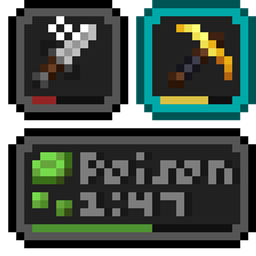
Status Effect Bars Reforged Mod do Minecraft 1.20.1, 26.2
Mod po stronie klienta, który dodaje małe konfigurowalne paski do nakładki efektów statusu oraz w ekwipunku, aby pokazywać pozostały czas trwania efektów.
 NeoForge
 Forge
ForgeDescription
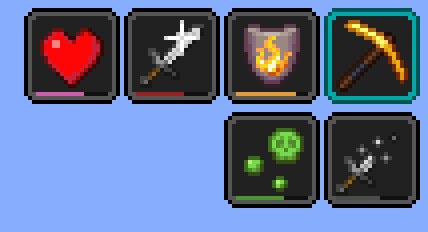
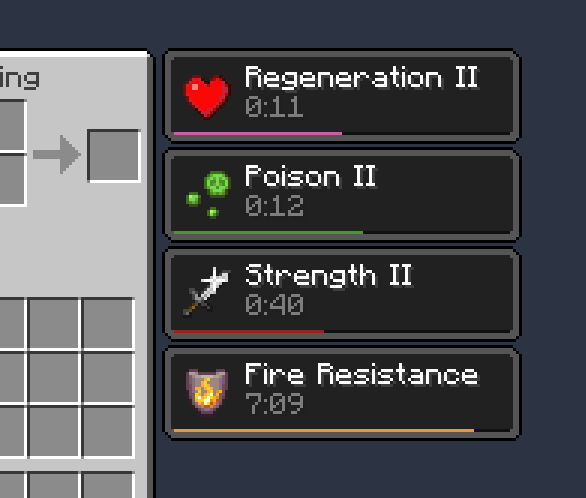
A client-side Neo/Forge mod that adds small customizable bars to the status effects overlay and in the inventory to show the remaining duration of effects. Support is available on Discord !
Features:
- Cute little bars
- Config screen to edit colors and bar positions
- Bars can be hidden automatically in some specific cases to reduce clutter (e.g. beacon effects and effects with very long durations)
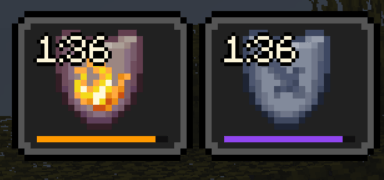
As of v1.0.2 it now includes compat with Stylish Effects !
Credits
- Potentially inspired by SkyUI's active effects HUD
- pt_br translation by FITFC
- A5b84 for the Fabric version
If you'd like to support me and the development of my mods, I recommend trying out BisectHosting. Use code "project8gbderam" to get 25% off your first month of a gaming server for new customers. They offer 24/7 support and lightning-fast response times, ensuring you're in great hands and providing exceptional assistance for all your gaming needs. https://www.bisecthosting.com/project8gbderam
Jak zainstalować Status Effect Bars Reforged
With Millida Launcher
Install Millida Launcher
The launcher is free: download it at millida.net/launcher and sign in with any nickname.
Click “Install” on this page
The launcher opens and installs the mod for Minecraft 1.20.1–26.2 on Forge or NeoForge automatically.
Launch the game
A profile with it appears in the launcher: click “Play”.
Manually
Install Forge or NeoForge
The loader must match the game version of the mod file, for example Minecraft 26.2. After installing it, a separate profile appears in your launcher.
Download the file for your version
In the version list above, pick the file statuseffectbars-26.2-NeoForge-1.1.0.jar (20 KB) for your game version and loader.
Put it in the mods folder
The folder is inside .minecraft (Windows: %appdata%\.minecraft\mods). If it does not exist, create it.
Launch the loader profile
Open “Mods” in the main menu: Status Effect Bars Reforged should be in the list.
Wersje
Z zależnościami
| Minecraft | Loader | Plik | Data | Akcje |
|---|---|---|---|---|
| 26.2 | NeoForge | statuseffectbars-26.2-NeoForge-1.1.0.jar20.1 KB | ||
| 1.20.1 | Forge | statuseffectbars-1.20.1-Forge-1.0.3.jar208 KB |
FAQ
Which Minecraft versions does Status Effect Bars Reforged work on?
There are files for 26.2, 1.20.1. The newest is 26.2.
Is Status Effect Bars Reforged for Forge or Fabric?
There are files for Forge: 1.20.1 and for NeoForge: 26.2. There are no files for Fabric: a mod for another loader will not start.
Does Status Effect Bars Reforged need other mods?
The author lists no required dependencies: the Forge or NeoForge loader is enough.
Where can I download Status Effect Bars Reforged safely?
On this page: the file statuseffectbars-26.2-NeoForge-1.1.0.jar (20 KB) is stored on Millida’s server, with no link shorteners. SHA-1 checksum: 068b2c26e99e8271812577cd11957b1aefc56e1a.
Opinie
Oceń Status Effect Bars Reforged jako pierwszy


