
 Fabric
O modzie SlimyFloor
This is a Fabric, server mod.
It's inspired by a tweet from Cubfan135.
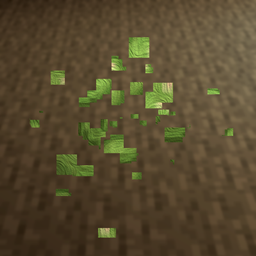
This mod produces slime particles and a tiny squishy sound on players' feet when they walk or run in a slime chunk area.
Slime chunks are chunks that have the capability to spawn slimes below Y=40. Without the help of external tools, they are hard to detect while roaming in caves as slime spawning is low, especially when a lot of dark caves are nearby and the mob cap is filled. So this mod adds a visual clue that slimes can spawn in the current chunks, as if you were stepping on a slime deposit.
As this is a server side mod, all players benefit of the feature to detect slime chunks while staying close to vanilla. There's nothing to install on clients.
=> If installed on the client, it will work for local games.
P.S. I will not convert it to a Forge version, but if you feel like doing it, let me know ;)
Jak zainstalować SlimyFloor
With Millida Launcher
Install Millida Launcher
The launcher is free: download it at millida.net/launcher and sign in with any nickname.
Click “Install” on this page
The launcher opens and installs the mod for Minecraft 1.18.2–1.21.11 on Fabric automatically.
Launch the game
A profile with it appears in the launcher: click “Play”.
Manually
Install Fabric
The loader must match the game version of the mod file, for example Minecraft 1.21.11. After installing it, a separate profile appears in your launcher.
Download the file for your version
In the version list above, pick the file slimyfloor-1.21.11-1.3.16.jar (128 KB) for your game version.
Put it in the mods folder
The folder is inside .minecraft (Windows: %appdata%\.minecraft\mods). If it does not exist, create it.
Launch the loader profile
Open “Mods” in the main menu: SlimyFloor should be in the list.
Minecraft 1.21.11 runs on Java 21: with a different Java version the game may close right after launch.
Wersje
Z zależnościami
| Minecraft | Loader | Plik | Data | Akcje |
|---|---|---|---|---|
| 1.21.11 | Fabric | slimyfloor-1.21.11-1.3.16.jar128 KB 1 | ||
| 1.18.2 | — | slimyfloor-1.18.2-1.2.3.jar128 KB |
FAQ
Which Minecraft versions does SlimyFloor work on?
There are files for 1.21.11, 1.18.2. The newest is 1.21.11.
Is SlimyFloor for Forge or Fabric?
Only for Fabric: 1.21.11. There are no files for Forge or NeoForge: a mod for another loader will not start.
Does SlimyFloor need other mods?
The author lists no required dependencies: the Fabric loader is enough.
Which Java does SlimyFloor need?
Minecraft 1.21.11 runs on Java 21. If the game closes right after launch, the usual cause is the wrong Java version in the profile settings.
Where can I download SlimyFloor safely?
On this page: the file slimyfloor-1.21.11-1.3.16.jar (128 KB) is stored on Millida’s server, with no link shorteners. SHA-1 checksum: 53d9d4c183bddb8d5c95816ae99f7ebcf9a09bc2.
Opinie
Oceń SlimyFloor jako pierwszy


