

Professions Mod do Minecraft 1.21.1, 1.19.2
[NeoForge/Fabric] Professions - System RPG dodający progresję do twoich rozgrywek!
 Fabric
 NeoForge
 Forge
Forge
Professions
Professions is a self contained system that add occupations. You may know this in RPGs as a system that add skills to the game for you to level up and progress in. Professions is basically that. Add a leveling progression system to your world or modpack!
Features
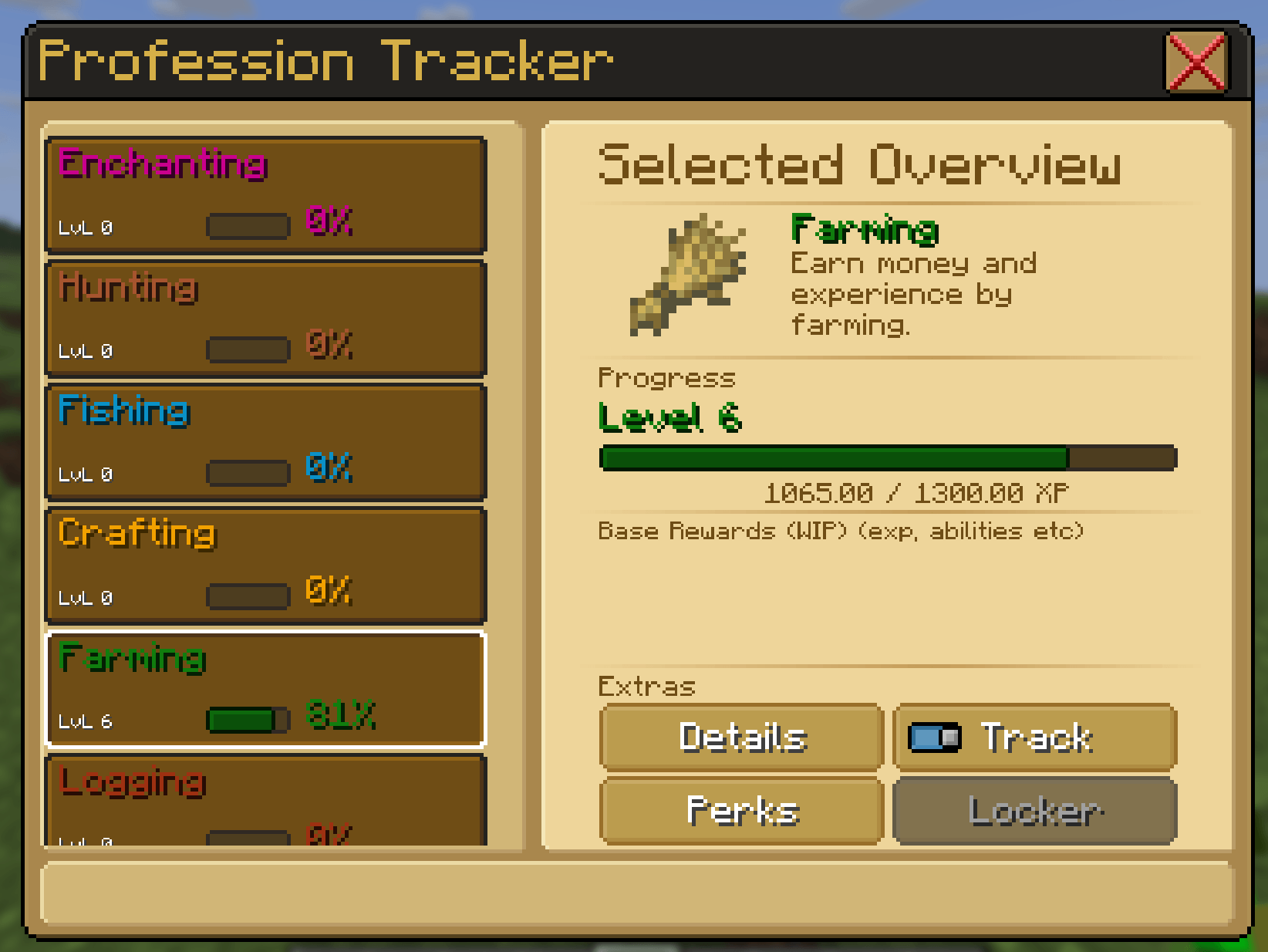
- 9 Builtin Professions (Smithing, Building, Mining, Logging, Farming, Crafting, Fishing, Hunting, Enchanting)
- Building: +18 Max Health (+9 hearts), +22% Profession EXP gain
- Crafting: +9 Max Health (+4.5 hearts), +22% Profession EXP gain
- Enchanting: +0.010 Movement Speed, +22% Profession EXP gain
- Farming: +0.010 Movement Speed, +22% Profession EXP gain
- Fishing: +5 Luck, +22% Profession EXP gain
- Hunting: +0.10 Sneaking Speed, +22% Profession EXP gain
- Logging: +5 Luck, +22% Profession EXP gain
- Mining: +9 Max Health (+4.5 hearts), +22% Profession EXP gain
- Smithing: +10 Attack Damage, +22% Profession EXP gain
- Data Driven Professions. Configure the existing professions to your hearts content, or make new ones!
- Supports multiple "Categories" The categories allow modpack developers to create a customized experience while either leaving the built-in system alone, or removing it entirely.
- Professions 2.0.0+ will have an event driven architecture to make it easier for other mods to modify what is happening.
Roadmap
As this is a redo of the version from 2023, there are some differences, and some things are missing. I'll be working to add these things back over the next few updates. There are a number of new things I would like to add over time too! I have labeled the difference "Re-Implement" and "Implement"
- Re-implement: Unlocks Completed! (2.3.4+)
- Re-implement: Passives Completed! (2.2.0+)
- Re-implement: Commands
- Re-implement: Currency Rewards
- Re-implement: Fabric Support Completed!
- Implement: Quests
- Implement: Damage Changes
- Implement: Skills or Abilities
- Implement: Entity Modification
- Implement: Tools/Things for server owners
- Implement: More to come
- Implement: more support for other mods? Where possible.
- Implement: More skills to give modpack authors more choice in how the user's experience is.
Professions is required on both the client and server!
Everything within the spoiler is OLD and unsupported. It applies to to only the version from 2023 and earlier. These versions are completely unsupported! They are only here for historical reference and will eventually be moved.
What are professions
Professions are a self contained system that adds occupations, or jobs to the game with their own leveling progression system. The mod can work with or without EightsEconomyP to add a way to inject money onto your server.
There are 11 builtin occupations or jobs that go from level 1 to 100, you can build, mine, farm, enchant, craft, fish, and more. Looking for mod integrations to go with it? Check out Professions Integrations it currently only supports fabric, but it will include specific mod integrations that don't fit in with the base mod.
Features
Professions are data-driven (and easily extendable in code if you can) Meaning you can have as many professions as you want, or you can stick with the defaults provided.
Rewards: By default an occupation will provide profession experience and, optionally, an item reward if you add it. On fabric, you can also use EightsEconomyP to add money rewards for your economy.
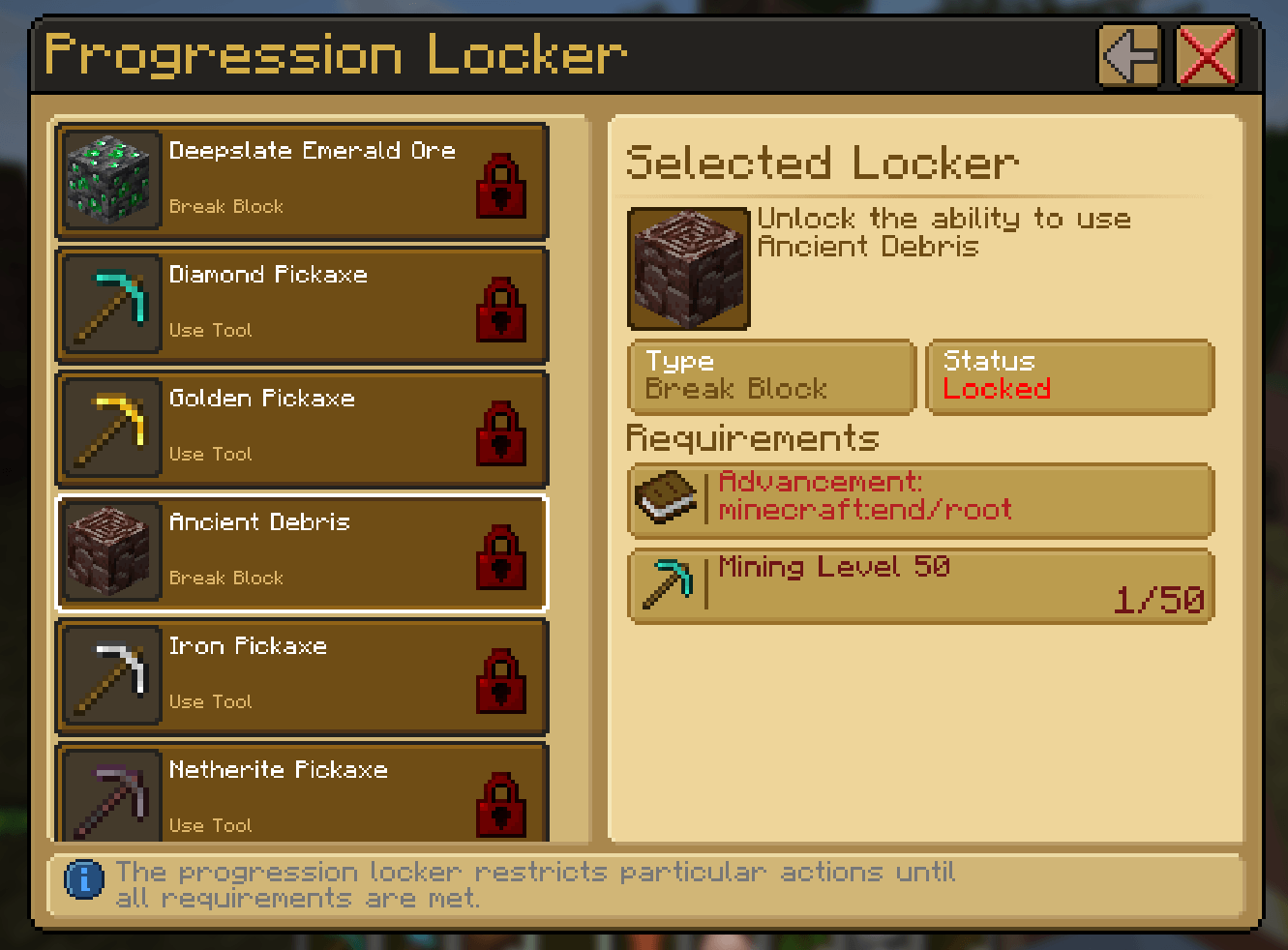
Unlocks (NEW 0.2.0) In 0.2.0 If you want to gate gameplay there are now tool unlocks and block unlocks, meaning if your occupation isn't as a certain level, you either can't use that tool or receive the drops from a block.
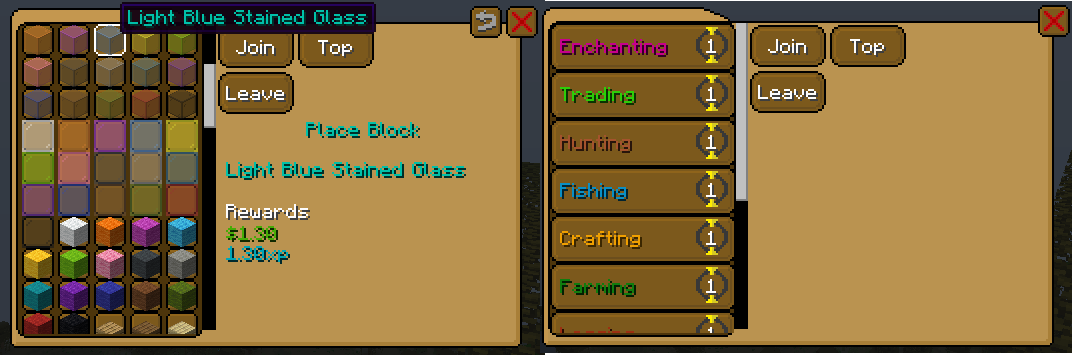
In 0.3.9+
For this version of the mod and above, perks are enabled by default. The leveling equation has changed to be more single player friendly as well. By default players will now be in every profession and will not be able to leave their profession.
Alchemist: Health, Armor Toughness Builder: Health x2, Movement Speed Crafting: Health, Attack Damage Enchanting: Health, Movement Speed Farming: Health, Movement Speed Fishing: Health, Attack Damage, Luck Hunting: Health, Knockback Resistance Logging: Health, Attack Damage Mining: Health, Knockback Resistance Smithing: Health, Attack Damage Trading: Health, Movement Speed, Armor
These perks will scale with the level of your profession, so you can end up with a lot of health if you take the time to level all of them.
hardcore mode
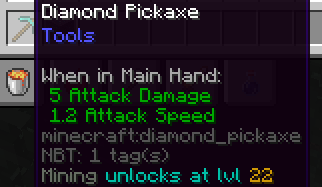
in addition, there is a new config option (disabled by default) called "useHardcoreDatapack" this will start locking the ability to use certain things behind levels, meaning you will HAVE to level up mining before you can use a better pickaxe (currently only supports vanilla tools)
1.0.3:
New admin commands:
/professions admin xprate allows admins to toggle the xprate for themselves to see how much they're gaining every minute.
/prfssns append/export used to quickly create unlocks for professions (only enabled if -Dprofessions-debug=true)
Who needs this mod installed?
Professions can be used either Serverside only, or Client and Serverside. If both the client and the server have the mod installed, players can use 'R' (by default) to open the menu and gain access to the professions menu. If only the server has the mod installed, then users will need to use the commands, which can be found here. The mod also integrates with luckperms if you want to directly give specific commands to the user or not.
Jak zainstalować Professions
With Millida Launcher
Install Millida Launcher
The launcher is free: download it at millida.net/launcher and sign in with any nickname.
Click “Install” on this page
The launcher opens and installs the mod for Minecraft 1.19.2–1.21.1 on Fabric, Forge or NeoForge automatically.
Launch the game
A profile with it appears in the launcher: click “Play”.
Manually
Install Fabric, Forge or NeoForge
The loader must match the game version of the mod file, for example Minecraft 1.21.1. After installing it, a separate profile appears in your launcher.
Download the file for your version
In the version list above, pick the file professions-fabric-1.21.1-2.3.6.jar (673 KB) for your game version and loader.
Put it in the mods folder
The folder is inside .minecraft (Windows: %appdata%\.minecraft\mods). If it does not exist, create it.
Launch the loader profile
Open “Mods” in the main menu: Professions should be in the list.
Minecraft 1.21.1 runs on Java 21: with a different Java version the game may close right after launch.
Wersje
Z zależnościami
| Minecraft | Loader | Plik | Data | Akcje |
|---|---|---|---|---|
| 1.21.1 | Fabric | professions-fabric-1.21.1-2.3.6.jar673 KB | ||
| 1.21.1 | NeoForge | professions-neoforge-1.21.1-2.3.6.jar770 KB | ||
| 1.19.2 | Forge | Professions-1.19.2-FORGE-1.0.6-all.jar704 KB | ||
| 1.19.2 | Fabric | Professions-1.19.2-FABRIC-1.1.0.jar1.5 MB | ||
| 1.19.2 | Forge | Professions-1.19.2-FORGE-1.1.0-all.jar705 KB | ||
| 1.19.2 | Forge | Professions-1.19.2-FORGE-1.0.3-all.jar657 KB | ||
| 1.19.2 | Fabric | Professions-1.19.2-FABRIC-0.3.10.jar1.5 MB |
Opinie
Oceń Professions jako pierwszy


