

Potion Icons Mod do Minecraft 1.20.1, 1.21.1
Umieszcza ikony efektów w większej liczbie miejsc
 NeoForge
 Forge
Forge Fabric
 Quilt
QuiltPotion Icons
A mod that puts effect icons in more places, primarily overlaid over potion items and in text.

Features
Item Overlay
Any item with a potion component has its effect's icon(s) rendered on top of it in the inventory, hotbar, etc, making it easier to differentiate potions at a glance.
By default, the icon is always rendered in the top-left corner of the item slot, but this can be configured to match your preference! There are 4 modes that determine where the icon is rendered:
- NONE: Icon is not rendered.
- TRY_BOTTOM_RIGHT: Renders in the bottom right corner for non-stackable items. Top left otherwise.
- TOP_LEFT (default): Renders in the top left corner.
- FULL: Renders across the entire item slot.
These can be set separately based on whether you are holding shift or not. You can also set if the icon should render in front of or behind the item.
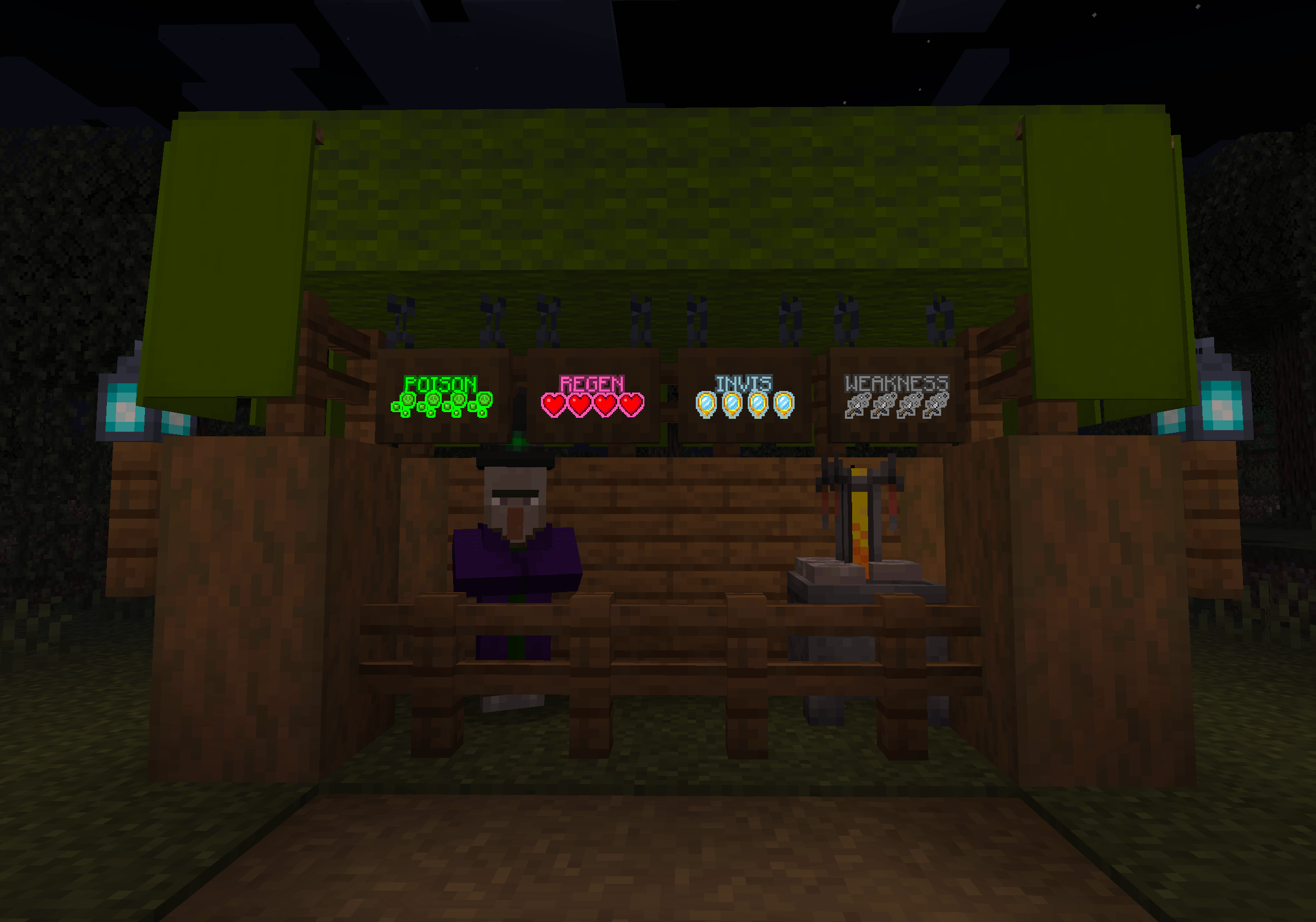
Potion Tooltips
Effect icons are rendered in potion tooltips next to their listed effect. This can be disabled in the config.
Typable in Text
Effect icons can be displayed in chat, signs, or anywhere else that you can type text in game. For example, [effect:fire_resistance] will show as the fire resistance effect icon.
For more info, see Inline's Page, this is just another matcher.
Jak zainstalować Potion Icons
With Millida Launcher
Install Millida Launcher
The launcher is free: download it at millida.net/launcher and sign in with any nickname.
Click “Install” on this page
The launcher opens and installs the mod for Minecraft 1.20.1–1.21.1 on Fabric, Forge, NeoForge or Quilt automatically.
Launch the game
A profile with it appears in the launcher: click “Play”.
Manually
Install Fabric, Forge, NeoForge or Quilt
The loader must match the game version of the mod file, for example Minecraft 1.21.1. After installing it, a separate profile appears in your launcher.
Download the file for your version
In the version list above, pick the file potionicons-neoforge-1.21.1-1.1.0.jar (28 KB) for your game version and loader.
Put it in the mods folder
The folder is inside .minecraft (Windows: %appdata%\.minecraft\mods). If it does not exist, create it.
Launch the loader profile
Open “Mods” in the main menu: Potion Icons should be in the list.
Minecraft 1.21.1 runs on Java 21: with a different Java version the game may close right after launch.
Wersje
Z zależnościami
| Minecraft | Loader | Plik | Data | Akcje |
|---|---|---|---|---|
| 1.20.1 | Forge | Potion Icons 1.20.1-1.1.0 [Forge]208 KB 24 | ||
| 1.20.1 | Fabric, Quilt | Potion Icons 1.20.1-1.1.0 [Fabric]28.2 KB 10 | ||
| 1.21.1 | NeoForge | Potion Icons 1.21.1-1.1.0 [NeoForge]27.7 KB 4 |
Opinie
Oceń Potion Icons jako pierwszy


