
 Fabric
 Forge
What is the Panorama mod?
The Panorama mod adds the ability to take panoramic screenshots into Minecraft. The mod also adds in an ability to view all your panoramic screenshots in game and select a specific one to use for the titlescreen background. You can also use this mod to take panoramic images to use in resourcepacks.
How to take a screenshot?
By default to take a screenshot press the F4 key. This will then generate the screenshot. Once the screenshot has been generated a message will popup in game.
How can I apply the panorama to the title screen?
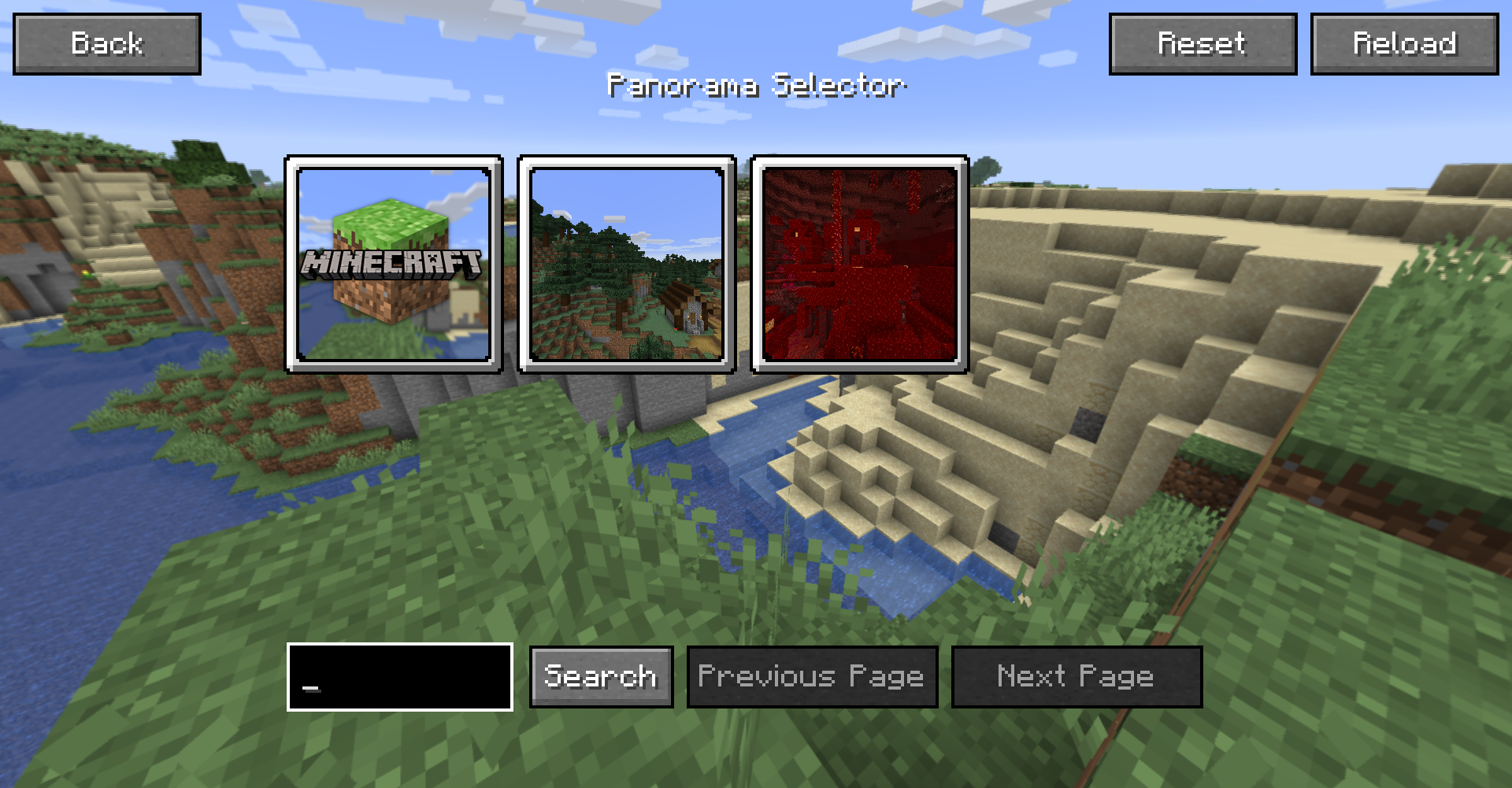
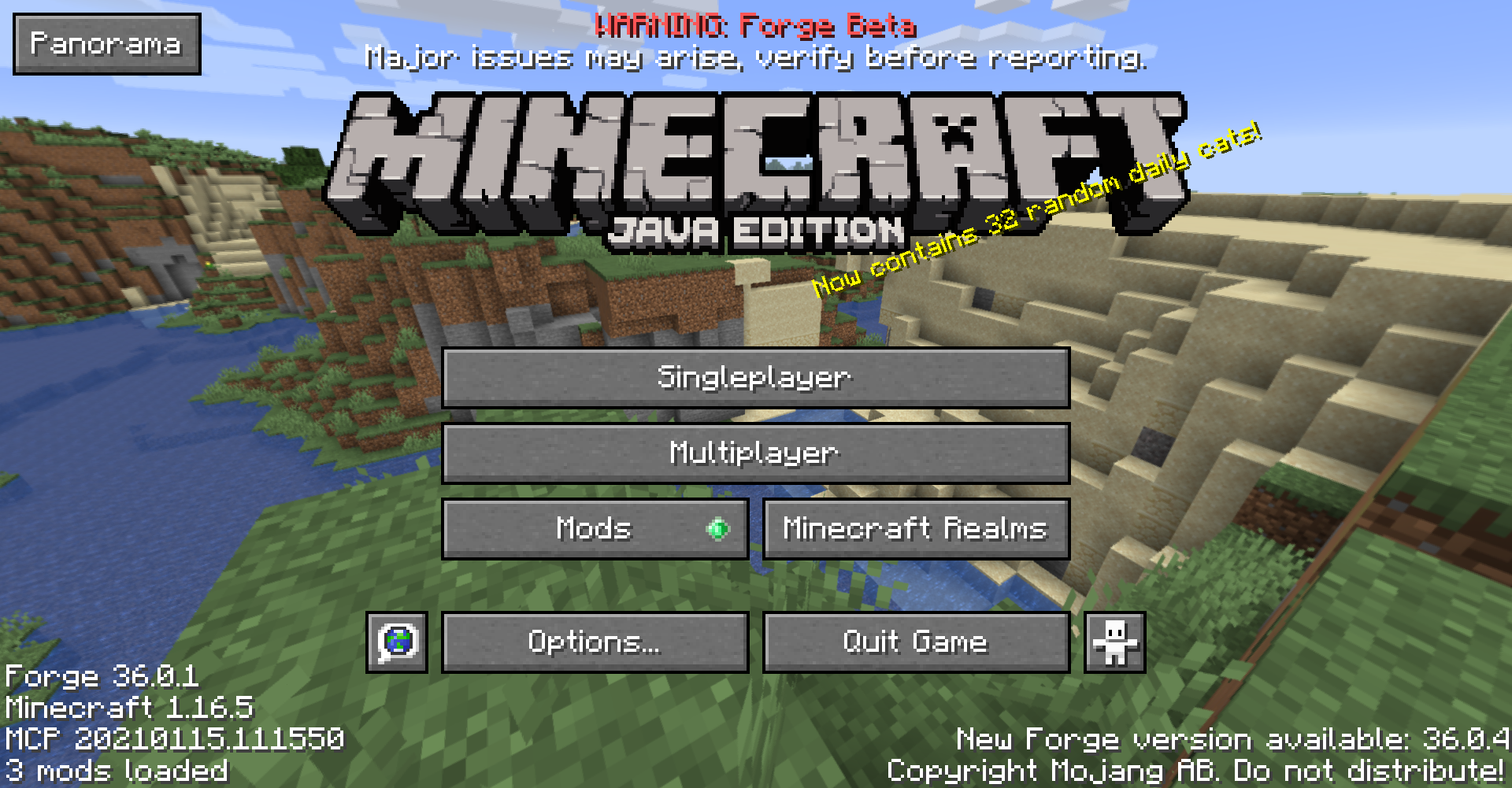
To apply the panorama to the titlescreen, first goto the title screen and click the "Panorama" button in the top left. This will bring you to the panorama selection screen. From this screen you can search all your panoramas and select the one you wish to apply. If you want to return to the default Minecraft panorama click the "Reset" button in the top right.
Where are the panorama files saved?
The panorama files are saved in the mods folder under a folder called "panorama".
How can I use this in a resource pack?
To use a panorama in a resourcepack, goto the directory mentioned above. You can then extract the contents of one of the zip files to obtain the images which can be used in a resourcepack.
Can I share a panorama?
Yes. To share a panorama all you need to do is send the other user the .zip file form the panorama folder. You can also customise the file by adding a file called "icon.png". If this file is present the mod will use this as the defualt icon in the GUI rather than the default image.
Jak zainstalować Panorama
With Millida Launcher
Install Millida Launcher
The launcher is free: download it at millida.net/launcher and sign in with any nickname.
Click “Install” on this page
The launcher opens and installs the mod for Minecraft 1.20–1.21.4 on Fabric or Forge automatically.
Launch the game
A profile with it appears in the launcher: click “Play”.
Manually
Install Fabric or Forge
The loader must match the game version of the mod file, for example Minecraft 1.21.4. After installing it, a separate profile appears in your launcher.
Download the file for your version
In the version list above, pick the file panorama-1.3.0.jar (59 KB) for your game version and loader.
Put it in the mods folder
The folder is inside .minecraft (Windows: %appdata%\.minecraft\mods). If it does not exist, create it.
Launch the loader profile
Open “Mods” in the main menu: Panorama should be in the list.
Minecraft 1.21.4 runs on Java 21: with a different Java version the game may close right after launch.
Wersje
Z zależnościami
| Minecraft | Loader | Plik | Data | Akcje |
|---|---|---|---|---|
| 1.21.4 | Fabric | [1.21.4] [Fabric] Panorama 1.3.058.7 KB 1 | ||
| 1.20 | Forge | [1.20] [Forge] Panorama 1.3.033 KB |
FAQ
Which Minecraft versions does Panorama work on?
There are files for 1.21.4, 1.20. The newest is 1.21.4.
Is Panorama for Forge or Fabric?
There are files for Fabric: 1.21.4 and for Forge: 1.20. There are no files for NeoForge: a mod for another loader will not start.
Does Panorama need other mods?
The author lists no required dependencies: the Fabric or Forge loader is enough.
Which Java does Panorama need?
Minecraft 1.21.4 runs on Java 21. If the game closes right after launch, the usual cause is the wrong Java version in the profile settings.
Where can I download Panorama safely?
On this page: the file panorama-1.3.0.jar (59 KB) is stored on Millida’s server, with no link shorteners. SHA-1 checksum: 89bbeddba0bfd095e88a58c4ad50ea263d19b232.
Opinie
Oceń Panorama jako pierwszy


