
 NeoForge
 Fabric
 Forge
O modzie Overloaded Armor Bar
Overloaded Armor Bar
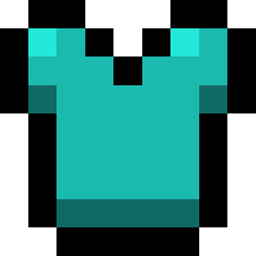
Vanilla pasek zbroi nie pokazuje dokładnie zbroi na poziomie "lepszym niż diament", ponieważ po prostu osiąga maksimum, gdy jest pełny.
Ten mod pozwala wyświetlać wartości zbroi powyżej 20 jako ikony w różnych kolorach (konfigurowalnych), w zależności od tego, ile razy zapełnisz pasek.
Jednak bez AttributeFix wyświetlanie zbroi zatrzyma się na 30 punktach zbroi, czyli 1,5x diamentowej zbroi, z powodu vanilla limitu zbroi.
Inne opcjonalne funkcje:
- Pokazuj pasek zbroi, gdy gracz nie nosi żadnej zbroi
- Ukryj puste ikony zbroi
Uwagi
- Pasek może wymagać dostosowania
- Ten mod jest kompatybilny z modami, które dodają dodatkowe paski zdrowia lub zmieniają ich kolory. Zalecany do użytku z Colorful Health Bar, lekkim modem, który zmienia kolory pasków zdrowia zamiast je nakładać.
- Nie musi być na serwerach
To jest fork Overpowered Armor Bar
Chcesz zamówić moda? Chcesz po prostu pogadać? Masz złożony problem wymagający dodatkowej dyskusji? Dołącz do Discorda:
Chcesz pomóc wspierać ten mod i inne? Wesprzyj mnie na Patreonie w linku poniżej
Jak zainstalować Overloaded Armor Bar
With Millida Launcher
Install Millida Launcher
The launcher is free: download it at millida.net/launcher and sign in with any nickname.
Click “Install” on this page
The launcher opens and installs the mod for Minecraft 1.18.1–26.1.2 on Fabric, Forge or NeoForge automatically.
Launch the game
A profile with it appears in the launcher: click “Play”.
Manually
Install Fabric, Forge or NeoForge
The loader must match the game version of the mod file, for example Minecraft 26.1.2. After installing it, a separate profile appears in your launcher.
Download the file for your version
In the version list above, pick the file overloadedarmorbar-neoforge-26.1-0.jar (20 KB) for your game version and loader.
Put it in the mods folder
The folder is inside .minecraft (Windows: %appdata%\.minecraft\mods). If it does not exist, create it.
Launch the loader profile
Open “Mods” in the main menu: Overloaded Armor Bar should be in the list.
Wersje
Z zależnościami
| Minecraft | Loader | Plik | Data | Akcje |
|---|---|---|---|---|
| 26.1 | NeoForge | overloadedarmorbar-neoforge-26.1-0.jar19.7 KB 2 | ||
| 1.20.1 | Fabric | overloadedarmorbar-fabric-1.20.1-2.jar44.5 KB 45 | ||
| 1.20.1 | Forge | overloadedarmorbar-1.20.1-1.jar13.7 KB 27 | ||
| 1.18.1 | — | overloadedarmorbar-fabric-1.18.1-6.1.1.jar44.3 KB 1 |
FAQ
Which Minecraft versions does Overloaded Armor Bar work on?
There are files for 26.1.2, 26.1.1, 26.1, 1.20.1, 1.18.2, 1.18.1. The newest is 26.1.2.
Is Overloaded Armor Bar for Forge or Fabric?
There are files for Fabric: 1.20.1, for Forge: 1.20.1 and for NeoForge: 26.1–26.1.2.
Does Overloaded Armor Bar need other mods?
The author lists no required dependencies: the Fabric, Forge or NeoForge loader is enough.
Where can I download Overloaded Armor Bar safely?
On this page: the file overloadedarmorbar-neoforge-26.1-0.jar (20 KB) is stored on Millida’s server, with no link shorteners. SHA-1 checksum: 9a14d423d3afb666cf51172c826e81b5fd22b653.
Opinie
Oceń Overloaded Armor Bar jako pierwszy


