

Netherific Mod do Minecraft 1.20.1, 1.16.5
Rozszerza Nether bardziej niż zrobił to Mojang, dodając unikalne mechaniki, bloki, przedmioty i moby, czyli Nourished Nether
- pobrań
- 1 pobrań
- wyświetleń
- 8 wyświetleń
- Zaktualizowano
- Zaktualizowano 20.10.2026
- 1.16.5 — 1.20.1
 Forge
Forge
O modzie Netherific
Ten mod został zarchiwizowany i nie będzie już otrzymywać dalszych aktualizacji.
Netherific (znany też jako Phantasmic) to mod rozszerzający Nether dla wersji 1.18.2+, który ma na celu rozbudowanie Netheru bardziej niż zrobiła to Mojang podczas Nether Update. Rozszerza wszystkie obecne biomy Netheru o nowe mechaniki, moby, przedmioty, bloki i wiele więcej, a wszystko to wciąż w klimacie vanilla.
undefined
Wymaga Geckolib w niektórych wersjach
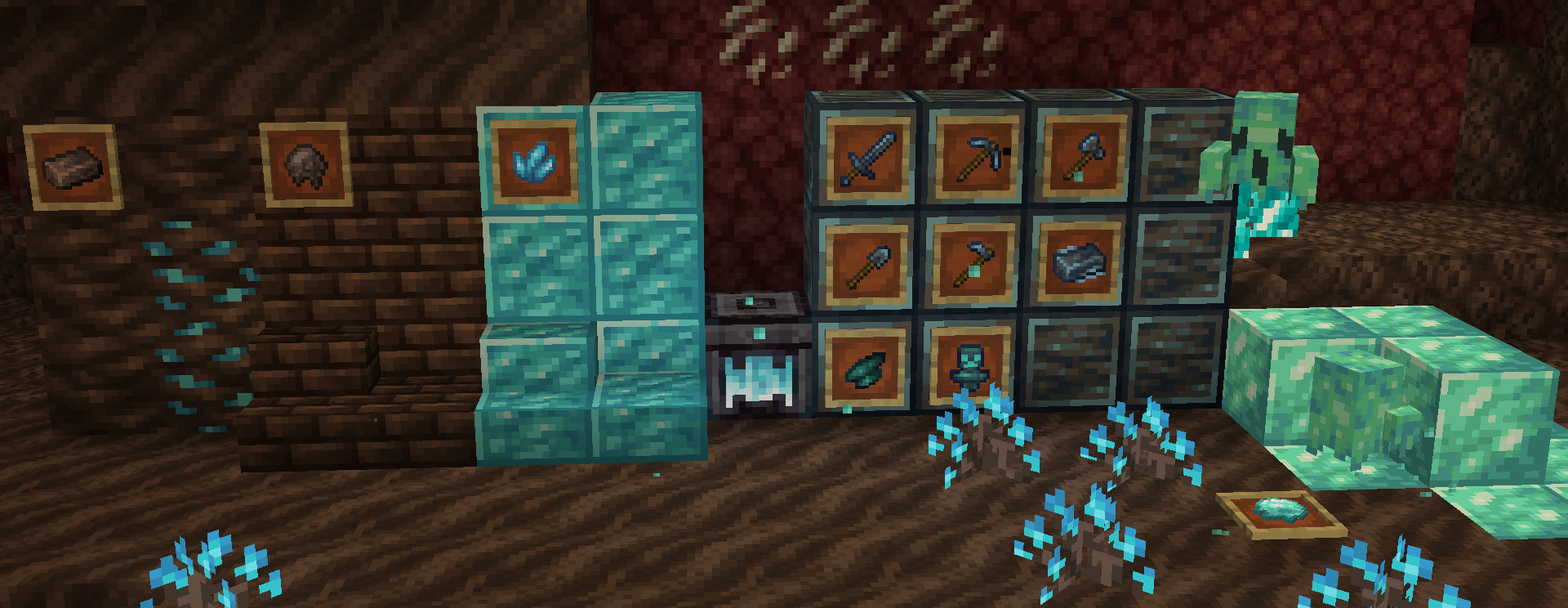
- Ponad 50 nowych bloków, z czego wiele jest dekoracyjnych, a kilka ma unikalne funkcje.
- Nowe jedzenie związane z Netherem, takie jak Ghost Peppers, Fungus stew, Polterpork i Hoglin meat
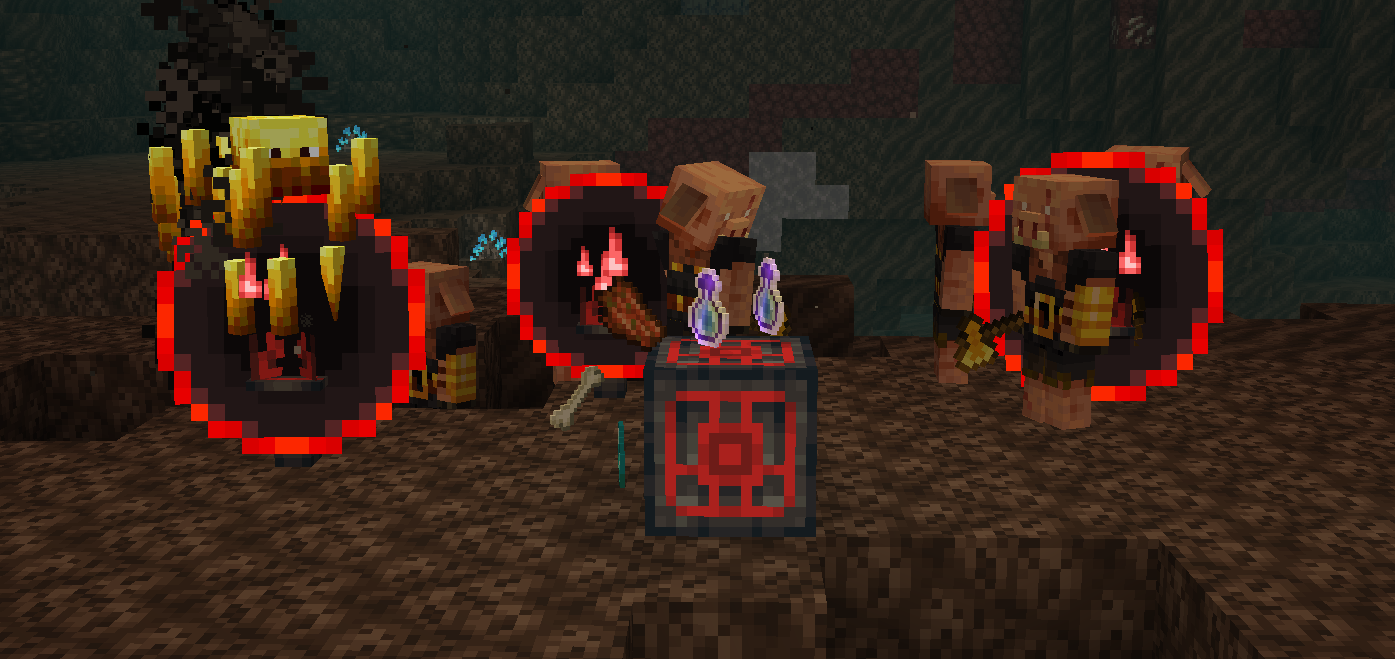
- Dodaje Nether Reactor Core ze starych wersji Pocket Edition w odświeżonej formie.
- Nowy upiorny mob dla soul sand valleys
- Nowa mechanika soul forging używana do konwertowania określonych przedmiotów z Overworldu i Netheru na bardziej "duszne" przedmioty.
- Nowy unikalny zestaw narzędzi stworzony za pomocą soul forging
- Rozszerzenia wszystkich obecnych biomów Netheru, takie jak nowe dekoracje, bloki i przedmioty.
- Niektóre funkcje można konfigurować za pomocą pliku konfiguracyjnego i gamerules!
-Większość tych funkcji występuje tylko w najnowszych wersjach-
"Czy Phantasmic zostanie przeniesiony wstecz do wersji X?"
1.18.2 to jedyna wersja, do której zostanie przeniesiony wstecz.
"Czy Phantasmic zostanie przeniesiony na fabric?"
Nie.
"Czy mogę używać Phantasmic w moim modpacku?"
Oczywiście! Podanie autora / linku do moda będzie mile widziane, ale nie jest konieczne.
"Gdzie mogę dostarczyć tłumaczenie / przyczynić się do tłumaczeń moda?"
Możesz przetłumaczyć moda tutaj
- YouTube można odwiedzić tutaj
- Do serwera Discord społeczności można dołączyć tutaj -- (Dołącz po zapowiedzi i wsparcie!)
- Jeśli chcesz wesprzeć finansowo, moje Ko-Fi można odwiedzić tutaj
- Stworzone dzięki MCreator
Jak zainstalować Netherific
With Millida Launcher
Install Millida Launcher
The launcher is free: download it at millida.net/launcher and sign in with any nickname.
Click “Install” on this page
The launcher opens and installs the mod for Minecraft 1.16.5–1.20.1 on Forge automatically.
Launch the game
A profile with it appears in the launcher: click “Play”.
Manually
Install Forge
The loader must match the game version of the mod file, for example Minecraft 1.20.1. After installing it, a separate profile appears in your launcher.
Download the file for your version
In the version list above, pick the file phantasmic-1.20.1-0.2.5.jar (1.2 MB) for your game version.
Put it in the mods folder
The folder is inside .minecraft (Windows: %appdata%\.minecraft\mods). If it does not exist, create it.
Launch the loader profile
Open “Mods” in the main menu: Netherific should be in the list.
Minecraft 1.20.1 runs on Java 17: with a different Java version the game may close right after launch.
Wersje
Z zależnościami
| Minecraft | Loader | Plik | Data | Akcje |
|---|---|---|---|---|
| 1.20.1 | Forge | 0.2.5 - 1.20.11.2 MB 1 | ||
| 1.16.5 | — | Release V8580 KB |
FAQ
Which Minecraft versions does Netherific work on?
There are files for 1.20.1, 1.16.5. The newest is 1.20.1.
Is Netherific for Forge or Fabric?
Only for Forge: 1.20.1. There are no files for Fabric or NeoForge: a mod for another loader will not start.
Does Netherific need other mods?
The author lists no required dependencies: the Forge loader is enough.
Which Java does Netherific need?
Minecraft 1.20.1 runs on Java 17. If the game closes right after launch, the usual cause is the wrong Java version in the profile settings.
Where can I download Netherific safely?
On this page: the file phantasmic-1.20.1-0.2.5.jar (1.2 MB) is stored on Millida’s server, with no link shorteners. SHA-1 checksum: d8f98348248c3712b257132a35eec35e5f3643f5.
Opinie
Oceń Netherific jako pierwszy


