

 Fabric
[FABRIC]
Features:
Scarecrows and Plushies!
Use these to keep hostile mobs away from your home or draw them in.
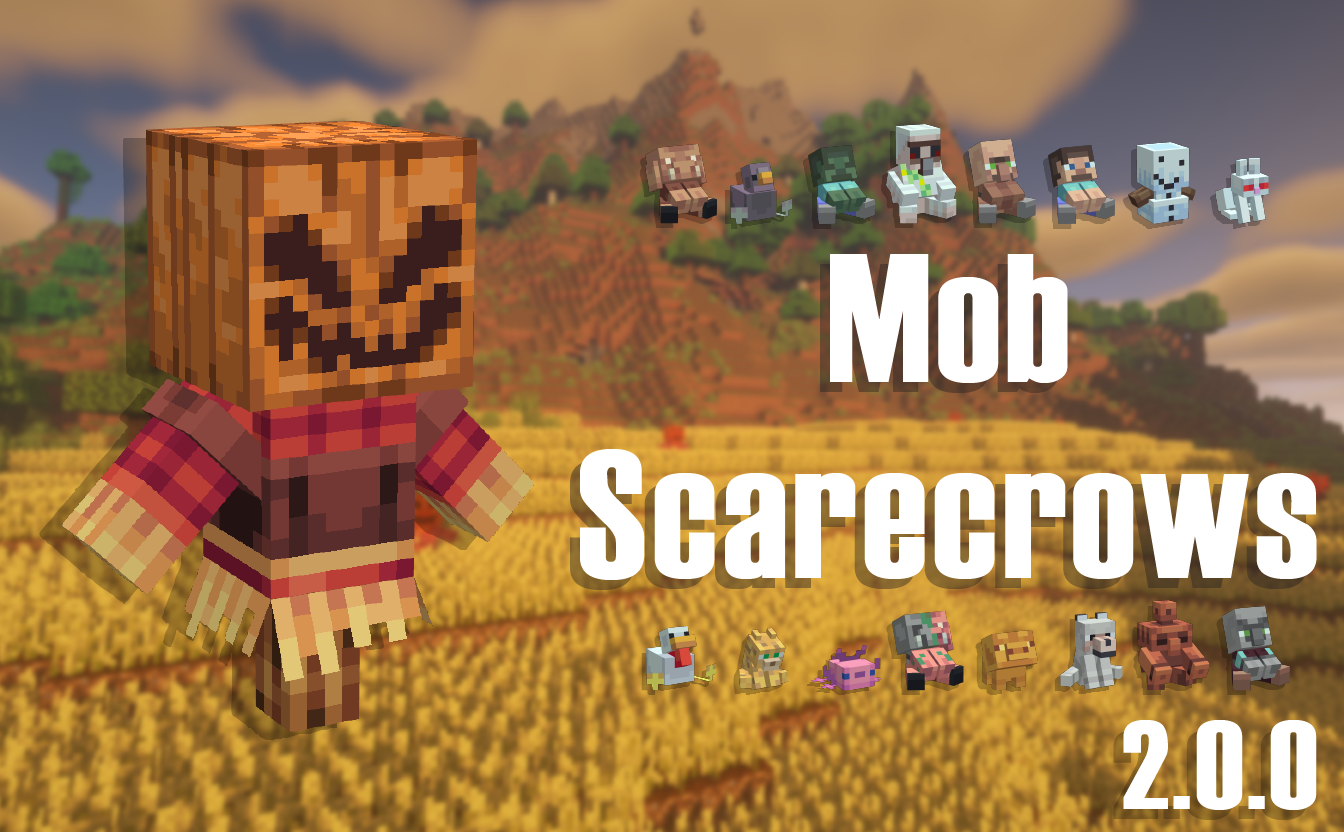
Types:
- Cat: Scares Creepers
- Wolf: Scares Skeletons
- Iron Golem: Scares Zombies, Attracts Slimes
- Pigeon: Scares Spiders
- Snow Golem: Scares Blaze
- Axolotl: Scares Enderman
- Villager: Attracts Passive Mobs
- Pillager: Scares Passive Mobs and Villagers
- Copper Golem: Attracts Villagers
- Zombified Piglin: Scares Piglins and Zoglins
- Golden Pig: Attracts Piglins
- Rabbit: Scares Ravagers
- Steve: Attracts Hostile Mobs
- Chicken: Scares Silverfish
- Zombie: scares villagers into making iron golems, and scares rabbits
- Piglin: scares Hoglins
- Scarecrow: scares all hostile mobs
For the plushies & statues it scares all variants of its specific mob E.g. : Spider includes Cave Spider
Mob Scarecrows scare mobs in an 8 block radius.
This radius can be changed via the config.
The scarecrows affect modded entities, however due to they way some mods add their entities they may not interact exactly how you expect in some rare cases.
And YES the plushies do make cute squeaky sounds!
Looking to host your own server with your friends? Get an already setup, pre-configured server from Bisect Hosting!
Use the code: ProbabilityPigeon and get 25% off your first month!
Click the picture above and choose a server. I recommend getting at least a 4GB server. Enter my code and have fun!
FAQ:
Q: Will you make this for forge?
A: No.
Q: Can you make this for 1.X.X?
A: I will be keeping the mod updated but I will not be backporting.
Q: Can I make a review for your mod?
A: Yes! and please send me the link.
Q: Can I add this to my modpack?
A: Yes! But please only use CurseForge for the modpack as other sites do not give proper credit to creators.
Q: Will you add compatibility with X? A: Most modded entities are affected by the scarecrows and if they are not then I am likely aware of these mobs and and may or may not add specific compatibility with those mobs in the future.
Jak zainstalować Mob Scarecrows
With Millida Launcher
Install Millida Launcher
The launcher is free: download it at millida.net/launcher and sign in with any nickname.
Click “Install” on this page
The launcher opens and installs the mod for Minecraft 1.20.1 on Fabric automatically.
Launch the game
A profile with it appears in the launcher: click “Play”.
Manually
Install Fabric
The loader must match the game version of the mod file, for example Minecraft 1.20.1. After installing it, a separate profile appears in your launcher.
Download the file for your version
In the version list above, pick the file mobscarecrow-2.3.0.jar (268 KB) for your game version.
Put it in the mods folder
The folder is inside .minecraft (Windows: %appdata%\.minecraft\mods). If it does not exist, create it.
Launch the loader profile
Open “Mods” in the main menu: Mob Scarecrows should be in the list.
Minecraft 1.20.1 runs on Java 17: with a different Java version the game may close right after launch.
Wersje
Z zależnościami
| Minecraft | Loader | Plik | Data | Akcje |
|---|---|---|---|---|
| 1.20.1 | Fabric | mobscarecrow-2.3.0.jar268 KB |
FAQ
Which Minecraft versions does Mob Scarecrows work on?
Only Minecraft 1.20.1: there are no files for other versions.
Does Mob Scarecrows need other mods?
The author lists no required dependencies: the Fabric loader is enough.
Which Java does Mob Scarecrows need?
Minecraft 1.20.1 runs on Java 17. If the game closes right after launch, the usual cause is the wrong Java version in the profile settings.
Where can I download Mob Scarecrows safely?
On this page: the file mobscarecrow-2.3.0.jar (268 KB) is stored on Millida’s server, with no link shorteners. SHA-1 checksum: e721e7e1308e03630ffef5e2dfcd6ac2cd82e1e9.
Opinie
Oceń Mob Scarecrows jako pierwszy


