
Metal Barrels Mod do Minecraft 1.20.1, 1.16.5
Jak Iron Chests, ale to beczki i lepsze
 Fabric
 NeoForge
 Forge
ForgeO modzie Metal Barrels
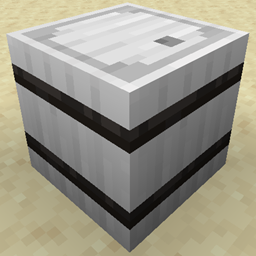
Ten mod dodaje do gry dodatkowe beczki, które mogą pomieścić więcej przedmiotów.
Działają one jak ich odpowiedniki z wanilii, ponieważ można je otworzyć z pełnym blokiem na górze i nie powodują problemów z fps przy dużej liczbie, w przeciwieństwie do skrzyń.
Miedź przechowuje 45 stosów
Żelazo przechowuje 54 stosy
Srebro przechowuje 72 stosy
Złoto przechowuje 81 stosów
Diament przechowuje 108 stosów
Obsydian przechowuje 108 stosów, ale ma odporność na wybuchy wynoszącą 30 tysięcy, co czyni go odpornym na większość eksplozji
Kryształ przechowuje 108 stosów, ale 8 górnych przedmiotów jest widocznych w środku (Uwaga: w przeciwieństwie do innych beczek, posiadanie dużej liczby tych beczek z przedmiotami w środku negatywnie wpłynie na fps, nie polecam ich używać do projektów na dużą skalę)
Od wersji 1.1+ dostępne są przedmioty ulepszające, których można użyć do ulepszenia już postawionych beczek bez ich rozbijania; zawartość nie zostanie zniszczona ani wypadnie, jeśli zostaną użyte.
Od wersji 1.4+ ulepszenia działają teraz również na żelaznych skrzyniach i ulepszają je w odpowiadające im przedmioty.
Trójkąt ulepszający
Wesprzyj ten i inne mody
Jak zainstalować Metal Barrels
With Millida Launcher
Install Millida Launcher
The launcher is free: download it at millida.net/launcher and sign in with any nickname.
Click “Install” on this page
The launcher opens and installs the mod for Minecraft 1.16.2–26.1.2 on Fabric, Forge or NeoForge automatically.
Launch the game
A profile with it appears in the launcher: click “Play”.
Manually
Install Fabric, Forge or NeoForge
The loader must match the game version of the mod file, for example Minecraft 26.1.2. After installing it, a separate profile appears in your launcher.
Download the file for your version
In the version list above, pick the file metalbarrels-fabric-26.1.2-0.jar (230 KB) for your game version and loader.
Put it in the mods folder
The folder is inside .minecraft (Windows: %appdata%\.minecraft\mods). If it does not exist, create it.
Launch the loader profile
Open “Mods” in the main menu: Metal Barrels should be in the list.
Wersje
Z zależnościami
| Minecraft | Loader | Plik | Data | Akcje |
|---|---|---|---|---|
| 26.1.2 | Fabric | metalbarrels-fabric-26.1.2-0.jar230 KB | ||
| 26.1.2 | NeoForge | metalbarrels-neoforge-26.1.2-0.jar233 KB | ||
| 1.20.1 | Forge | MetalBarrels-forge-1.20.1-3.jar181 KB 1 | ||
| 1.16.3 | — | metalbarrels-3.3a.jar139 KB |
FAQ
Which Minecraft versions does Metal Barrels work on?
There are files for 26.1.2, 1.20.1, 1.16.5, 1.16.4, 1.16.3, 1.16.2. The newest is 26.1.2.
Is Metal Barrels for Forge or Fabric?
There are files for Fabric: 26.1.2, for Forge: 1.20.1 and for NeoForge: 26.1.2.
Does Metal Barrels need other mods?
The author lists no required dependencies: the Fabric, Forge or NeoForge loader is enough.
Where can I download Metal Barrels safely?
On this page: the file metalbarrels-fabric-26.1.2-0.jar (230 KB) is stored on Millida’s server, with no link shorteners. SHA-1 checksum: bdf88a837c824c5828df53bd75236681d00c5eec.
Opinie
Oceń Metal Barrels jako pierwszy


