

Mediumcore Mode Mod do Minecraft 1.20.1
Opcja trudności między Hardcore a zwykłym Survivalem
 NeoForge
 Forge
ForgeO modzie Mediumcore Mode
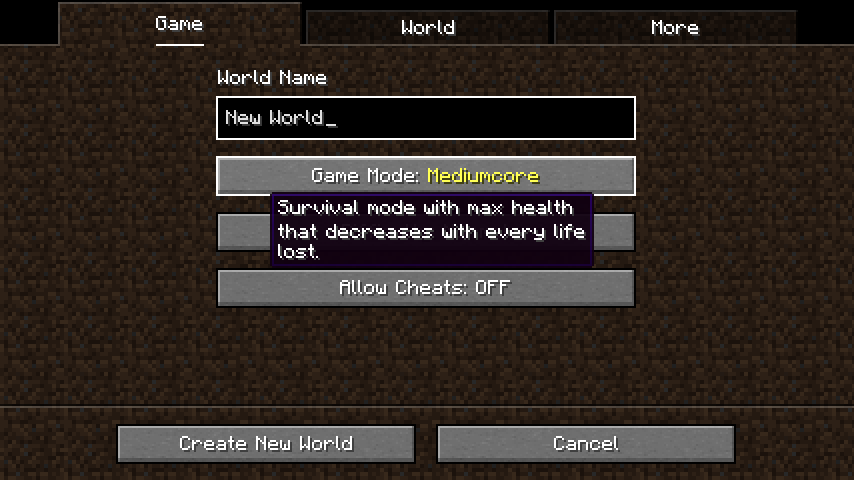
Mediumcore Mediumcore is a new difficulty option that is designed to be more difficult than regular survival, but far less punishing than vanilla's Hardcore Mode. It can be selected on level creation (and for server operators, setting "mediumcore=true" in server.properties).
Mediumcore also is a game rule that can be set with the command /gamerule mediumcoreMode true on pre-existing worlds. Mediumcore mode being active is indicated by a unique look of the hearts in the ingame HUD.
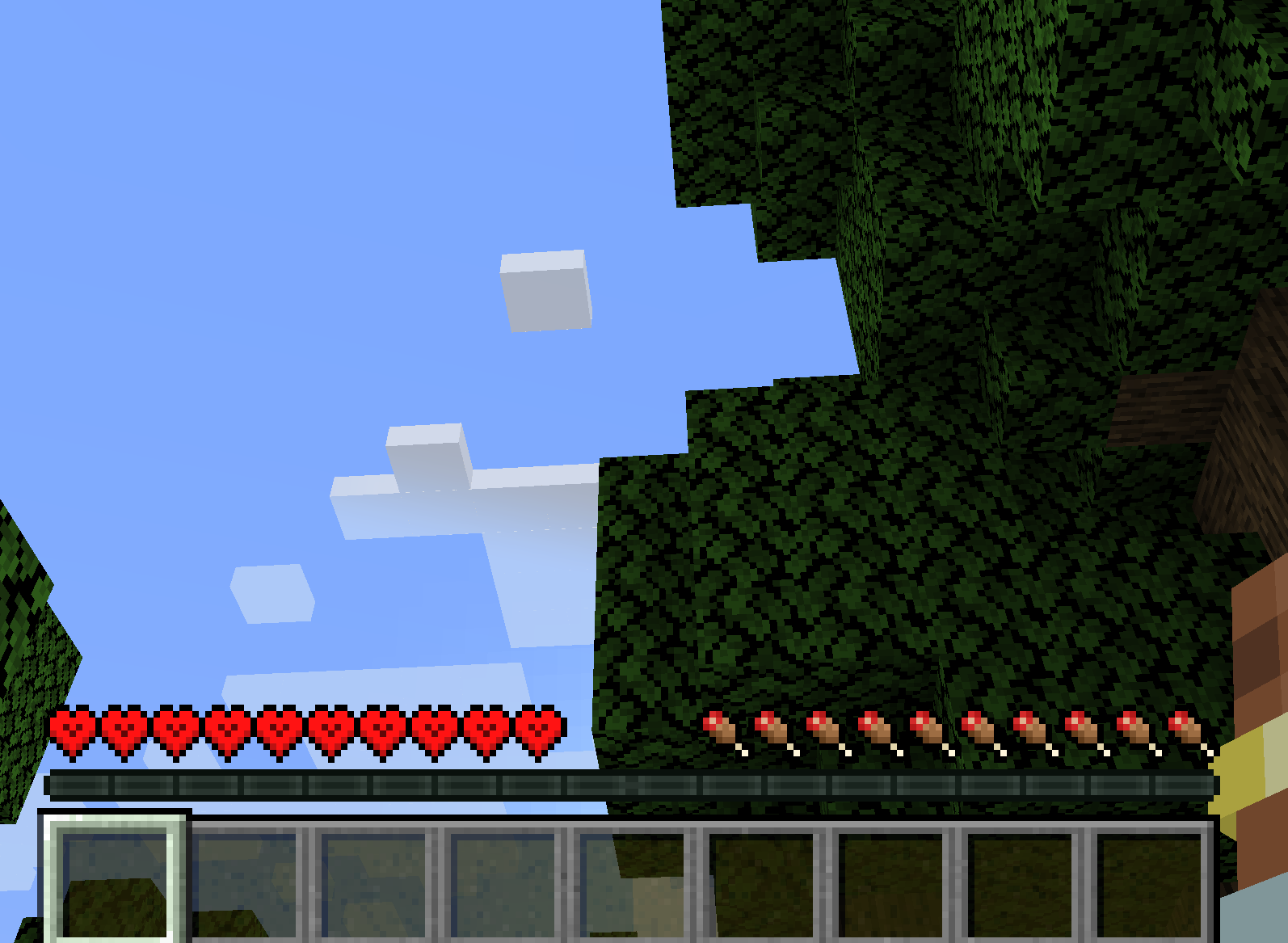
How it works The only significant change mediumcore has over default survival is that each death decreases the maximum available health a player can regenerate. The player looses a heart of max health per death, until they only have 3 hearts of health left. At this point, they will not loose anymore and can continue to play the game in their hobbled, feeble state.
Luckily, this punishment isn't permanent - if you're willing to do what it takes to get your hearts back. Consuming a Golden Apple or Enchanted Golden Apple will grant you one of your missing hearts, along with the usual effects of consuming these foods.
Configurability Mediumcore is very configurable, and most options can be changed in mediumcore-common.toml in the config folder. These options include features such as a default set starting health for new players, the minimum and maximum possible health in the game mode, how much health is lost or regenerated from foods, whether Mediumcore is the default game mode, and more.
The items that regenerate max health are determined by item tag mediumcore:restores_max_health and can be changed or expanded with a data pack.
Jak zainstalować Mediumcore Mode
With Millida Launcher
Install Millida Launcher
The launcher is free: download it at millida.net/launcher and sign in with any nickname.
Click “Install” on this page
The launcher opens and installs the mod for Minecraft 1.20.1 on Forge or NeoForge automatically.
Launch the game
A profile with it appears in the launcher: click “Play”.
Manually
Install Forge or NeoForge
The loader must match the game version of the mod file, for example Minecraft 1.20.1. After installing it, a separate profile appears in your launcher.
Download the file for your version
In the version list above, pick the file mediumcore-1.0.0.jar (39 KB) for your game version and loader.
Put it in the mods folder
The folder is inside .minecraft (Windows: %appdata%\.minecraft\mods). If it does not exist, create it.
Launch the loader profile
Open “Mods” in the main menu: Mediumcore Mode should be in the list.
Minecraft 1.20.1 runs on Java 17: with a different Java version the game may close right after launch.
Wersje
Z zależnościami
| Minecraft | Loader | Plik | Data | Akcje |
|---|---|---|---|---|
| 1.20.1 | NeoForge, Forge | mediumcore-1.0.039.2 KB 2 |
FAQ
Which Minecraft versions does Mediumcore Mode work on?
Only Minecraft 1.20.1: there are no files for other versions.
Is Mediumcore Mode for Forge or Fabric?
There are files for Forge: 1.20.1 and for NeoForge: 1.20.1. There are no files for Fabric: a mod for another loader will not start.
Does Mediumcore Mode need other mods?
The author lists no required dependencies: the Forge or NeoForge loader is enough.
Which Java does Mediumcore Mode need?
Minecraft 1.20.1 runs on Java 17. If the game closes right after launch, the usual cause is the wrong Java version in the profile settings.
Where can I download Mediumcore Mode safely?
On this page: the file mediumcore-1.0.0.jar (39 KB) is stored on Millida’s server, with no link shorteners. SHA-1 checksum: 5edd02797337895a7c0dbe78f72640bbcc0d9ed1.
Opinie
Oceń Mediumcore Mode jako pierwszy


