

Luminax Mod do Minecraft 1.20.1, 26.1.2
Dodaje do gry kilka prostych świecących bloków
 NeoForge
 Forge
ForgeLuminax
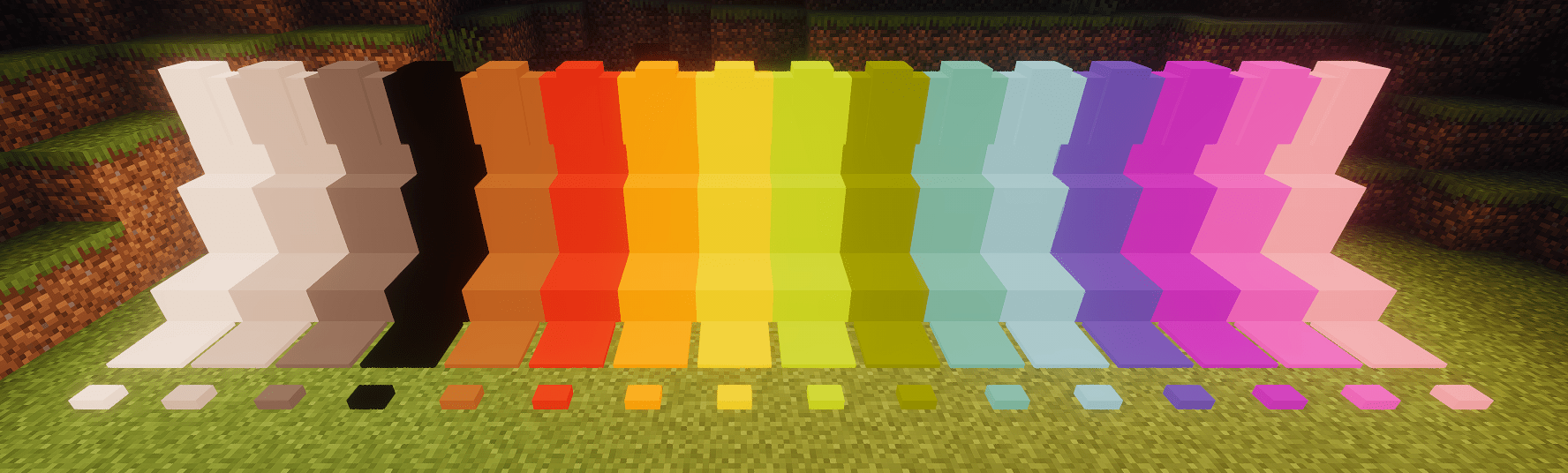
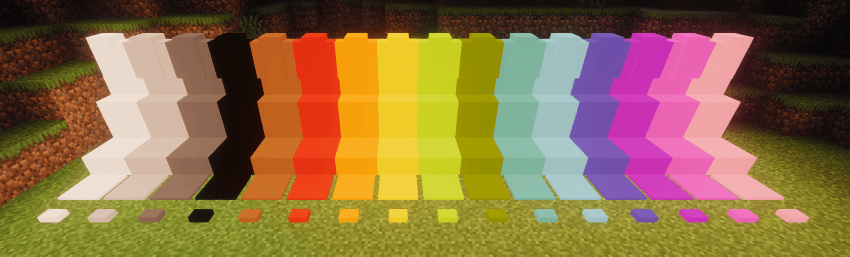
Ten bardzo prosty mod dodaje do gry garść jednokolorowych bloków.
Możesz użyć Luminax Wand, aby zmodyfikować kolor i emisję światła bloku.
Framed Blocks jest również w pełni obsługiwany
Obecnie dostępne bloki to:
- Pełny blok
- Płyta
- Schody
- Murek
- Płyta naciskowa
- Przycisk
Jak zainstalować Luminax
With Millida Launcher
Install Millida Launcher
The launcher is free: download it at millida.net/launcher and sign in with any nickname.
Click “Install” on this page
The launcher opens and installs the mod for Minecraft 1.20.1–26.1.2 on Forge or NeoForge automatically.
Launch the game
A profile with it appears in the launcher: click “Play”.
Manually
Install Forge or NeoForge
The loader must match the game version of the mod file, for example Minecraft 26.1.2. After installing it, a separate profile appears in your launcher.
Download the file for your version
In the version list above, pick the file luminax-2.0.1+26.1.2.jar (527 KB) for your game version and loader.
Put it in the mods folder
The folder is inside .minecraft (Windows: %appdata%\.minecraft\mods). If it does not exist, create it.
Launch the loader profile
Open “Mods” in the main menu: Luminax should be in the list.
Wersje
Z zależnościami
| Minecraft | Loader | Plik | Data | Akcje |
|---|---|---|---|---|
| 26.1.2 | NeoForge | [Neoforge] Luminax 2.0.1-26.2.1527 KB | ||
| 1.20.1 | Forge | [Forge] Luminax 1.3.0-1.20.11 MB |
Opinie
Oceń Luminax jako pierwszy


