
ISeeDragons Mod do Minecraft 1.12.2
Naprawia odległość renderowania smoka w RLCraft i starszych wersjach Ice and Fire
- pobrań
- 1 pobrań
- wyświetleń
- 4 wyświetleń
- Zaktualizowano
- Zaktualizowano 18.10.2026
- 1.12.2
 Forge
Forge
O modzie ISeeDragons
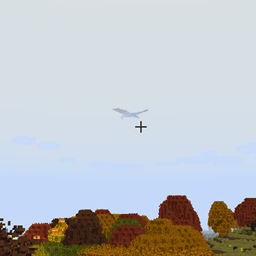
ISeeDragons Ok... Smoki w RLCraft są trudne... Ale czy muszą mieć osobisty system maskowania, który aktywuje się dopiero, gdy gracz jest oddalony o 64+ bloki?!
Ten mod naprawia kilka poważnych błędów w Ice and Fire 1.7.1 (starej wersji), używanie go z Ice and Fire 1.8.x może powodować nieprzewidywalne zachowanie (błędy, crashe itp.)! Jest przeznaczony do użytku w modpacku RLCraft!
Funkcje:
- Naprawia odległość renderowania smoków z Ice and Fire (konfigurowalne, może działać z innymi zmodyfikowanymi bytami)
- Naprawia brak budzenia się smoków z Ice and Fire po otrzymaniu ciosu
- Naprawia możliwość ucieczki graczy ze szczęk smoka za pomocą shift/zeskoczenia
- Naprawia naprawianie zbroi z Ice and Fire sea serpent
- Naprawia Dragonbone Axe
- Zmniejsza liczbę cząsteczek powstających, gdy smoki rozbijają bloki, aby zapobiec lagom (konfigurowalne)
- Ponownie dodaje wpisy OreDictionary dla przedmiotów z Ice and Fire (Ice and Fire nadal spamuje log, TODO: usunąć również spam w logu)
- Można ustawić niestandardowe przedmioty do naprawy dla narzędzi, które nie mają jeszcze przedmiotu do naprawy (konfigurowalne)
- Przedmiotom można nadać niestandardowe dodatkowe obrażenia przeciwko nieumarłym wrogom (konfigurowalne)
Ten mod powinien być zainstalowany zarówno na kliencie, jak i na serwerze, ale większość poprawek będzie działać, jeśli zostanie zainstalowany tylko na serwerze (instalacja na kliencie nie jest ścisłym wymogiem).
Modpack RLCraft: https://www.curseforge.com/minecraft/modpacks/rlcraft Mod Ice and Fire: https://www.curseforge.com/minecraft/mc-mods/ice-and-fire-dragons
Aby zainstalować ten mod, umieść plik jar w folderze mods w folderze instancji Minecraft. Lokalizacja folderu instancji Minecraft zależy od używanego launchera!
Kod źródłowy: https://github.com/xcube16/ISeeDragons
Jak zainstalować ISeeDragons
With Millida Launcher
Install Millida Launcher
The launcher is free: download it at millida.net/launcher and sign in with any nickname.
Click “Install” on this page
The launcher opens and installs the mod for Minecraft 1.12.2 on Forge automatically.
Launch the game
A profile with it appears in the launcher: click “Play”.
Manually
Install Forge
The loader must match the game version of the mod file, for example Minecraft 1.12.2. After installing it, a separate profile appears in your launcher.
Download the file for your version
In the version list above, pick the file ISeeDragons-1.2.1.jar (64 KB) for your game version.
Put it in the mods folder
The folder is inside .minecraft (Windows: %appdata%\.minecraft\mods). If it does not exist, create it.
Launch the loader profile
Open “Mods” in the main menu: ISeeDragons should be in the list.
Minecraft 1.12.2 runs on Java 8: with a different Java version the game may close right after launch.
Wersje
Z zależnościami
| Minecraft | Loader | Plik | Data | Akcje |
|---|---|---|---|---|
| 1.12.2 | Forge | ISeeDragons-1.2.163.7 KB 1 | ||
| 1.12.2 | Forge | ISeeDragons-0.1224.4 KB | ||
| 1.12.2 | Forge | ISeeDragons6.7 KB |
FAQ
Which Minecraft versions does ISeeDragons work on?
Only Minecraft 1.12.2: there are no files for other versions.
Is ISeeDragons for Forge or Fabric?
Only for Forge: 1.12.2. There are no files for Fabric or NeoForge: a mod for another loader will not start.
Does ISeeDragons need other mods?
The author lists no required dependencies: the Forge loader is enough.
Which Java does ISeeDragons need?
Minecraft 1.12.2 runs on Java 8. If the game closes right after launch, the usual cause is the wrong Java version in the profile settings.
Where can I download ISeeDragons safely?
On this page: the file ISeeDragons-1.2.1.jar (64 KB) is stored on Millida’s server, with no link shorteners. SHA-1 checksum: 0f8c5fee7eb2b76ab4a01adb08b63147f5a2a2fe.
Opinie
Oceń ISeeDragons jako pierwszy


