
Integrated Crafting Mod do Minecraft 1.20.1, 1.12.2
Twórz przedmioty w sieciach Integrated Dynamics
 NeoForge
 Forge
ForgeO modzie Integrated Crafting
To wymaga biblioteki Cyclops Core oraz Integrated Dynamics + Integrated Tunnels!
Przyjdź do nas porozmawiać na integratedmods na serwerze Discord Cyclops!
Automatycznie wytwarzaj przedmioty, płyny i energię w swoich sieciach Integrated Dynamics.
Korzystając z niezwykle elastycznej logiki Integrated Dynamics, możesz skonfigurować systemy automatycznego wytwarzania. Poprzez interfejs z zewnętrznymi maszynami możesz pozwolić im automatycznie wytwarzać rzeczy z dowolną kombinacją przedmiotów, płynów i energii. Pozwala to na tworzenie wyzwalaczy takich jak "dopóki pada deszcz, wytwarzaj wiadra" lub "jeśli mam mniej niż 64 deski, wytwarzaj deski za pomocą Sawmill, w przeciwnym razie wytwarzaj je w Crafting Table".
Ten mod zapewnia dokumentację w grze i samouczki poprzez książkę 'On the Dynamics of Integration' z Integrated Dynamics.
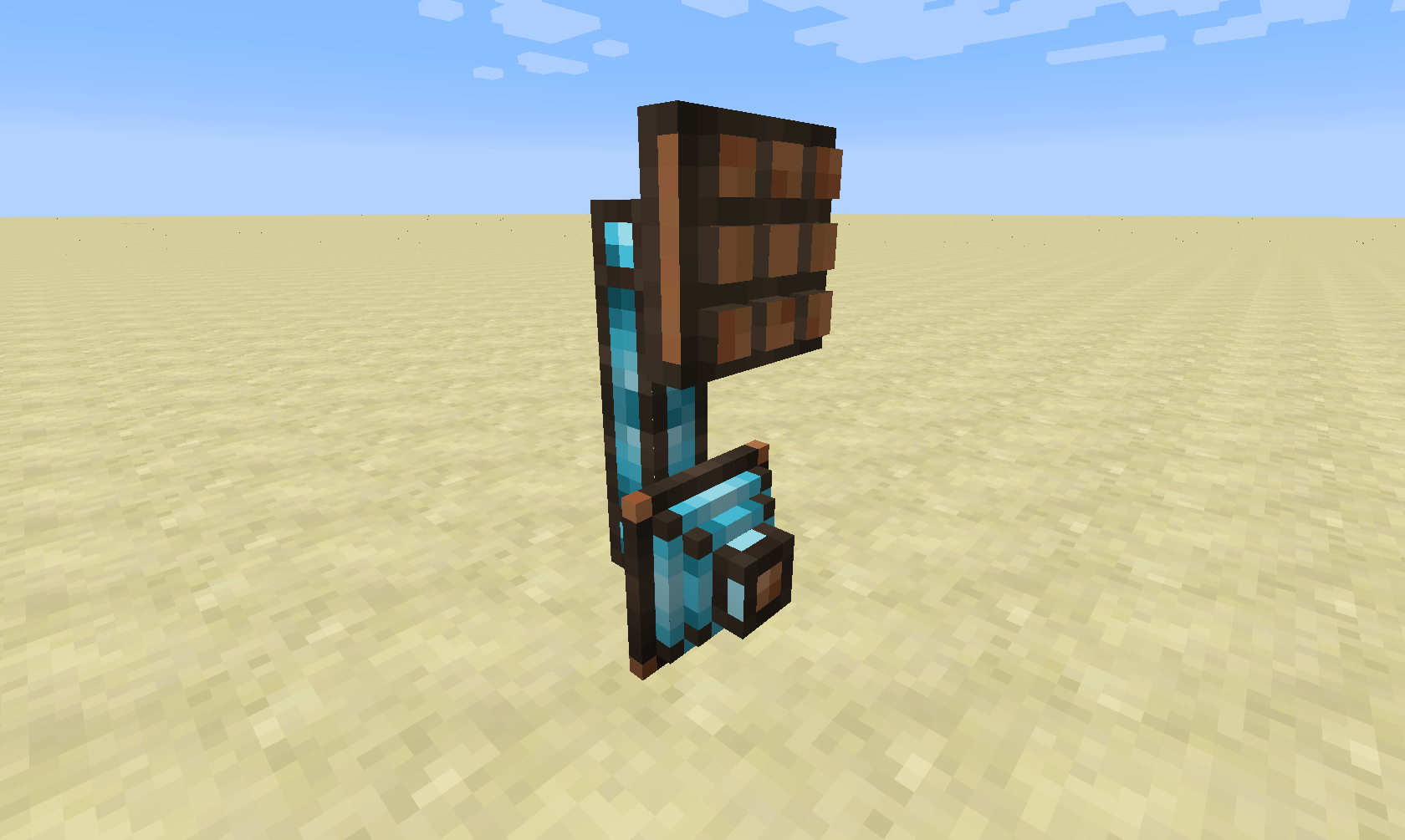
Ten mod dodaje dwa nowe typy części: Crafting Interface i Crafting Writer.
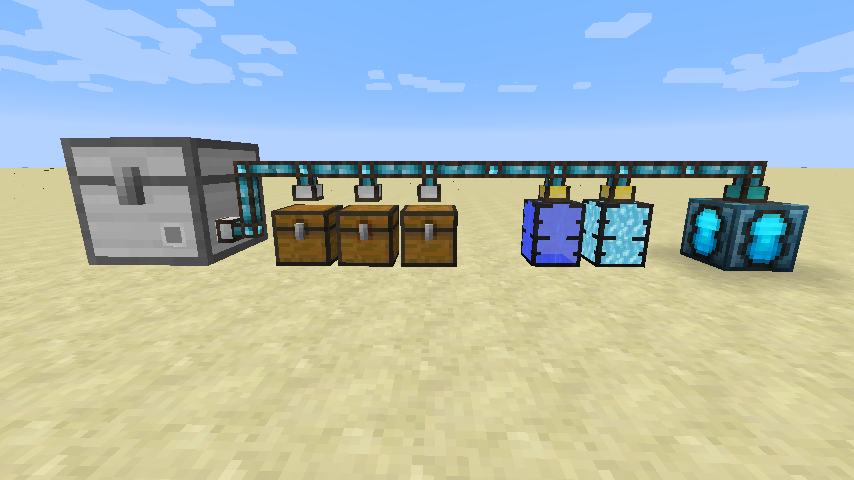
Do obsługi wejść i wyjść receptur podczas automatycznego wytwarzania potrzebna będzie sieć magazynowa. Można to osiągnąć za pomocą Integrated Tunnels Interfaces.
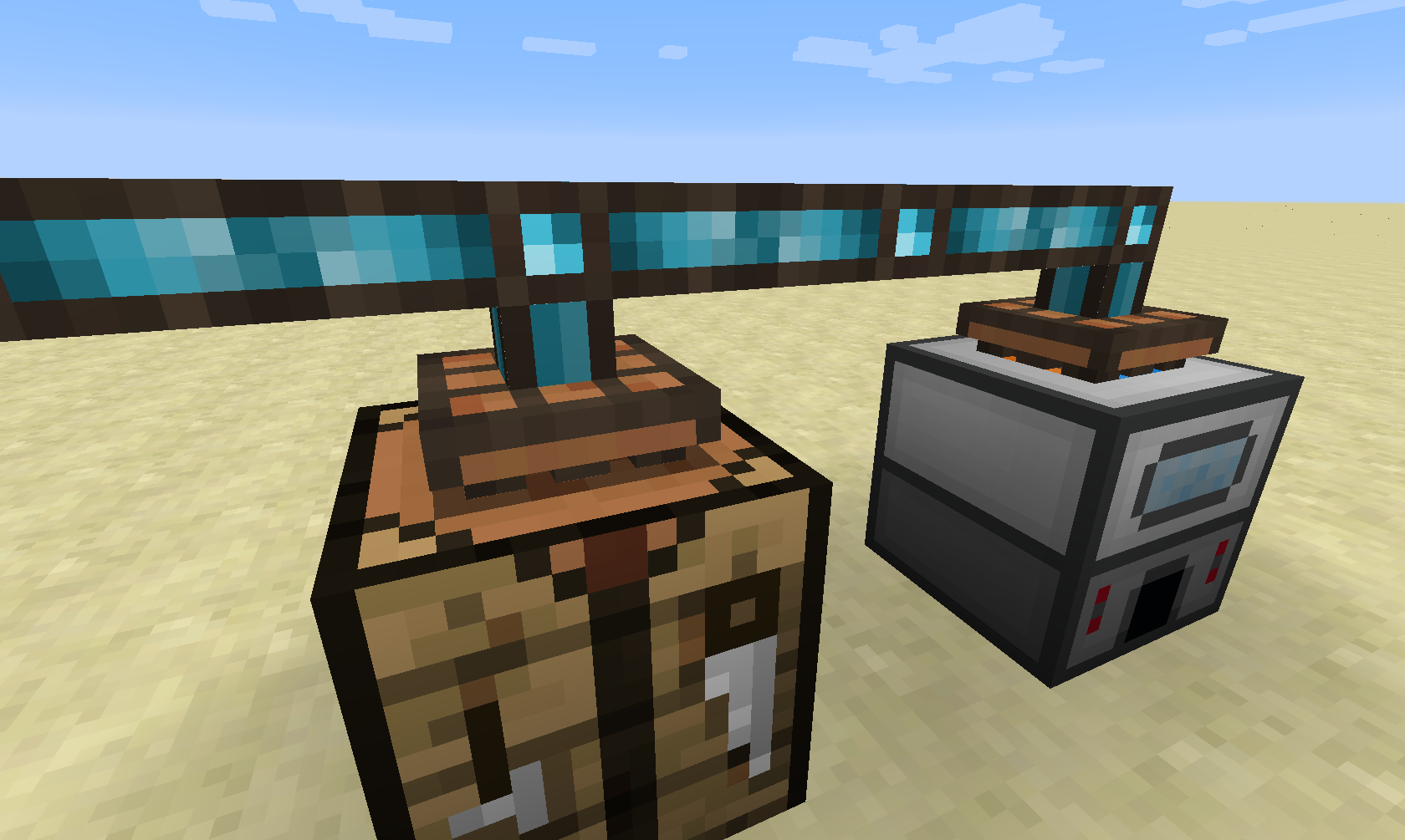
Następnym krokiem jest powiązanie maszyn z siecią poprzez dołączenie do nich Crafting Interface.
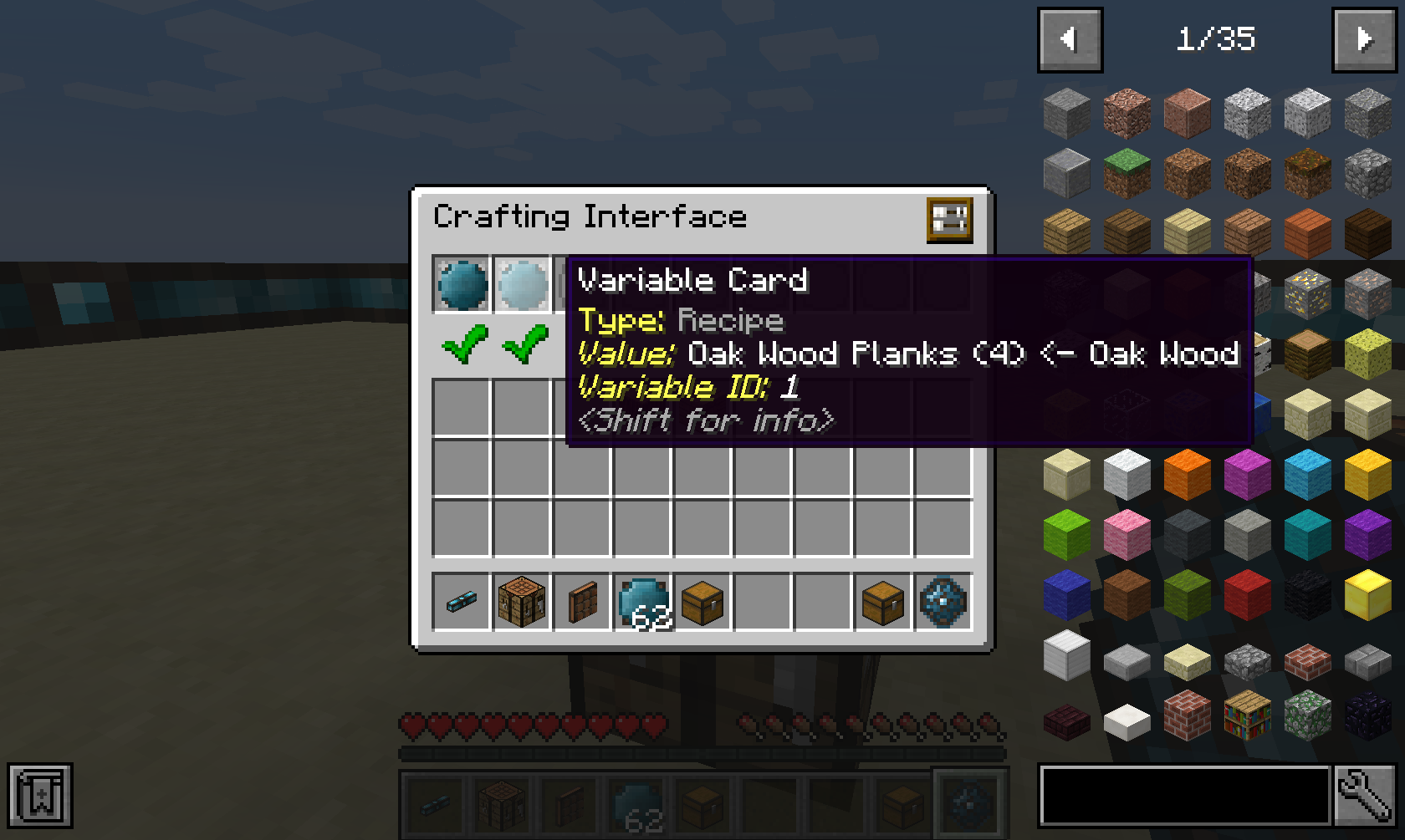
Aby powiedzieć Crafting Interface, co jest w stanie wytworzyć, musisz wstawić do niego receptury, które są przechowywane w Integrated Dynamics Variable Cards.
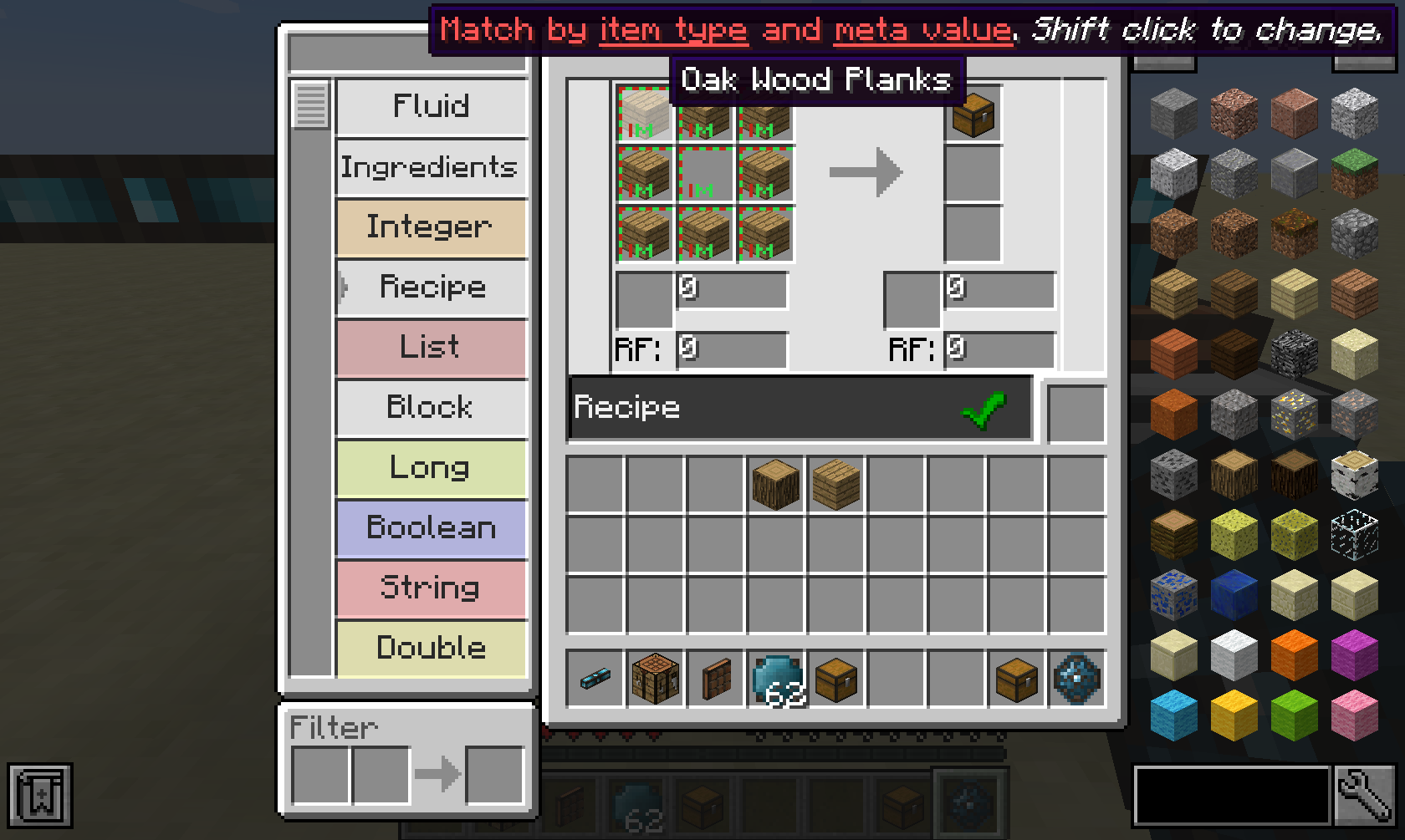
Takie receptury można tworzyć w Integrated Dynamics Logic Programmer. Możesz wstawiać do receptury nie tylko przedmioty, ale także płyny i energię. Ma nawet pełne wsparcie JEI!

Teraz, gdy masz skonfigurowane receptury, potrzebujesz sposobu na faktyczne rozpoczęcie zadań wytwarzania. Można to osiągnąć na przykład za pomocą Crafting Writer.
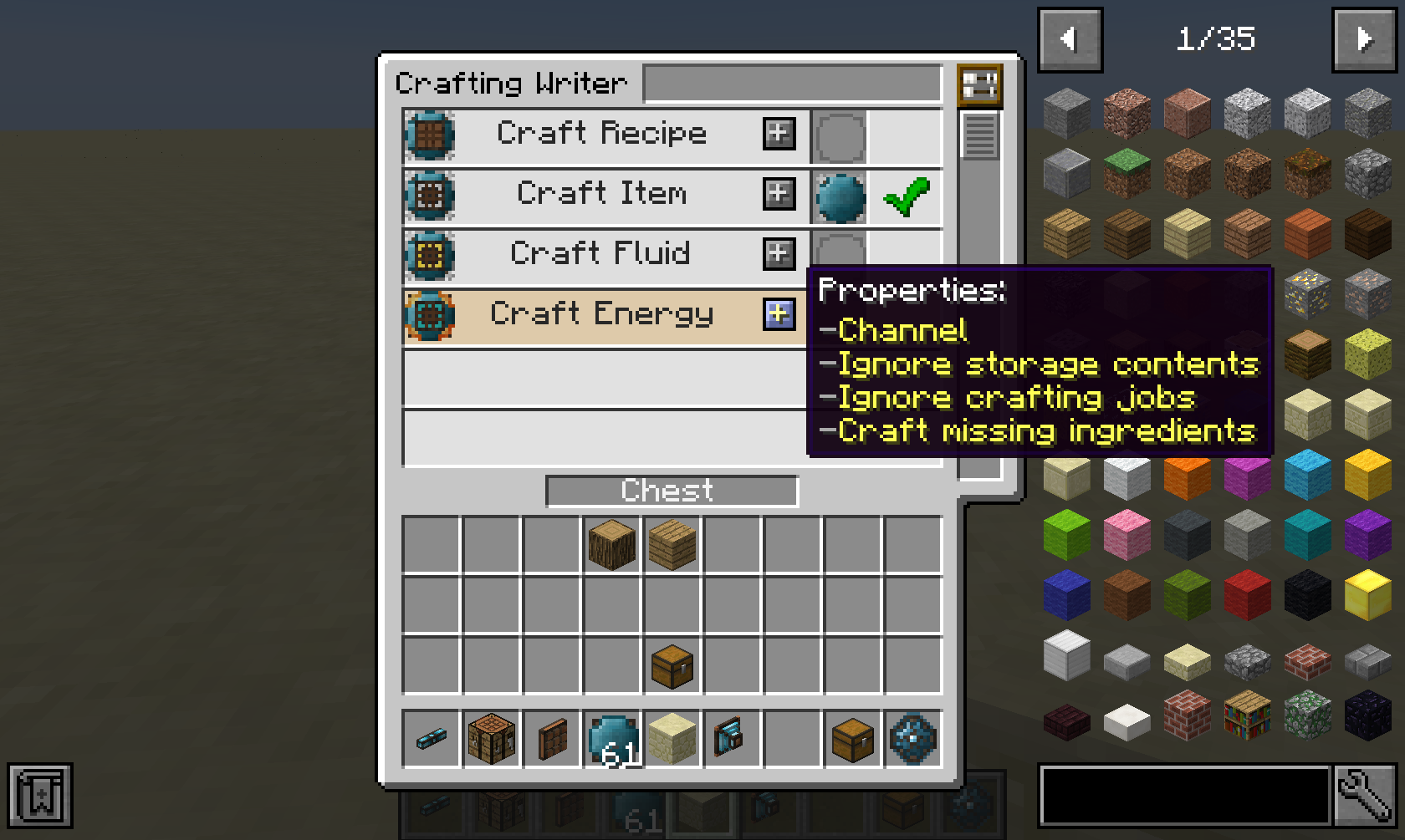
Crafting Writer oferuje kilka aspektów, za pomocą których możesz wytwarzać przedmioty, płyny, energię lub daną recepturę. (Pusta wartość oznacza, że nic nie powinno być wytwarzane)
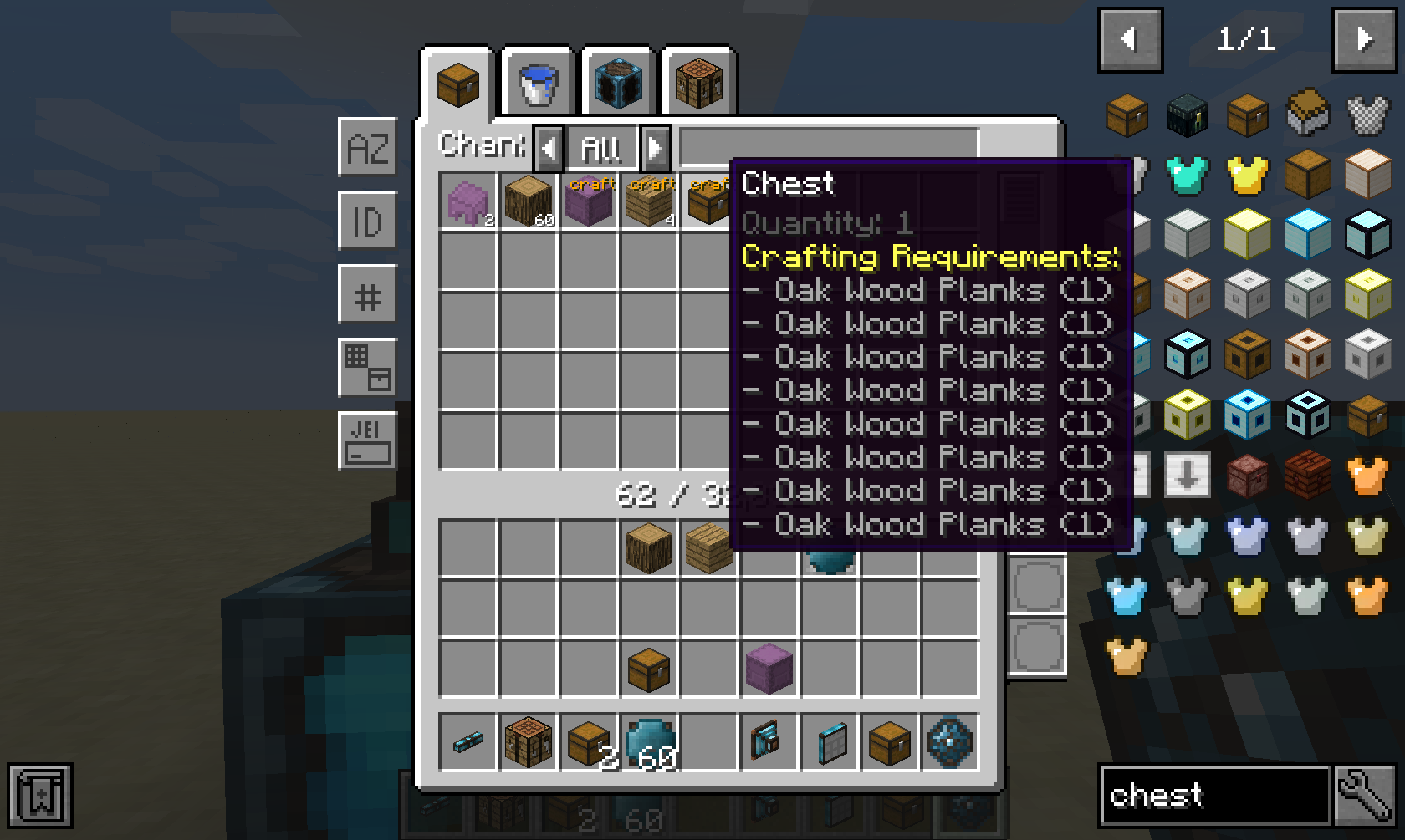
Jeśli masz zainstalowany mod Integrated Terminals i wolisz ręcznie rozpoczynać zadania zamiast automatycznie, możesz rozpoczynać zadania bezpośrednio z poziomu Storage Terminal.
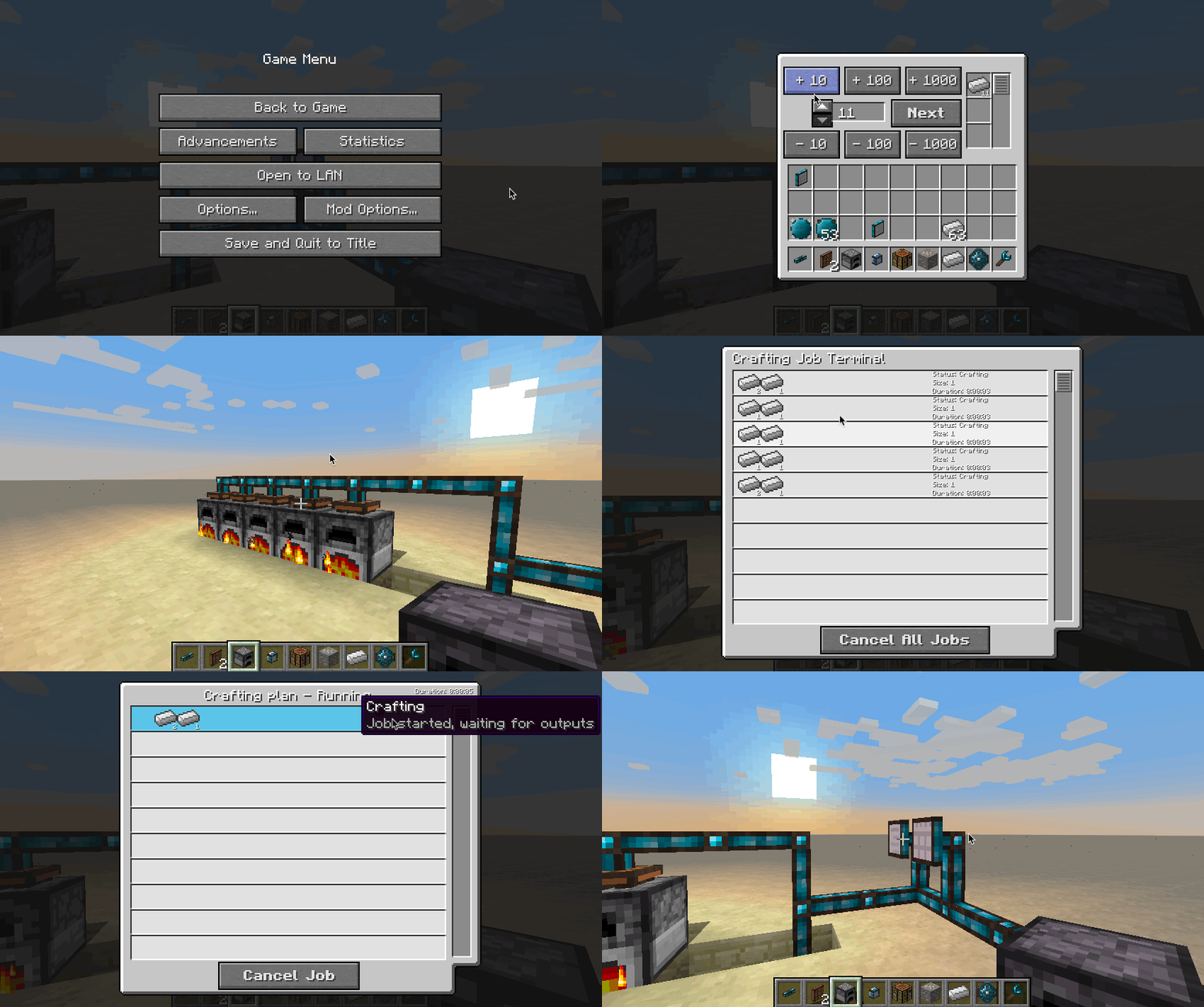
Więc jeśli nie jesteś osobą myślącą programistycznie, spójrz na Integrated Terminals, gdzie zarządzanie automatycznym wytwarzaniem staje się proste.
Attuned Crafting Interface automatycznie udostępnia wszystkie dostępne receptury z maszyny, na którą jest skierowany. Wymaga to, aby maszyny obsługiwały CommonCapabilities' IRecipeHandler.
Ten mod zbiera anonimowe dane uruchomieniowe, można to wyłączyć w pliku konfiguracyjnym i jest zgodne z ustawieniami snooper Minecraft.

Wesprzyj nas, używając kodu polecającego cyclops przy wynajmie serwera w Bisect Hosting, a otrzymasz 25% zniżki na pierwszy miesiąc!
Jeśli lubisz ten mod, rozważ wsparcie mnie na Patreon!
Jak zainstalować Integrated Crafting
With Millida Launcher
Install Millida Launcher
The launcher is free: download it at millida.net/launcher and sign in with any nickname.
Click “Install” on this page
The launcher opens and installs the mod for Minecraft 1.12.2–26.3 on Forge or NeoForge automatically.
Launch the game
A profile with it appears in the launcher: click “Play”.
Manually
Install Forge or NeoForge
The loader must match the game version of the mod file, for example Minecraft 26.3. After installing it, a separate profile appears in your launcher.
Download the file for your version
In the version list above, pick the file integratedcrafting-26.3-neoforge-1.4.7-812.jar (519 KB) for your game version and loader.
Put it in the mods folder
The folder is inside .minecraft (Windows: %appdata%\.minecraft\mods). If it does not exist, create it.
Launch the loader profile
Open “Mods” in the main menu: Integrated Crafting should be in the list.
Wersje
Z zależnościami
| Minecraft | Loader | Plik | Data | Akcje |
|---|---|---|---|---|
| 26.3 | NeoForge | integratedcrafting-26.3-neoforge-1.4.7-812.jar519 KB 1 | ||
| 26.1.2 | NeoForge | integratedcrafting-26.1.2-neoforge-1.7.1.jar519 KB | ||
| 1.20.1 | Forge, NeoForge | IntegratedCrafting-1.20.1-1.4.8.jar311 KB | ||
| 1.12.2 | — | IntegratedCrafting-1.12.2-1.0.7.jar305 KB |
FAQ
Which Minecraft versions does Integrated Crafting work on?
There are files for 26.3, 26.1.2, 1.20.1, 1.12.2. The newest is 26.3.
Is Integrated Crafting for Forge or Fabric?
There are files for Forge: 1.20.1 and for NeoForge: 1.20.1–26.3. There are no files for Fabric: a mod for another loader will not start.
Does Integrated Crafting need other mods?
The author lists no required dependencies: the Forge or NeoForge loader is enough.
Where can I download Integrated Crafting safely?
On this page: the file integratedcrafting-26.3-neoforge-1.4.7-812.jar (519 KB) is stored on Millida’s server, with no link shorteners. SHA-1 checksum: 1d25cd03b1f5a74b248fb1e1beee52ef02c1a8d4.
Opinie
Oceń Integrated Crafting jako pierwszy


