

Global Shaderpack Properties Mod do Minecraft 1.20.1, 1.21.1
Mod pomagający modyfikować właściwości wewnątrz shaderpacka.
 Fabric
 Quilt
Quilt NeoForge
 Forge
ForgeIf you need other minecraft version please tell me!
What's Global Shaderpack Properties?
Shaderpacks contain some property files which we can't modify directly if we are making a modpack.
I hate to put shaderpacks into "override" folder because it will not increase their download count.
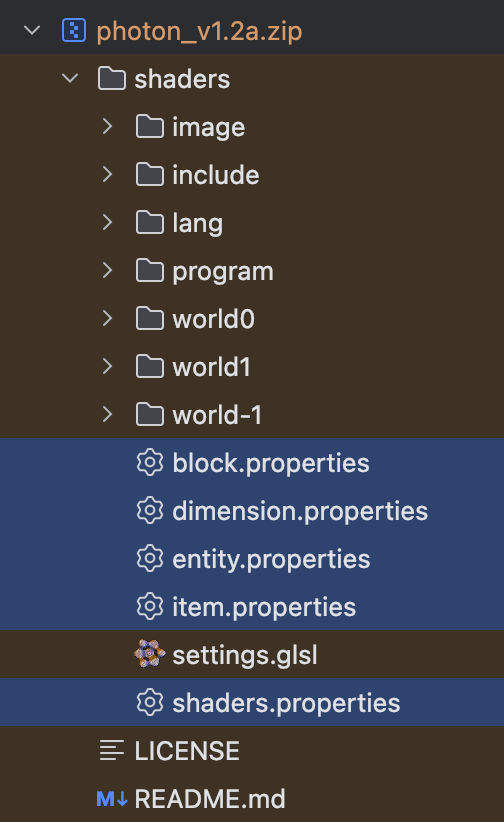
Global Shaderpack Properties is a mod that can help you apply properties file from config folder to the shader pack.
Instead of overriding the properties inside, Global Shaderpack Properties redirect the path that Iris read the properties.
https://github.com/P1neapplell0/GlobalShaderpackProperties-Fabric
https://github.com/P1neapplell0/GlobalShaderpackProperties
How to use Global Shaderpack Properties?
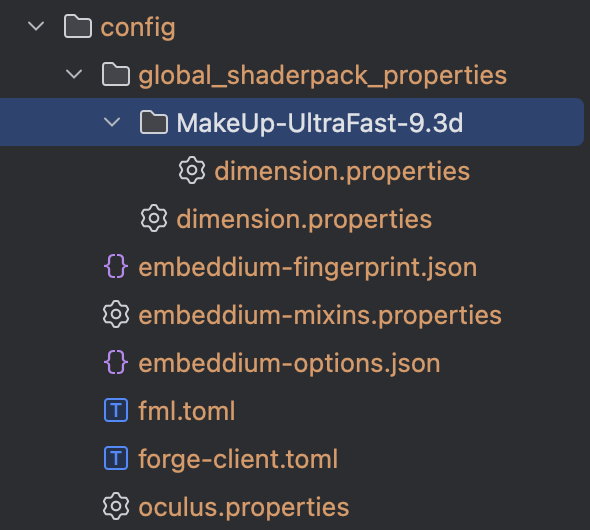
You just need to put the properties file into the config/global_shaderpack_properties folder.
If you want to configure specific shaderpack, you can put the properties file into the folder that has the shaderpack name.
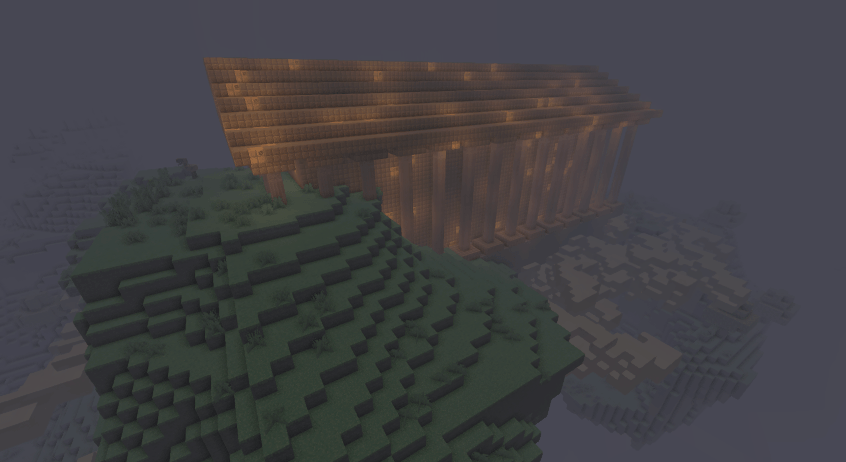
aether:the_aether using nether effect.
Credit:
SettingDust
MitakeAmeka fix the block.properties
Jak zainstalować Global Shaderpack Properties
With Millida Launcher
Install Millida Launcher
The launcher is free: download it at millida.net/launcher and sign in with any nickname.
Click “Install” on this page
The launcher opens and installs the mod for Minecraft 1.20.1–1.21.11 on Fabric, Forge, NeoForge or Quilt automatically.
Launch the game
A profile with it appears in the launcher: click “Play”.
Manually
Install Fabric, Forge, NeoForge or Quilt
The loader must match the game version of the mod file, for example Minecraft 1.21.11. After installing it, a separate profile appears in your launcher.
Download the file for your version
In the version list above, pick the file global-shaderpack-properties-fabric-1.21.x-1.1.0.jar (66 KB) for your game version and loader.
Put it in the mods folder
The folder is inside .minecraft (Windows: %appdata%\.minecraft\mods). If it does not exist, create it.
Launch the loader profile
Open “Mods” in the main menu: Global Shaderpack Properties should be in the list.
Minecraft 1.21.11 runs on Java 21: with a different Java version the game may close right after launch.
Wersje
Z zależnościami
| Minecraft | Loader | Plik | Data | Akcje |
|---|---|---|---|---|
| 1.21 | Fabric, Quilt | global-shaderpack-properties-fabric-1.21.x-1.1.0.jar65.9 KB 7 | ||
| 1.20.1 | Forge | globalshaderpackproperties-1.1.0-all.jar682 KB 4 | ||
| 1.21 | NeoForge | globalshaderpackproperties-neoforge1.21.1-1.1.0.jar65.5 KB 1 |
Opinie
Oceń Global Shaderpack Properties jako pierwszy


