

Essential Mod do Minecraft 1.20.1, 1.21.1
Ulepsz swój Minecraft jednym prostym modem. Hostuj światy za darmo, rozmawiaj z przyjaciółmi i wiele więcej!
 Fabric
 NeoForge
 Forge
O modzie Essential Mod



Ulepsz swój Minecraft za pomocą jednego prostego moda. Szybki, przyjazny i dla każdego!
[ ](https://essential.gg/downloads)

Hostuj swój świat Minecraft za darmo, zapraszaj znajomych i grajcie razem w zaledwie kilka kliknięć!

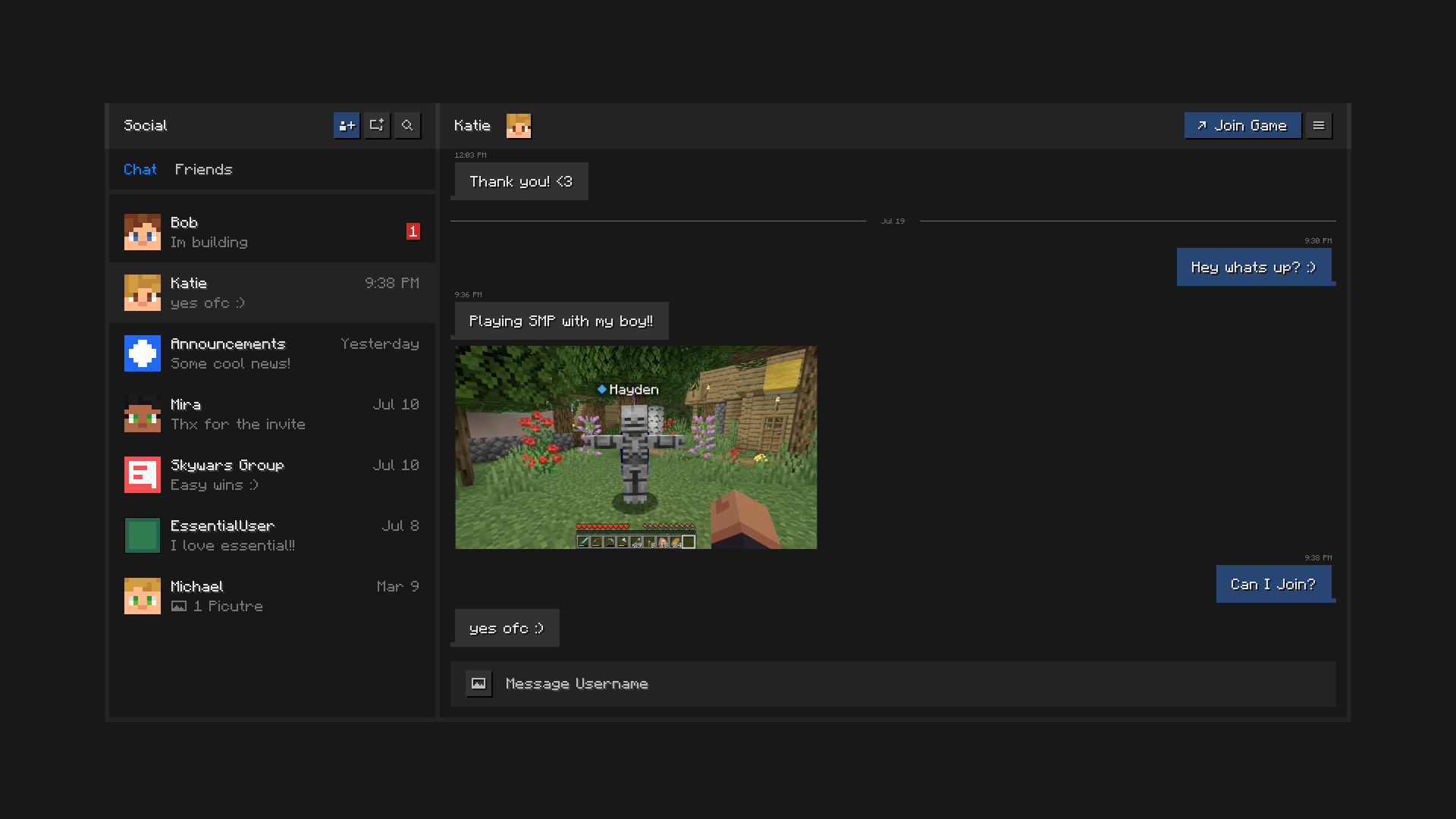
Bądź w kontakcie ze znajomymi, wszystko wewnątrz Minecraft. Czatuj, twórz grupy, udostępniaj zdjęcia i wysyłaj zaproszenia do światów i serwerów.

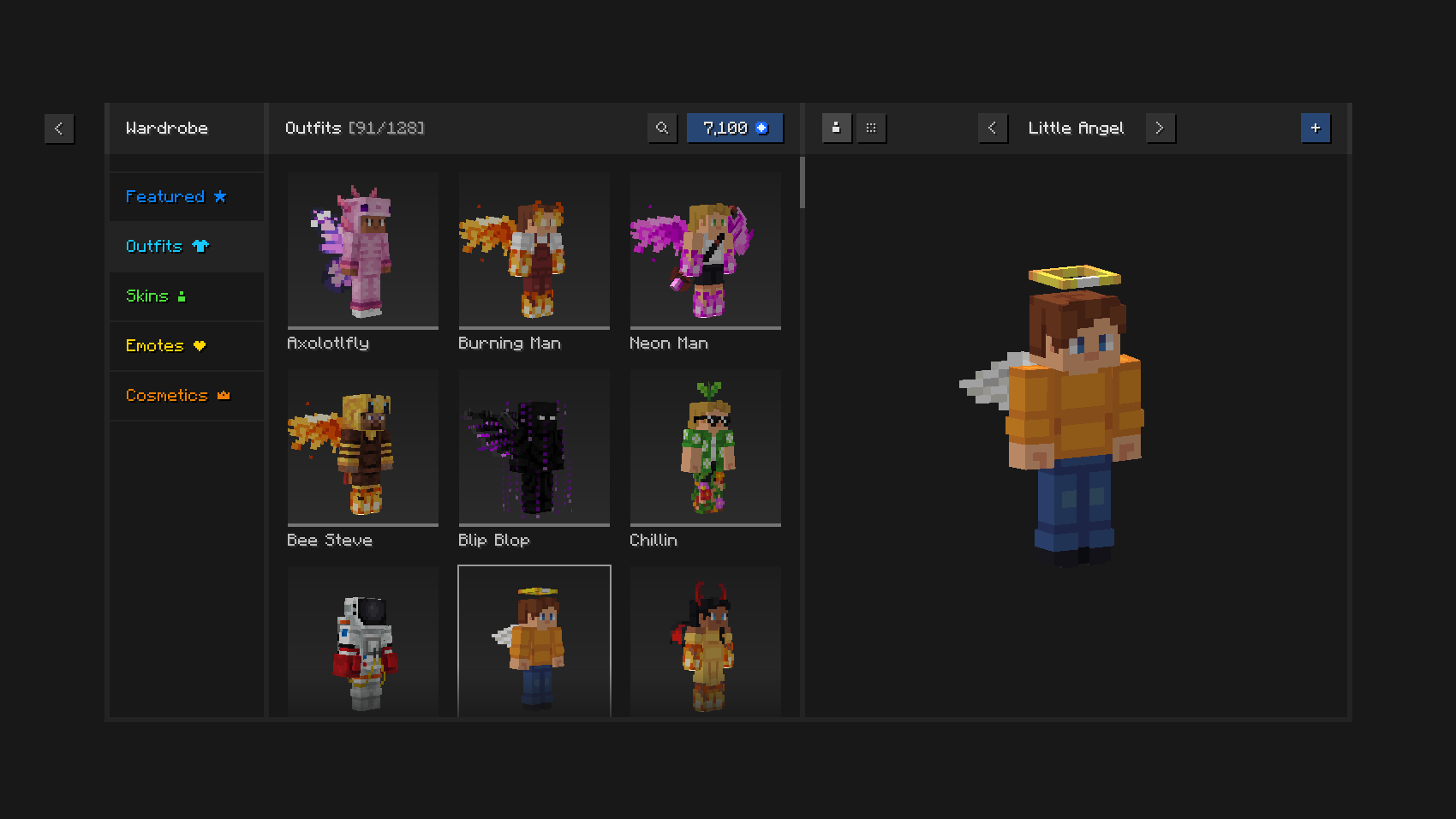
Graj stylowo dzięki unikalnym strojom i kosmetykom, menedżerowi skórek w grze i wyrazistym emotkom.

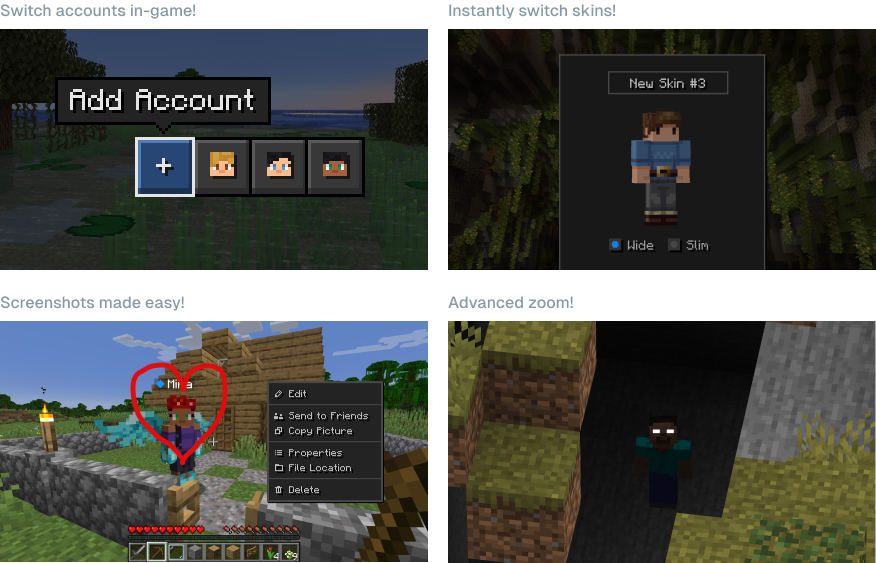
Oszczędzaj czas i wysiłek dzięki potężnym możliwościom Essential.

Czy mogę używać Essential z innymi modami i modpackami? Tak, Essential jest szeroko kompatybilny z innymi modami i stanowi świetny dodatek do twojego ulubionego modpacka. Możesz łatwo hostować zmodyfikowane światy dla siebie i znajomych, za darmo, tylko upewnij się, że mają zainstalowane te same mody.
Jakie wersje Minecraft obsługuje Essential? Mod Essential obsługuje najpopularniejsze wersje Minecraft Java Edition (1.8, 1.12, 1.16 do 26.3) oraz oba loadery modów Fabric i Forge.

Jak działa hostowanie światów w Essential? Essential wykorzystuje wiodącą w branży technologię peer-to-peer oraz moc sprzętu twojego komputera, aby umożliwić ci hostowanie światów Minecraft i zapraszanie znajomych z łatwością i za darmo.
[ ](https://essential.gg/wiki)
© ModCore Inc, Spark Universe GmbH 2026

Jak zainstalować Essential Mod
With Millida Launcher
Install Millida Launcher
The launcher is free: download it at millida.net/launcher and sign in with any nickname.
Click “Install” on this page
The launcher opens and installs the mod for Minecraft 1.8–26.2 on Fabric, Forge or NeoForge automatically.
Launch the game
A profile with it appears in the launcher: click “Play”.
Manually
Install Fabric, Forge or NeoForge
The loader must match the game version of the mod file, for example Minecraft 26.2. After installing it, a separate profile appears in your launcher.
Download the file for your version
In the version list above, pick the file Essential_1-4-1-1_fabric_26-2.jar (51 MB) for your game version and loader.
Put it in the mods folder
The folder is inside .minecraft (Windows: %appdata%\.minecraft\mods). If it does not exist, create it.
Launch the loader profile
Open “Mods” in the main menu: Essential Mod should be in the list.
Essential Mod works on the player’s side only: there is no need to install it on a server.
Wersje
Z zależnościami
| Minecraft | Loader | Plik | Data | Akcje |
|---|---|---|---|---|
| 1.21.1 | NeoForge | 1.21.149.1 MB 43 | ||
| 1.21.4 | NeoForge | 1.21.449.1 MB 1 | ||
| 1.21.8 | NeoForge | 1.21.849.1 MB | ||
| 1.8.9 | Forge | 1.8.953.2 MB 1 | ||
| 1.16.5 | Forge | 1.16.549.1 MB 2 | ||
| 1.12.2 | Forge | 1.12.253.2 MB 3 | ||
| 1.18.2 | Forge | 1.18.249.1 MB 1 | ||
| 1.19.2 | Forge | 1.19.249.1 MB 3 |
Materiały, które tego wymagają
FAQ
Which Minecraft versions does Essential Mod work on?
There are files for 1.8–26.2, 25 versions in total. The newest is 26.2.
Does Essential Mod need other mods?
The author lists no required dependencies: the Fabric, Forge or NeoForge loader is enough.
Do I need to install Essential Mod on a server?
No. Essential Mod works on the player’s side only: there is no need to install it on a server.
Where can I download Essential Mod safely?
On this page: the file Essential_1-4-1-1_fabric_26-2.jar (51 MB) is stored on Millida’s server, with no link shorteners. SHA-1 checksum: 5a26631c7eca58b2e5a852002bfa8d1b01b1f10c.
Opinie
Oceń Essential Mod jako pierwszy


