
e4steam Mod do Minecraft 1.21.1, 1.21
e4steam to fork e4mc, który pozwala grać w Minecraft z przyjaciółmi przez sieć Steam.
 Fabric
 Quilt
Quilt NeoForge
 Forge
Forge
e4steam
Play Minecraft with friends through Steam — no port forwarding.
English
e4steam opens a singleplayer Minecraft world or a dedicated server to friends through Steam P2P and Valve relays.
- Choose Steam Friends or Invite Only.
- Invite through Steam or share a short s-...steam address.
- No router setup, public IP, or port forwarding is required.
- TCP and UDP traffic are supported.
How to play
- Install the matching e4steam JAR on both computers. Fabric and Quilt also require Fabric API.
- Start Steam, sign in, and launch Minecraft normally.
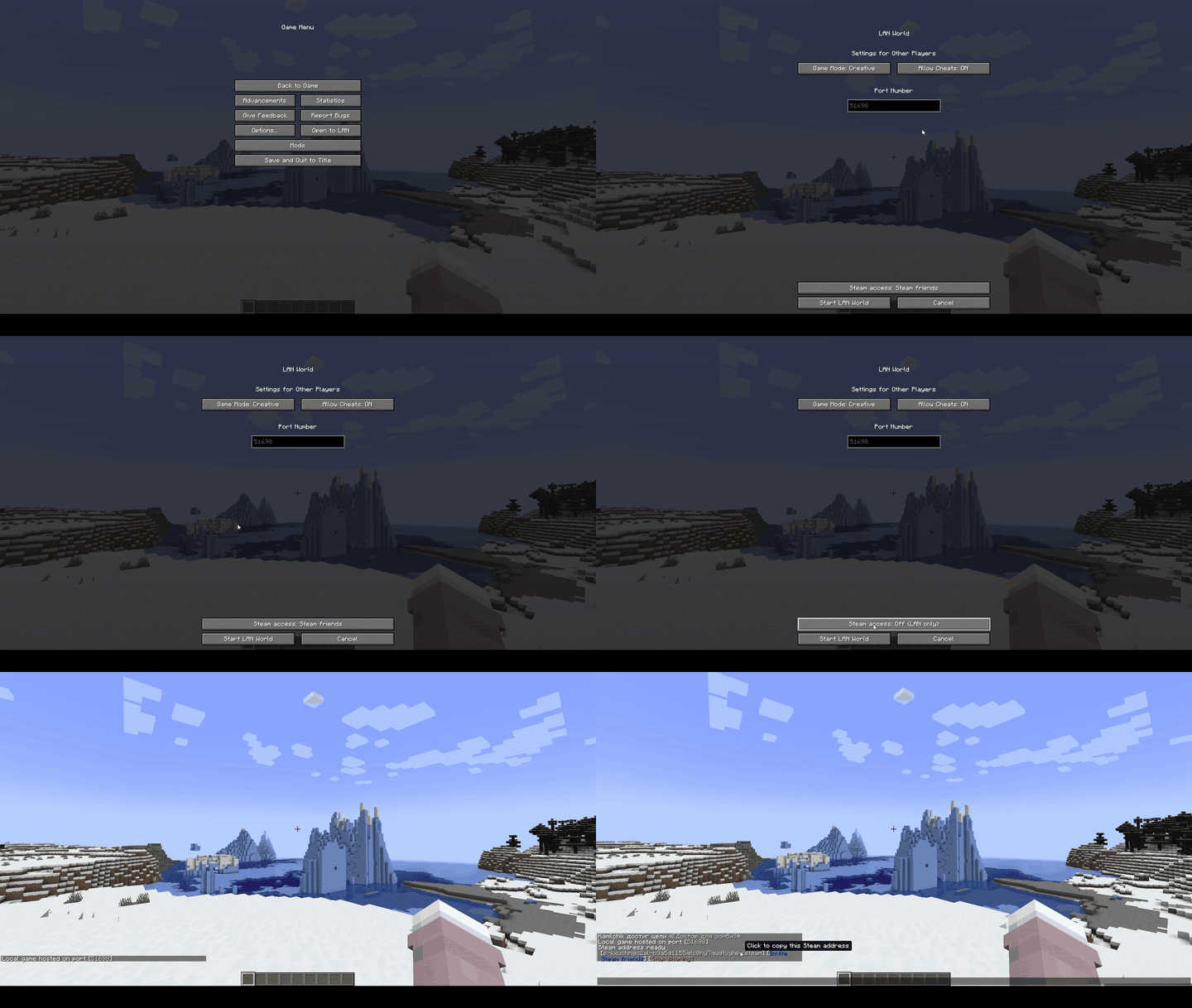
- Enter a singleplayer world and choose Open to LAN → Steam Friends or Invite Only.
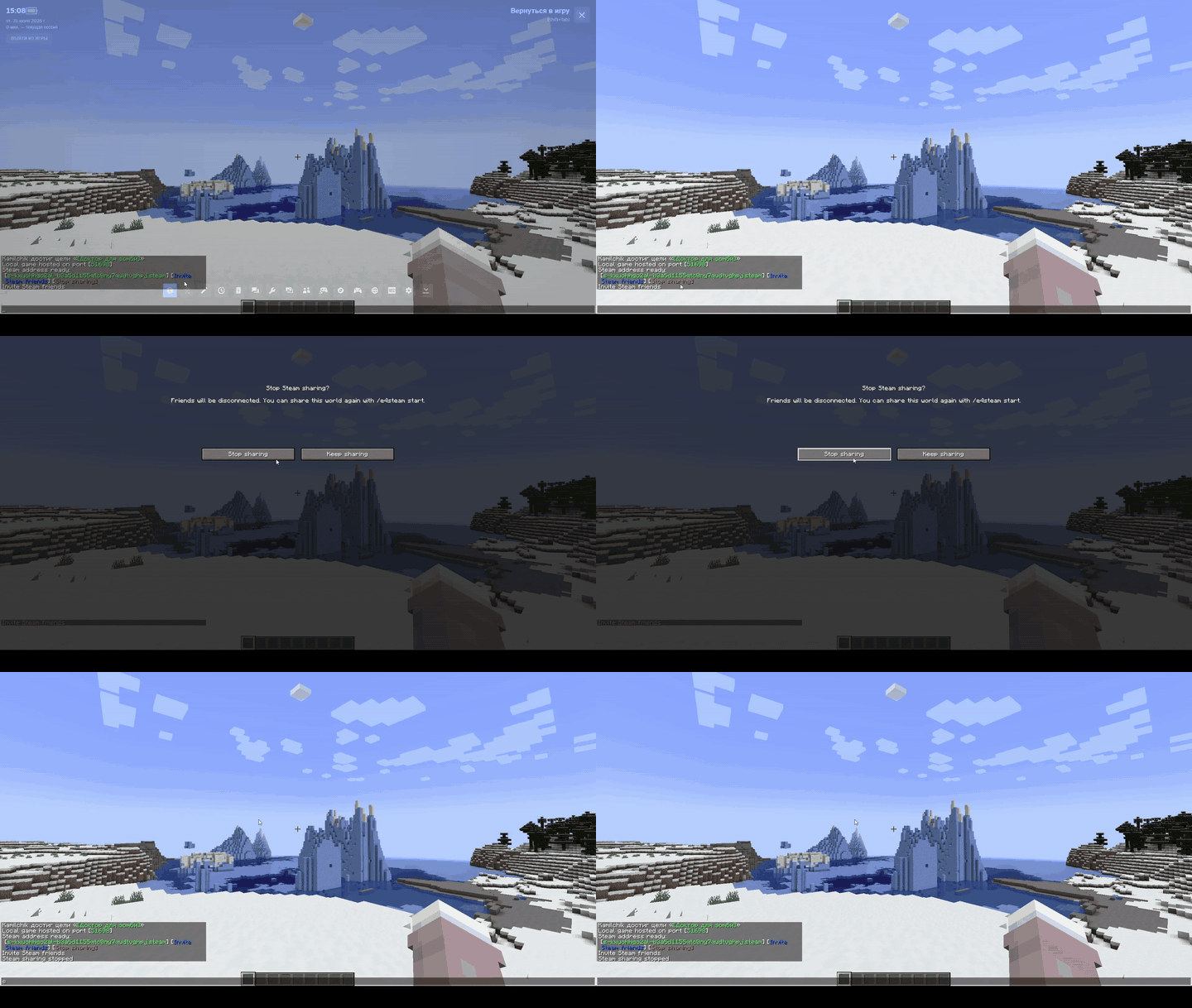
- Press Invite friends, or copy the green address and send it to your friend.
Both players must use matching Minecraft, loader, and e4steam versions.
Dedicated servers use the normal matching JAR and a d-...steam address. See the dedicated-server guide.
Icon Add-on Description / Описание
CLIENT e4steam Friends Minecraft 26.2 · Fabric / NeoForge Minecraft-style Steam friends screen. Экран друзей Steam в стиле Minecraft.
Addon API
compileOnly("io.github.kamilhik:e4steam-api:1.1.0")
Created and maintained by Kamilchik. e4steam is an unofficial derivative of e4mc, distributed under the Apache License 2.0.
Jak zainstalować e4steam
With Millida Launcher
Install Millida Launcher
The launcher is free: download it at millida.net/launcher and sign in with any nickname.
Click “Install” on this page
The launcher opens and installs the mod for Minecraft 1.9–26.2 on Fabric, Forge, NeoForge or Quilt automatically.
Launch the game
A profile with it appears in the launcher: click “Play”.
Manually
Install Fabric, Forge, NeoForge or Quilt
The loader must match the game version of the mod file, for example Minecraft 26.2. After installing it, a separate profile appears in your launcher.
Download the file for your version
In the version list above, pick the file e4steam-fabric-quilt-mc26.1-26.2-v0.3.2.jar (3.6 MB) for your game version and loader.
Put it in the mods folder
The folder is inside .minecraft (Windows: %appdata%\.minecraft\mods). If it does not exist, create it.
Launch the loader profile
Open “Mods” in the main menu: e4steam should be in the list.
Wersje
Z zależnościami
| Minecraft | Loader | Plik | Data | Akcje |
|---|---|---|---|---|
| 1.21 | NeoForge | [NeoForge 1.20.2-26.2] e4steam 0.3.23.6 MB 288 | ||
| 1.9.3 | Forge | [Forge 1.9.x] e4steam 0.3.22.9 MB 44 | ||
| 26.1 | Fabric, Quilt | [Fabric/Quilt 26.1-26.2] e4steam 0.3.23.6 MB 157 |
Opinie
Oceń e4steam jako pierwszy


