

Cosmetica Mod do Minecraft 26.2
Darmowe niestandardowe peleryny i kosmetyki do Minecraft
 NeoForge
 Fabric
 Quilt
Quilt Forge
ForgeCosmetica
Cosmetica lets you customize your player on a whole new level with cosmetics that rival those of popular PvP clients
Features
- Custom legal capes and elytras up to 2048x1024 resolution.
- Custom animated capes
- Custom accessories for any part of the character: hats, shoulder buddies, back blings, shoes, you name it!
- Custom lore (a second nametag above your head) to show your Discord tag, Twitch URL, GitHub, pronouns, or title.
- Interactive online catalogue of all our cosmetics to easily browse and preview cosmetics on your skin before equipping.
- Interactive in-game catalogue of all our cosmetics to easily browse and preview cosmetics on your skin before equipping.
- Support for third party capes from Cloaks+, OptiFine, LabyMod, Mantle, MinecraftCapes.net, SkinMC, and Vanilla, (individually configurable and priority list can be modified).
- Advanced, secure and easy to use login system that doesn't even require you to enter a password.
- Region specific effects (optional) that apply cosmetic effects to players based on their country of origin.
- Nearly all features are disableable.
- ### All cosmetics are free.
- ### Users can design and upload their own cosmetics.

Screenshots
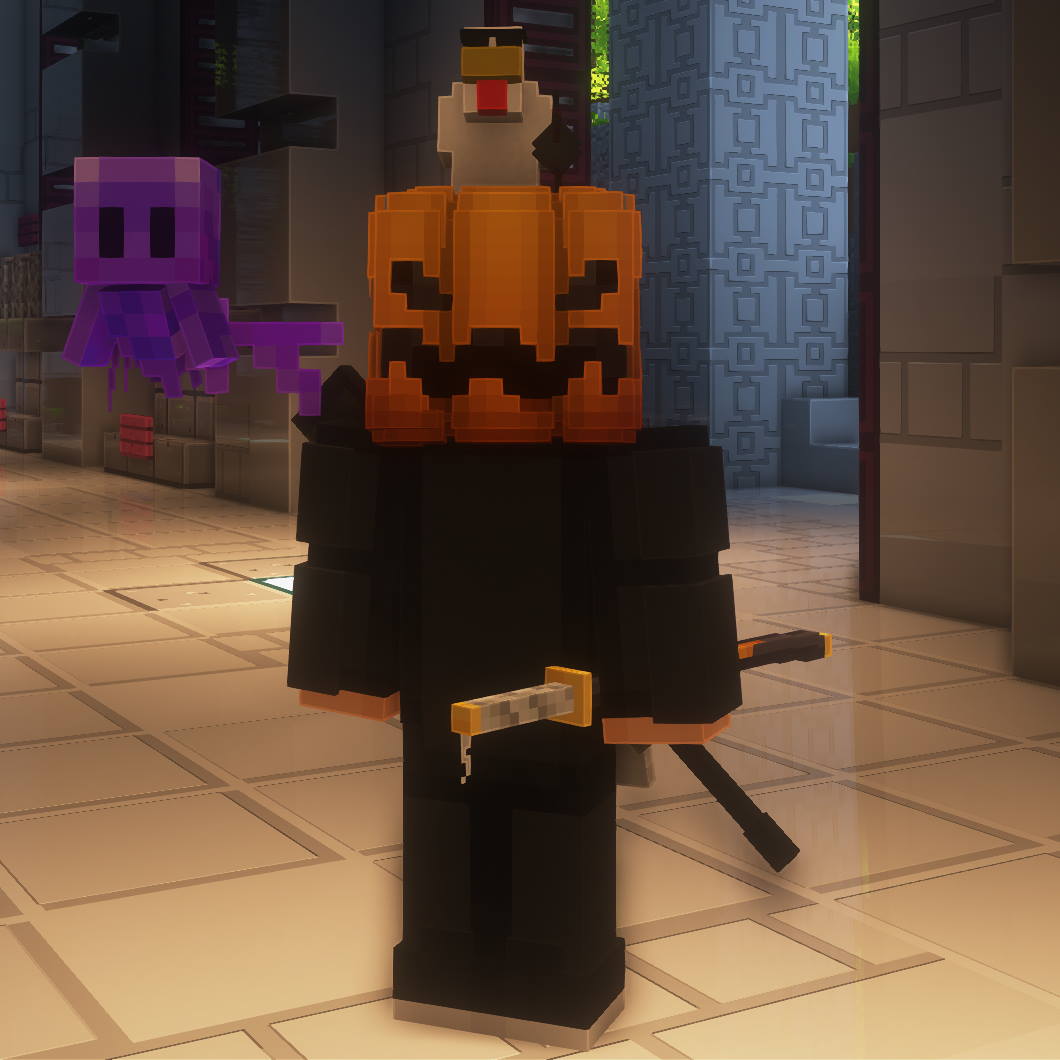
Player with Pumpkin, Gangster Chicken, Purple Allay, and Katana
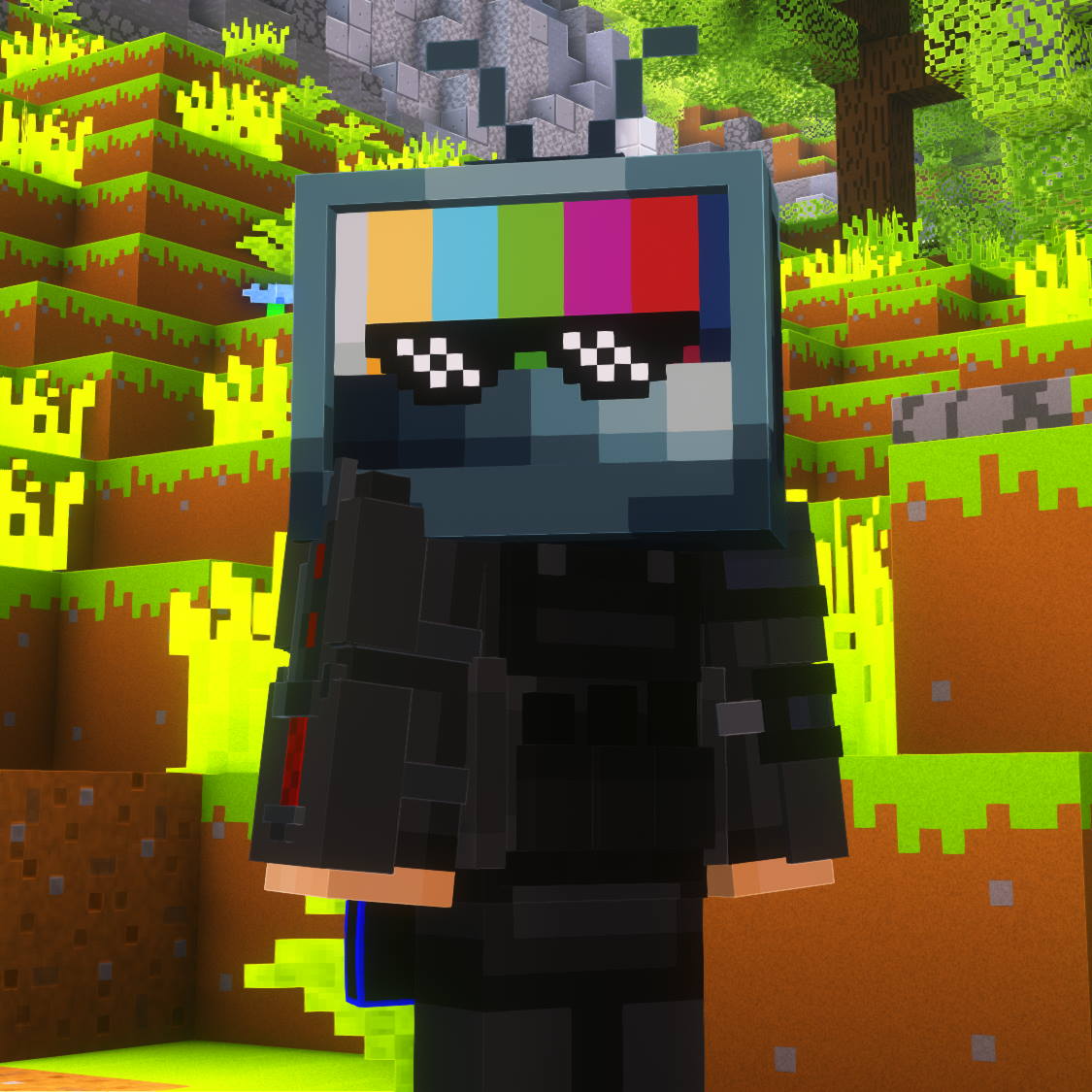
Player with CRT and Sunglasses
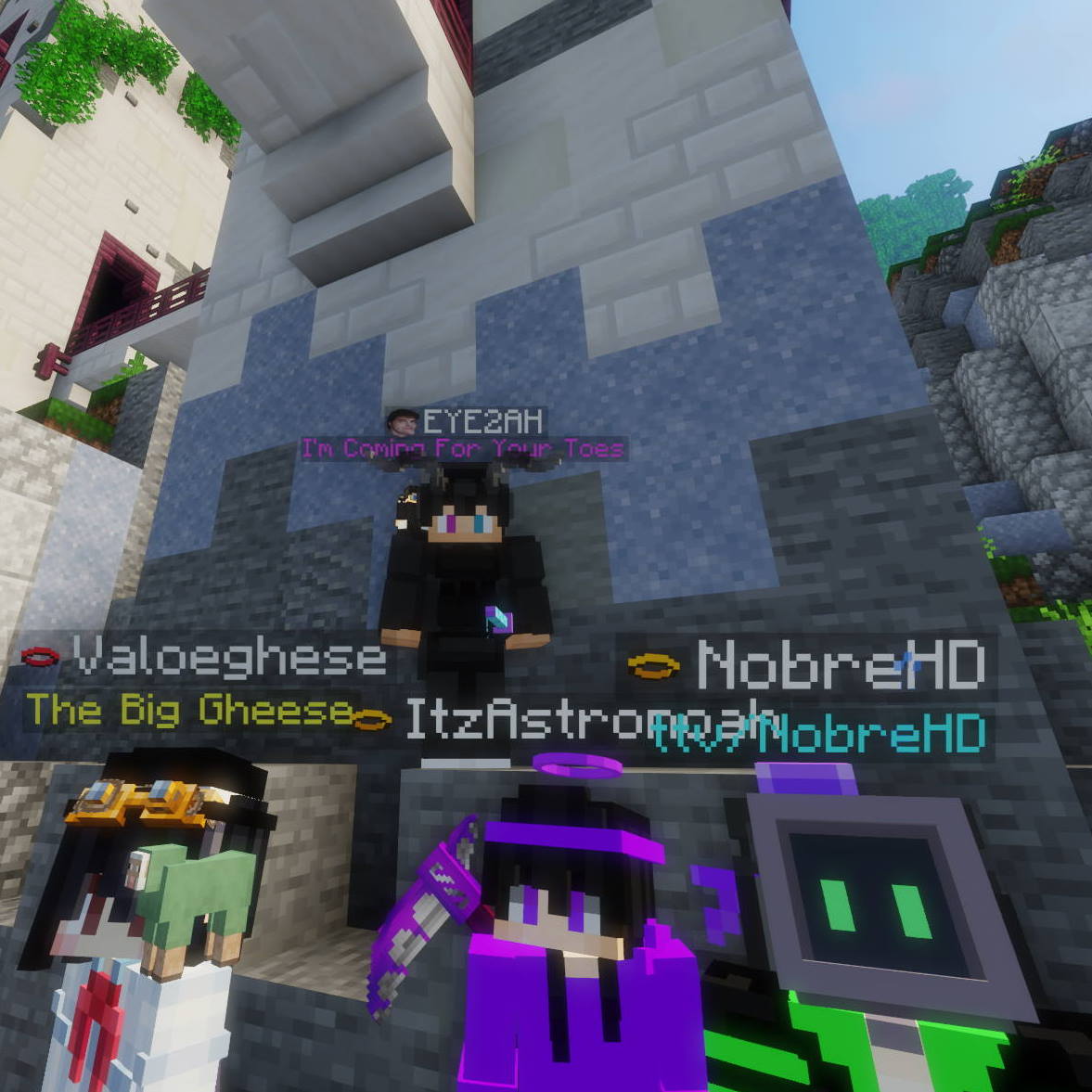
Players Vibing
See more screenshots in the Gallery

Cosmetica is sponsored by ZAP Hosting
Customizing Cosmetics
Cosmetica replaces the Skin Customization screen with all new Cosmetica settings.
You can also press Right Shift to quickly open the customization menu when in-game.
Reporting Issues or Asking for Support
Please use the issue tracker linked at the top of the page to report bugs, crashes, and other issues.
If you're not encountering a bug but you still need support with Cosmetica, or you want to make your own cosmetics, join our Discord server!
Join Our Community
If you have any questions or want to connect with us and our community, join our Discord server!
You can find all our social media at the bottom of cosmetica.cc.
Jak zainstalować Cosmetica
With Millida Launcher
Install Millida Launcher
The launcher is free: download it at millida.net/launcher and sign in with any nickname.
Click “Install” on this page
The launcher opens and installs the mod for Minecraft 1.21.8–26.2 on Fabric, Forge, NeoForge or Quilt automatically.
Launch the game
A profile with it appears in the launcher: click “Play”.
Manually
Install Fabric, Forge, NeoForge or Quilt
The loader must match the game version of the mod file, for example Minecraft 26.2. After installing it, a separate profile appears in your launcher.
Download the file for your version
In the version list above, pick the file cosmetica-neoforge-2.0.1-26.2.jar (5.5 MB) for your game version and loader.
Put it in the mods folder
The folder is inside .minecraft (Windows: %appdata%\.minecraft\mods). If it does not exist, create it.
Launch the loader profile
Open “Mods” in the main menu: Cosmetica should be in the list.
Cosmetica works on the player’s side only: there is no need to install it on a server.
Wersje
Z zależnościami
| Minecraft | Loader | Plik | Data | Akcje |
|---|---|---|---|---|
| 26.2 | NeoForge | 26.25.5 MB 1 | ||
| 26.2 | Fabric, Quilt | 26.25.7 MB 1 | ||
| 26.1.2 | NeoForge | 26.1.25.5 MB | ||
| 26.1.2 | Fabric, Quilt | 26.1.25.7 MB 1 | ||
| 1.21.11 | NeoForge | 1.21.115.6 MB | ||
| 1.21.11 | Forge | 1.21.115.6 MB 2 | ||
| 1.21.11 | Fabric, Quilt | 1.21.115.6 MB 10 | ||
| 1.21.8 | NeoForge | 1.21.85.6 MB |
Opinie
Oceń Cosmetica jako pierwszy


