
Comfortable Campfires Mod do Minecraft 1.20.1, 26.1.2
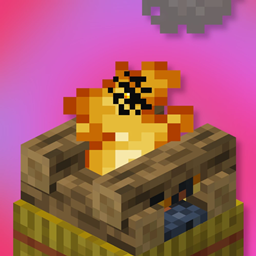
Siedzenie przy ognisku jest teraz odrobinę wygodniejsze. Rozpalone ogniska dają pobliskim graczom Regenerację lub skonfigurowany efekt.
 NeoForge
 Fabric
 Forge
ForgeO modzie Comfortable Campfires
Sitting by the campfire is now just a little more comfortable. Lit campfires now give nearby players Regeneration or a configured effect.
Since 2.0, Comfortable Campfires can also be used to allow any block to grant effects. Just add a new line under effects in the config e.g. "minecraft:lava" = "wither". With QoMC installed, the following command can be used: /comfortable_campfires_config effects set "minecraft:lava" wither. If the effect you are trying to set does not exist (for example, if the mod is not loaded, Regeneration will be used instead.)
Comfortable Campfires can either be installed only on the server, or on the client if using the mod in singleplayer.
Installation
Comfortable Campfires is a serverside mod for Fabric and NeoForge. On 1.20.1, Forge is also supported.
- On Fabric, Fabric API is required.
- Since version 1.2.1, the mod can be configured with QoMC.
Prior to 2.0, the default effect granted by campfires is Farmer's Delight's Comfort effect. Farmer's Delight is still optional, and Regeneration will be used if it is not installed.
Credits
This mod's premise was inspired by the Campfire Heal script present in the Raspberry Flavoured modpack, but since that script doesn't work on servers, I made my own serverside mod (that also now works on Fabric).
Jak zainstalować Comfortable Campfires
With Millida Launcher
Install Millida Launcher
The launcher is free: download it at millida.net/launcher and sign in with any nickname.
Click “Install” on this page
The launcher opens and installs the mod for Minecraft 1.20.1–26.1.2 on Fabric, Forge or NeoForge automatically.
Launch the game
A profile with it appears in the launcher: click “Play”.
Manually
Install Fabric, Forge or NeoForge
The loader must match the game version of the mod file, for example Minecraft 26.1.2. After installing it, a separate profile appears in your launcher.
Download the file for your version
In the version list above, pick the file comfortable_campfires-2.0.1+26.1-snapshot-7-neoforge.jar (314 KB) for your game version and loader.
Put it in the mods folder
The folder is inside .minecraft (Windows: %appdata%\.minecraft\mods). If it does not exist, create it.
Launch the loader profile
Open “Mods” in the main menu: Comfortable Campfires should be in the list.
Wersje
Z zależnościami
| Minecraft | Loader | Plik | Data | Akcje |
|---|---|---|---|---|
| 26.1 | NeoForge | comfortable Campfires 2.0.1 for 26.1 Neoforge314 KB | ||
| 26.1 | Fabric | comfortable Campfires 2.0.1 for 26.1 Fabric315 KB 1 | ||
| 1.21.9 | Fabric | comfortable Campfires 2.0.1 for 1.21.11 Fabric315 KB | ||
| 1.20.1 | Forge | comfortable Campfires 2.0.1 for 1.20.1 Forge352 KB 2 |
FAQ
Which Minecraft versions does Comfortable Campfires work on?
There are files for 1.20.1–26.1.2, 7 versions in total. The newest is 26.1.2.
Is Comfortable Campfires for Forge or Fabric?
There are files for Fabric: 1.21.9–26.1.2, for Forge: 1.20.1 and for NeoForge: 26.1–26.1.2.
Does Comfortable Campfires need other mods?
The author lists no required dependencies: the Fabric, Forge or NeoForge loader is enough.
Where can I download Comfortable Campfires safely?
On this page: the file comfortable_campfires-2.0.1+26.1-snapshot-7-neoforge.jar (314 KB) is stored on Millida’s server, with no link shorteners. SHA-1 checksum: ac6a4997e4bdc0283724ec9c671857a952eeda19.
Opinie
Oceń Comfortable Campfires jako pierwszy


