
 Fabric
 Forge
ForgeO modzie ColorUtility
Make handling ColorCode more easily.
universal means that it works in 1.8.9 1.9.4 1.10.2 1.11.2 1.12
- ColorUtility makes minecraft receive "§" character.
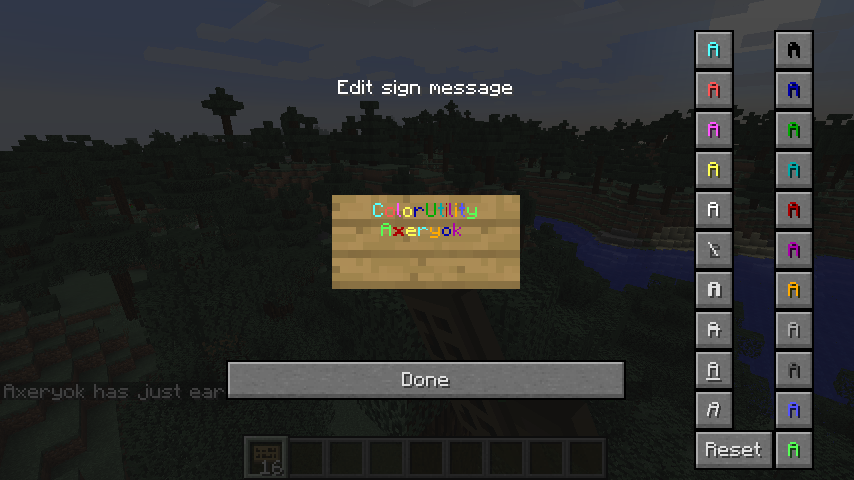
- When you edit signs or books, Useful colorpad support you to edit them with color string.
- ColorUtility works in Server and Client.
- If you have to paint text and make text bold or italic at the same time, you should push ColorButton before push TextFormButton.
Required:Minecraft Forge or Fabric API
For example
ColorUtility are also distributed on http://forum.minecraftuser.jp/viewtopic.php?f=13&t=24394(Japanese).
Jak zainstalować ColorUtility
With Millida Launcher
Install Millida Launcher
The launcher is free: download it at millida.net/launcher and sign in with any nickname.
Click “Install” on this page
The launcher opens and installs the mod for Minecraft 1.8.9–1.18 on Fabric or Forge automatically.
Launch the game
A profile with it appears in the launcher: click “Play”.
Manually
Install Fabric or Forge
The loader must match the game version of the mod file, for example Minecraft 1.18. After installing it, a separate profile appears in your launcher.
Download the file for your version
In the version list above, pick the file ColorUtility-[1.16.5-1.17]-fabric-2.0.1.jar (21 KB) for your game version and loader.
Put it in the mods folder
The folder is inside .minecraft (Windows: %appdata%\.minecraft\mods). If it does not exist, create it.
Launch the loader profile
Open “Mods” in the main menu: ColorUtility should be in the list.
Minecraft 1.18 runs on Java 17: with a different Java version the game may close right after launch.
Wersje
Z zależnościami
| Minecraft | Loader | Plik | Data | Akcje |
|---|---|---|---|---|
| 1.16.5 | Forge | ColorUtility-[1.16.5]-forge-2.0.1serverfix.jar9.5 KB | ||
| 1.17.1 | Fabric | ColorUtility-[1.16.5-1.17]-fabric-2.0.1.jar20.8 KB | ||
| 1.9.4 | — | ColorUtility-universal-1.0.4.jar18.9 KB 1 |
FAQ
Which Minecraft versions does ColorUtility work on?
There are files for 1.8.9–1.18, 14 versions in total. The newest is 1.18.
Is ColorUtility for Forge or Fabric?
There are files for Fabric: 1.16.5–1.18 and for Forge: 1.16.5. There are no files for NeoForge: a mod for another loader will not start.
Does ColorUtility need other mods?
The author lists no required dependencies: the Fabric or Forge loader is enough.
Which Java does ColorUtility need?
Minecraft 1.18 runs on Java 17. If the game closes right after launch, the usual cause is the wrong Java version in the profile settings.
How do I download ColorUtility?
With Millida Launcher: it installs ColorUtility into a modpack by itself, for the right game version and loader. The launcher is free.
Opinie
Oceń ColorUtility jako pierwszy


