
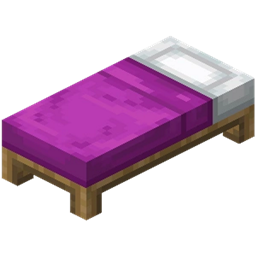
Colorize Mod do Minecraft 1.20.1, 26.3
Kliknij prawym przyciskiem myszy z barwnikiem na niektórych blokach, aby je pokolorować!
 Fabric
 NeoForge
 Forge
Forge Quilt
Quiltcolorize
Right click with the item on some blocks to change them!
Supported Blocks:
Dyes (to color them):
- Banner
- Bed
- Candle
- Carpet
- Concrete
- Concrete Powder
- Glazed Terracotta
- Shulker Box
- Stained Glass Block
- Stained Glass Pane
- Terracotta
- Wool
Amethyst Shard:
- Glass (creates Tinted Glass)
Vines to create Mossy variants (with sneaking by default):
- Cobblestone
- Cobblestone Slab
- Cobblestone Stairs
- Cobblestone Wall
- Stone Bricks
- Stone Brick Slab
- Stone Brick Stairs
- Stone Brick Wall
Jak zainstalować Colorize
With Millida Launcher
Install Millida Launcher
The launcher is free: download it at millida.net/launcher and sign in with any nickname.
Click “Install” on this page
The launcher opens and installs the mod for Minecraft 1.19.3–26.3 on Fabric, Forge, NeoForge or Quilt automatically.
Launch the game
A profile with it appears in the launcher: click “Play”.
Manually
Install Fabric, Forge, NeoForge or Quilt
The loader must match the game version of the mod file, for example Minecraft 26.3. After installing it, a separate profile appears in your launcher.
Download the file for your version
In the version list above, pick the file colorize-26.3-fabric-1.14.0.jar (61 KB) for your game version and loader.
Put it in the mods folder
The folder is inside .minecraft (Windows: %appdata%\.minecraft\mods). If it does not exist, create it.
Launch the loader profile
Open “Mods” in the main menu: Colorize should be in the list.
Wersje
Z zależnościami
| Minecraft | Loader | Plik | Data | Akcje |
|---|---|---|---|---|
| 26.3 | Fabric | colorize-26.3-fabric-1.14.0.jar60.5 KB 1 | ||
| 26.3 | NeoForge | colorize-26.3-neoforge-1.14.0.jar62.8 KB | ||
| 26.3 | Forge | colorize-26.3-forge-1.14.0.jar61.9 KB | ||
| 1.19.3 | Quilt | colorize-1.20.4-quilt-1.9.0.jar62.6 KB |
Opinie
Oceń Colorize jako pierwszy


