
Celestial Artifacts Mod do Minecraft 1.20.1, 1.21.1
Ponad 84 artefakty o różnych efektach wspomagających gracza w walce
 NeoForge
 Forge
ForgeO modzie Celestial Artifacts
Discord: https://discord.gg/BCHNhsDMXz
Requires Curios
Requires Celestial Core
Recommends Celestial Enchantments for better experience
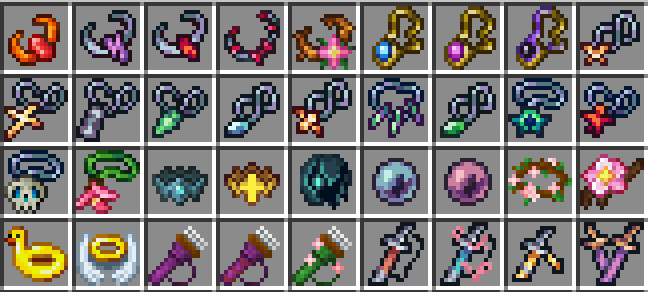
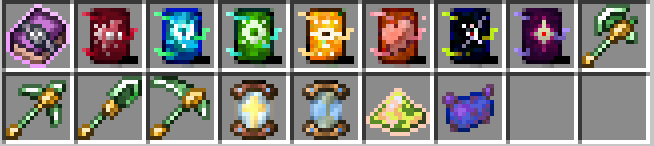
This mod adds 84 curios with various effects, ranging from early game utility curios to end game combat curios.
You will be given a Hierloom necklace and a Catastrophe Scroll at the beginning. The Catastrophe Scroll offers more curios slots, but cannot be unequipped once equiped, and has 7 curses that will activate based on your action. You need to obtain 7 Etchings to negate those curses and turn them into blesses. Some curios can only be equipped when you equip Catastrophe Scroll. You can choose to equip Catastrophe Scroll and avoid action that will trigger the curse. Or you can get prepared to obtain etchings without Catastrophe Scroll, and obtain them right after you equip it.
Some curios can be crafted.
Some curios can be found in chests in structures.
Some curios have dedicated special ways to obtain, which is listed under JEI item information tab.
Jak zainstalować Celestial Artifacts
With Millida Launcher
Install Millida Launcher
The launcher is free: download it at millida.net/launcher and sign in with any nickname.
Click “Install” on this page
The launcher opens and installs the mod for Minecraft 1.20.1–1.21.1 on Forge or NeoForge automatically.
Launch the game
A profile with it appears in the launcher: click “Play”.
Manually
Install Forge or NeoForge
The loader must match the game version of the mod file, for example Minecraft 1.21.1. After installing it, a separate profile appears in your launcher.
Download the file for your version
In the version list above, pick the file celestial_artifacts-2.0.4.jar (721 KB) for your game version and loader.
Put it in the mods folder
The folder is inside .minecraft (Windows: %appdata%\.minecraft\mods). If it does not exist, create it.
Launch the loader profile
Open “Mods” in the main menu: Celestial Artifacts should be in the list.
Minecraft 1.21.1 runs on Java 21: with a different Java version the game may close right after launch.
Wersje
Z zależnościami
| Minecraft | Loader | Plik | Data | Akcje |
|---|---|---|---|---|
| 1.21.1 | NeoForge | celestial_artifacts-2.0.4.jar721 KB 9 | ||
| 1.20.1 | Forge, NeoForge | celestial_artifacts-1.6.5.jar913 KB 14 | ||
| 1.20.1 | NeoForge, Forge | celestial_artifacts-1.4.0.jar679 KB |
FAQ
Which Minecraft versions does Celestial Artifacts work on?
There are files for 1.21.1, 1.20.1. The newest is 1.21.1.
Is Celestial Artifacts for Forge or Fabric?
There are files for Forge: 1.20.1 and for NeoForge: 1.20.1–1.21.1. There are no files for Fabric: a mod for another loader will not start.
Does Celestial Artifacts need other mods?
The author lists no required dependencies: the Forge or NeoForge loader is enough.
Which Java does Celestial Artifacts need?
Minecraft 1.21.1 runs on Java 21. If the game closes right after launch, the usual cause is the wrong Java version in the profile settings.
Where can I download Celestial Artifacts safely?
On this page: the file celestial_artifacts-2.0.4.jar (721 KB) is stored on Millida’s server, with no link shorteners. SHA-1 checksum: a57ec3866bd055e9e58c26ca007719fd37c34298.
Opinie
Oceń Celestial Artifacts jako pierwszy


