
 Fabric
 NeoForge
 Forge
Fire
We've watched it, played with it, and shouted angrily at it in Minecraft since the early early days. But it's not great, behaves badly, takes things from us and doesn't give back… so what if it could be something better?
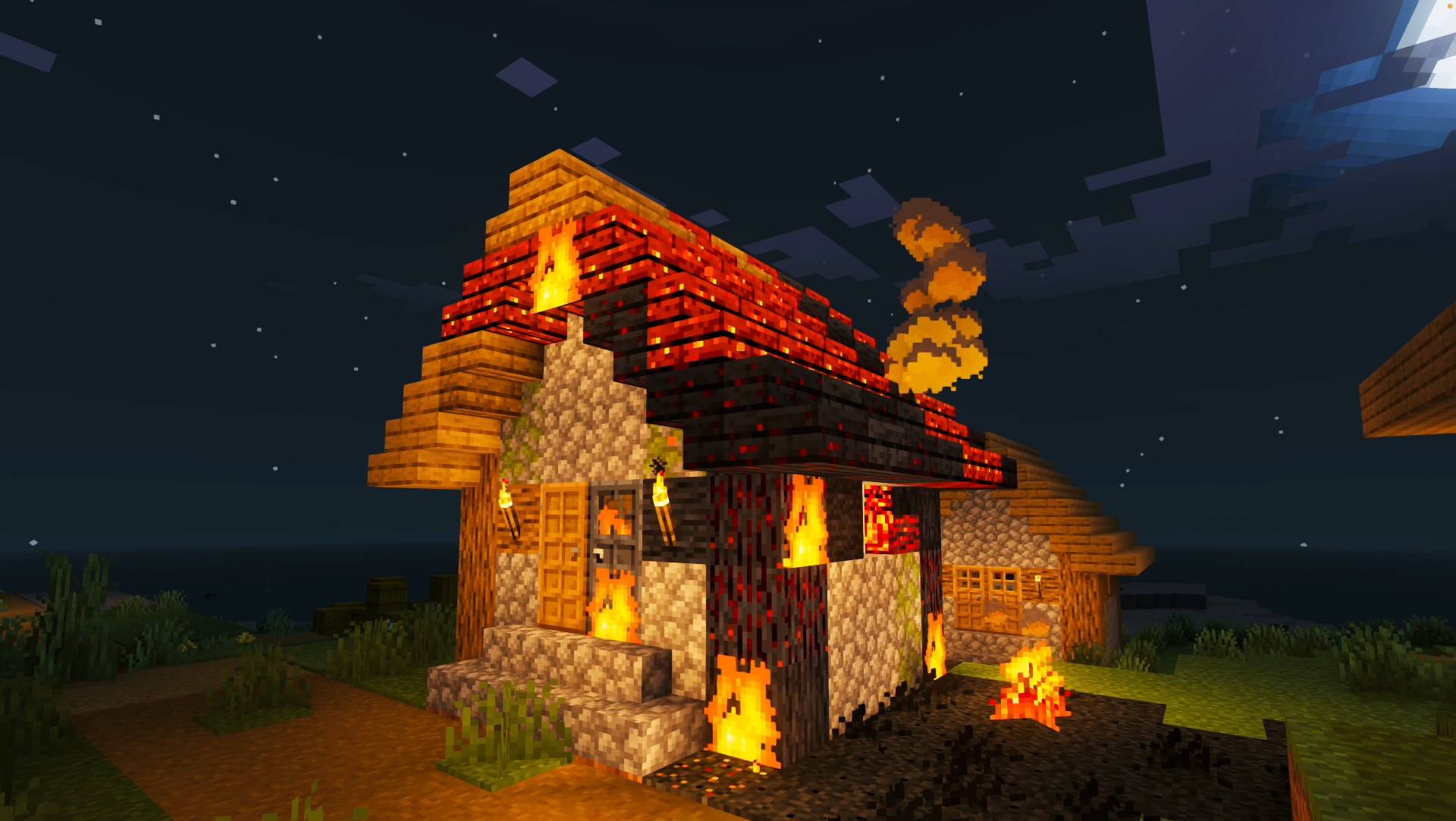
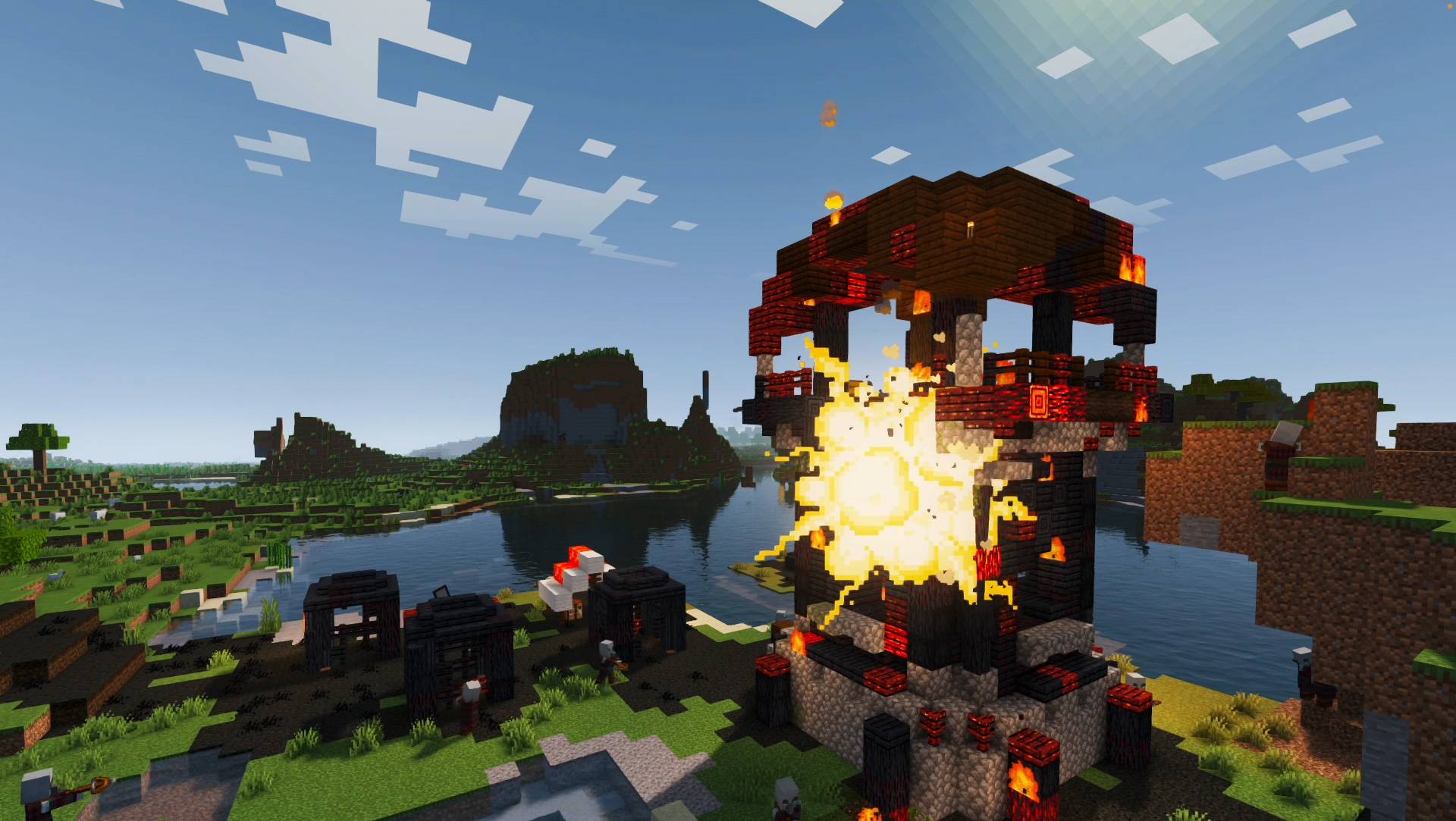
This is BURNT. A Vanilla fire enhancing mod, if you light it, it will burn… Not disappear… BURN. In return, wooden structures and trees remain, burnt and twisted, and with resources you can use.
Finally a good use for the flint and steel!
Want to burn Dynamic Trees? You'll need this too - https://www.curseforge.com/minecraft/mc-mods/burnt-dynamic-trees
Start a FIRE
- Light a block with flint and steel
- Fire an arrow from a FLAME enchanted bow
- Set a FIRE BARREL and stand back
- Explode a creeper with flame arrows
- Pour on some LAVA
- Lightning strikes
Watch it BURN
- Blocks smolder, blaze, spread, and burn
- Smoke, ember, and ash effects
- Distant smoke plumes
- Integrated WIND SYSTEM controls the direction and intensity of a fire
- Read the wind with FLAGS
- Biome aware - hot/dry burns larger than cold/wet
Control the BLAZE
- Discover or craft the fire extinguisher
- Use a wind charge to extinguish fires
- Iron golems help fight village fires
- Rain dampens the spread
- Fully CONFIGURABLE
In an emergency: /burnt killFire
Jak zainstalować Burnt + Additions
With Millida Launcher
Install Millida Launcher
The launcher is free: download it at millida.net/launcher and sign in with any nickname.
Click “Install” on this page
The launcher opens and installs the mod for Minecraft 1.20.1–1.21.1 on Fabric, Forge or NeoForge automatically.
Launch the game
A profile with it appears in the launcher: click “Play”.
Manually
Install Fabric, Forge or NeoForge
The loader must match the game version of the mod file, for example Minecraft 1.21.1. After installing it, a separate profile appears in your launcher.
Download the file for your version
In the version list above, pick the file burnt-1.10.5.2-fabric-1.21.1.jar (21 MB) for your game version and loader.
Put it in the mods folder
The folder is inside .minecraft (Windows: %appdata%\.minecraft\mods). If it does not exist, create it.
Launch the loader profile
Open “Mods” in the main menu: Burnt + Additions should be in the list.
Minecraft 1.21.1 runs on Java 21: with a different Java version the game may close right after launch.
Wersje
Z zależnościami
| Minecraft | Loader | Plik | Data | Akcje |
|---|---|---|---|---|
| 1.21.1 | Fabric | Burnt + Additions 1.10.5.221 MB 23 | ||
| 1.21.1 | NeoForge | Burnt + Additions 1.10.5.121.3 MB 31 | ||
| 1.20.1 | Forge | Burnt + Additions 1.10.5.121.2 MB 39 | ||
| 1.21.1 | Fabric | Burnt + Additions 1.10.022.1 MB | ||
| 1.20.1 | Forge | Burnt 1.9.1.410.1 MB | ||
| 1.21.1 | NeoForge | Burnt 1.9.0.39.6 MB | ||
| 1.20.1 | NeoForge, Forge | Burnt 1.7.34.4 MB |
FAQ
Which Minecraft versions does Burnt + Additions work on?
There are files for 1.21.1, 1.20.1. The newest is 1.21.1.
Is Burnt + Additions for Forge or Fabric?
There are files for Fabric: 1.21.1, for Forge: 1.20.1 and for NeoForge: 1.20.1–1.21.1.
Does Burnt + Additions need other mods?
The author lists no required dependencies: the Fabric, Forge or NeoForge loader is enough.
Which Java does Burnt + Additions need?
Minecraft 1.21.1 runs on Java 21. If the game closes right after launch, the usual cause is the wrong Java version in the profile settings.
Where can I download Burnt + Additions safely?
On this page: the file burnt-1.10.5.2-fabric-1.21.1.jar (21 MB) is stored on Millida’s server, with no link shorteners. SHA-1 checksum: 615db4cc5bccb6782fced016d247b91cc4a43d6f.
Opinie
Oceń Burnt + Additions jako pierwszy


