
Better Beds Mod do Minecraft 1.21.4
Zmienia renderer łóżka, aby używał modeli json zamiast renderera bytów blokowych!
 NeoForge
 Fabric
 Quilt
O modzie Better Beds
Usuwa Block Entity Renderer z łóżka i zastępuje go domyślnym rendererem modelu Minecrafta. Skutkuje to zwiększoną wydajnością i obsługą resource packów!
(Całkowicie clientside mod)
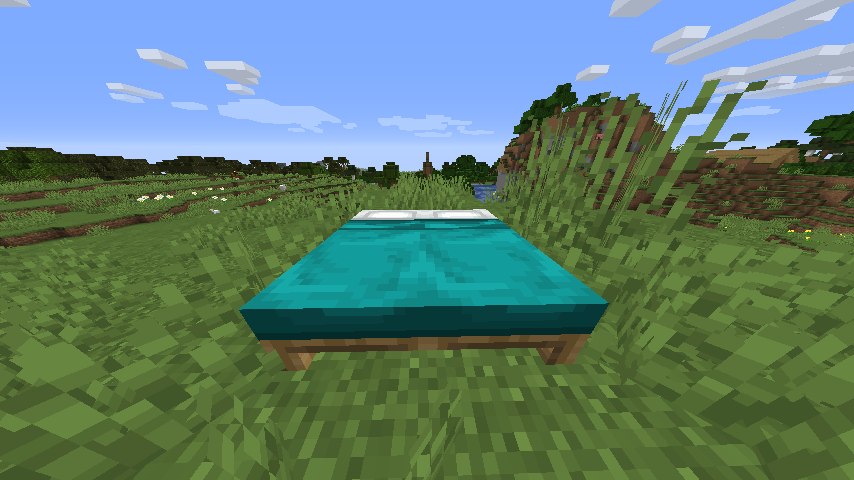
Ale gdzie jest haczyk, możesz zapytać. Cóż, prawie nie ma haczyka, wszystko zachowuje się tak samo jak w vanilla.
Jedynym jak dotąd niekompatybilnym modem jest Bedspreads, ponieważ ten mod używa block entity renderer łóżka.
Również mody, które dodają własne łóżka używające domyślnego renderera, potrzebują dostarczonych dla nich plików modeli.
Mody, które dodają łóżka używające własnego block entity renderer, pozostają nietknięte.
Dlaczego łóżko w ogóle używa block entity renderer? Kiedy łóżka zostały dodane w 1.12, gra wciąż używała starego systemu id bloków, który pozwalał tylko na ograniczoną liczbę id. Ponieważ 1.12 dodało wiele nowych bloków, grze kończyły się id, więc deweloperzy zrobili łóżko jako block entity + renderer, aby zaoszczędzić id. W 1.13 (The Flattening) wprowadzono nowy system id, pozwalający na nieograniczoną liczbę id, ale block entity łóżka i jego renderer nie zostały zmienione.
zAiNstAlOwAlEm tEn mOd aLe wYgLąDa tAk sAmO jAk vAnIlLa!
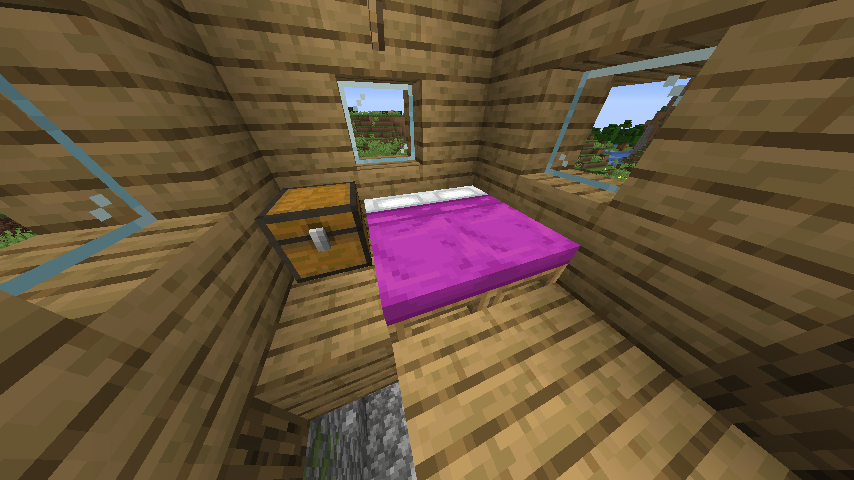
Domyślnie ten pack zawiera modele, które idealnie naśladują zachowanie vanilla, aby zmienić wygląd łóżka,
włącz jeden z resource packów na ekranie wyboru resource packów lub stwórz własny pack na podstawie tych przykładów.
Jak zainstalować Better Beds
With Millida Launcher
Install Millida Launcher
The launcher is free: download it at millida.net/launcher and sign in with any nickname.
Click “Install” on this page
The launcher opens and installs the mod for Minecraft 1.21.4 on Fabric, NeoForge or Quilt automatically.
Launch the game
A profile with it appears in the launcher: click “Play”.
Manually
Install Fabric, NeoForge or Quilt
The loader must match the game version of the mod file, for example Minecraft 1.21.4. After installing it, a separate profile appears in your launcher.
Download the file for your version
In the version list above, pick the file betterbeds-1.4.1.jar (68 KB) for your game version and loader.
Put it in the mods folder
The folder is inside .minecraft (Windows: %appdata%\.minecraft\mods). If it does not exist, create it.
Launch the loader profile
Open “Mods” in the main menu: Better Beds should be in the list.
Minecraft 1.21.4 runs on Java 21: with a different Java version the game may close right after launch.
Wersje
Z zależnościami
| Minecraft | Loader | Plik | Data | Akcje |
|---|---|---|---|---|
| 1.21.4 | NeoForge | Better Beds 1.4.1 - NeoForge 1.21.467.6 KB | ||
| 1.21.4 | Fabric, Quilt | Better Beds 1.4.1 - Fabric 1.21.442.4 KB 4 |
FAQ
Which Minecraft versions does Better Beds work on?
Only Minecraft 1.21.4: there are no files for other versions.
Is Better Beds for Forge or Fabric?
There are files for Fabric: 1.21.4, for NeoForge: 1.21.4 and for Quilt: 1.21.4. There are no files for Forge: a mod for another loader will not start.
Does Better Beds need other mods?
The author lists no required dependencies: the Fabric, NeoForge or Quilt loader is enough.
Which Java does Better Beds need?
Minecraft 1.21.4 runs on Java 21. If the game closes right after launch, the usual cause is the wrong Java version in the profile settings.
Where can I download Better Beds safely?
On this page: the file betterbeds-1.4.1.jar (68 KB) is stored on Millida’s server, with no link shorteners. SHA-1 checksum: 6c0fdc51eb6d88b8d02734d9f3df75a767f29833.
Opinie
Oceń Better Beds jako pierwszy


