
AutoPackager Mod do Minecraft 1.12.2
Zautomatyzowane wytwarzanie receptur 2x2 lub 3x3
As of 1.21.1, this mod is now part of Process Enhancement
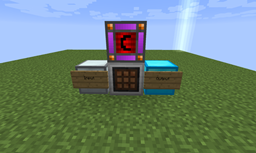
Just a simple machine that takes RF power (as of version 1.6.4, now uses Forge Energy instead) and scans an inventory to the left (when facing the front) and crafts any item of a single type that can be crafted in a 2x2 or 3x3 grid (i.e. nether quartz -> quartz blocks or iron ingots -> block of iron), placing the result in an inventory to the right.
As of 1.4, if items cannot be crafted during a cycle, stacks of identical items will be merged.
As of 1.4.2, right-clicking on the block with an empty hand will tell you the current mode it is in and right-clicking while sneaking with an empty hand will cycle the mode. (2x2 then 3x3, 2x2 only, and 3x3 only modes)
As of 1.5.3, a new mode has been added: 3x3 hollow. Using this mode, items will be crafted using a chest-like pattern. This can be used for furnaces, chests, and the majority of Magical Crops essence crafting.
Additionally, the AutoPackager itself will act as a Sorting Connector for a Refined Relocation sorting network.
Note: If you are using Refined Relocation and remove it, any AutoPackager that still exists in the world WILL cause a crash. (This should no longer be the case as of 1.5.7) Also note: This is no longer a sorting connector with Refined Relocation 2
As of version 1.10, the AutoPackager should work with any inventory, including storage drawer controllers and slaves and Refined Storage Interfaces (which will provide the entire network as available to the AutoPackager)
As of version 1.11, the AutoPackager will share its power with the input and output inventories (allowing a single shared power supply to the AutoPackager to provide power to say an auto-sieve)
Modpack permissions
This mod may be included and redistributed in any modpack, public or private, without requiring explicit permission.
Recipe (Note: On 1.12.2 the redstone reception coil is replaced with a piece of redstone dust):
In-world usage layout:
Jak zainstalować AutoPackager
With Millida Launcher
Install Millida Launcher
The launcher is free: download it at millida.net/launcher and sign in with any nickname.
Click “Install” on this page
The launcher opens and installs the mod for Minecraft 1.12.2 automatically.
Launch the game
A profile with it appears in the launcher: click “Play”.
Manually
Download the file for your version
In the version list above, pick the file autopackager-1.12.jar (41 KB) for your game version.
Put it in the mods folder
The folder is inside .minecraft (Windows: %appdata%\.minecraft\mods). If it does not exist, create it.
Launch the loader profile
Open “Mods” in the main menu: AutoPackager should be in the list.
Minecraft 1.12.2 runs on Java 8: with a different Java version the game may close right after launch.
Wersje
Z zależnościami
| Minecraft | Loader | Plik | Data | Akcje |
|---|---|---|---|---|
| 1.12.2 | — | autopackager-1.12.jar41.2 KB 1 |
FAQ
Which Minecraft versions does AutoPackager work on?
Only Minecraft 1.12.2: there are no files for other versions.
Which Java does AutoPackager need?
Minecraft 1.12.2 runs on Java 8. If the game closes right after launch, the usual cause is the wrong Java version in the profile settings.
Where can I download AutoPackager safely?
On this page: the file autopackager-1.12.jar (41 KB) is stored on Millida’s server, with no link shorteners. SHA-1 checksum: e9674011c26d79cf0a0d0f7fa85e85ae37ddcbbf.
Opinie
Oceń AutoPackager jako pierwszy


