
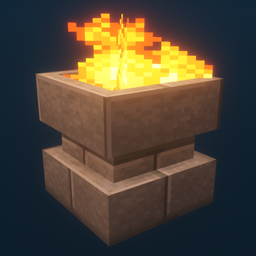
Additional Lights Mod do Minecraft 1.12.2, 26.3
Wszystkie 8 typów, 2 typy ognia, ponad 200 wariantów.
 Fabric
 NeoForge
 Forge
ForgeO modzie Additional Lights
Opis:
Ten mod dodaje ponad 200 wariantów oświetlenia w 6 typach, z wersjami ognia, ognia dusz i światła dla wybranych świateł.
Aktualizacje:
v3.1
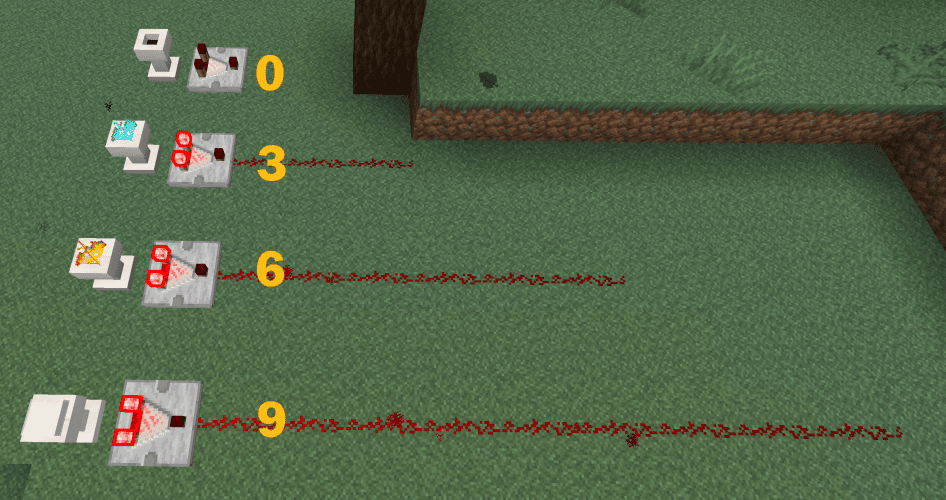
- Podstawki obsługują teraz wyjście komparatora.
v3.0
v2.2
- Dodano odblokowania w książce receptur (osiągnięcia) dla wszystkich receptur Additional Lights
- Dodano opcję konfiguracji do włączania/wyłączania receptur tworzenia Ognia/Ognia dusz (domyślnie: WYŁ.)
(Fabric: do zmiany konfiguracji wymagane są Mod Menu + Cloth Config, ale mod działa bez nich)
v2.1
v2.0
Uwaga:
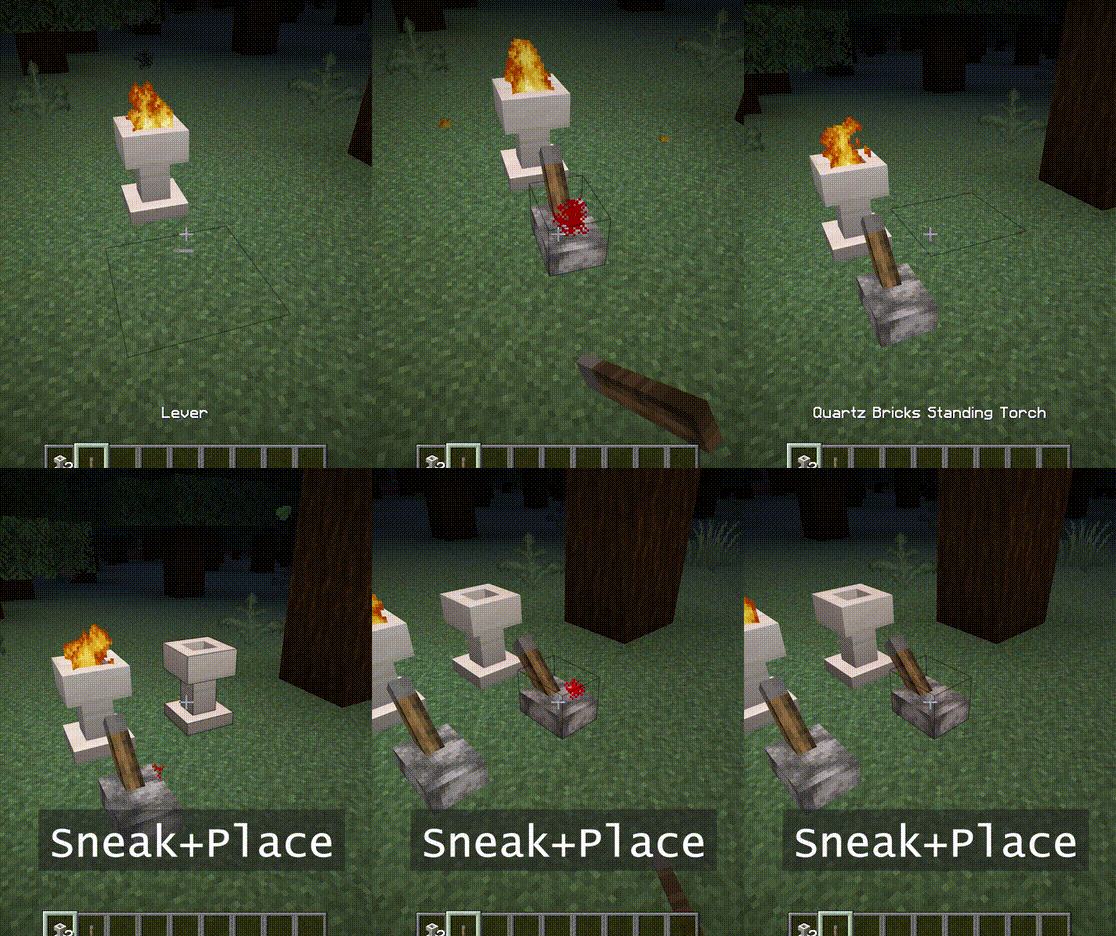
Ognisko i Stojąca Pochodnia mogą zostać zapalone prawym kliknięciem.
Potrzebują także 2 bloków przestrzeni.
Możesz użyć różdżki dusz, aby zamienić je w ogień dusz.
Funkcje:
- - Ogień nie zadaje obrażeń, brak zagrożenia pożarem.
- - Jasność ognia dusz wynosi 10.
- - Po umieszczeniu w trybie skradania nie zapali się. Odrzuca także sygnały, dopóki nie zostanie zniszczony.
- - [1.16] Pigliny boją się ognia dusz. (pochodnia nie działa)
Zrzuty ekranu:
(Wykonane w następującym środowisku: Texture Pack: Faithful x32, Shader Pack: BSL v7.1.05p2, Map:Falcon's Rock v2.0.0)
Resource pack dla faithful x32 tego moda można pobrać tutaj. https://www.curseforge.com/minecraft/mc-mods/additional-lights/download/3001273
Możesz swobodnie umieszczać go w modpacku.
Jak zainstalować Additional Lights
With Millida Launcher
Install Millida Launcher
The launcher is free: download it at millida.net/launcher and sign in with any nickname.
Click “Install” on this page
The launcher opens and installs the mod for Minecraft 1.12.2–26.3 on Fabric, Forge or NeoForge automatically.
Launch the game
A profile with it appears in the launcher: click “Play”.
Manually
Install Fabric, Forge or NeoForge
The loader must match the game version of the mod file, for example Minecraft 26.3. After installing it, a separate profile appears in your launcher.
Download the file for your version
In the version list above, pick the file additional_lights-fabric-26.3-3.1.3.jar (830 KB) for your game version and loader.
Put it in the mods folder
The folder is inside .minecraft (Windows: %appdata%\.minecraft\mods). If it does not exist, create it.
Launch the loader profile
Open “Mods” in the main menu: Additional Lights should be in the list.
Wersje
Z zależnościami
| Minecraft | Loader | Plik | Data | Akcje |
|---|---|---|---|---|
| 26.3 | Fabric | Additional Lights 26.3-3.1.3-Fabric830 KB 22 | ||
| 26.3 | NeoForge | Additional Lights 26.3-3.1.3-NeoForge731 KB | ||
| 1.21.4 | Forge | Additional Lights 1.21.4-2.1.11626 KB | ||
| 1.16.1 | Forge | Additional Lights 1.16.1-2.0.0489 KB | ||
| 1.12.2 | Forge | Additional Lights 1.12.2-1.2.1.2-optional326 KB 2 |
FAQ
Which Minecraft versions does Additional Lights work on?
There are files for 26.3, 1.21.4, 1.16.1, 1.12.2. The newest is 26.3.
Is Additional Lights for Forge or Fabric?
There are files for Fabric: 26.3, for Forge: 1.12.2–1.21.4 and for NeoForge: 26.3.
Does Additional Lights need other mods?
The author lists no required dependencies: the Fabric, Forge or NeoForge loader is enough.
Where can I download Additional Lights safely?
On this page: the file additional_lights-fabric-26.3-3.1.3.jar (830 KB) is stored on Millida’s server, with no link shorteners. SHA-1 checksum: 197a06d2da92880c5ed0e613db13ba8354c56055.
Opinie
Oceń Additional Lights jako pierwszy


